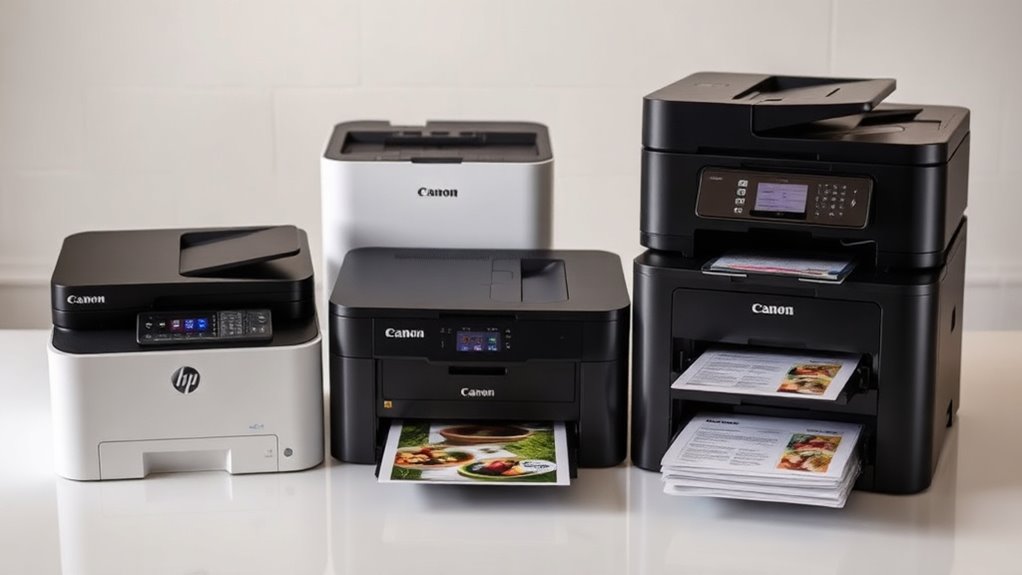
4 Best Canon Laser Printers for 2027 That Deliver Quality Prints
If you’re on the hunt for the best Canon laser printers of 2027, you’re in the right place. Canon has some fantastic options that combine quality, speed, and convenience to meet all your printing needs.
Whether you want vibrant color prints or reliable monochrome output, there’s something here for everyone.
The Canon Color imageCLASS LBP646Cdw is a standout, known for its wireless convenience and efficiency.
Then there’s the MF753Cdw II, a versatile all-in-one that offers fast print speeds and great functionality.
For those who mainly need black-and-white prints, the LBP122dw delivers excellent quality.
Plus, the MF465dw II impresses with its speed and expandable paper capacity.
These top picks each bring something special to the table, making them some of the best Canon laser printers you can find in 2027.
| Image | Name | Editor's Rating | Price |
|---|---|---|---|

|
|
||

|
|
||

|
|
||

|
|
Canon Color imageCLASS LBP646Cdw Wireless Laser Printer
- Single-Function, Color, Wireless, Duplex Printer: Print only. — No Scanning, Copying, or Faxing
- Fast Print Speeds: Print up to 26 ppm in both color and monochrome and spend less time waiting with a quick first print...
- Easy Wireless Setup: Setup your wireless connection and get up and running in just a few steps.

The Canon Color imageCLASS LBP646Cdw Wireless Laser Printer delivers high-quality color prints quickly, helping small businesses and home offices stay productive. Its print speed of up to 26 pages per minute means you get your documents fast, reducing wait times during busy workdays. The first page prints in just over 10 seconds, so important prints are ready when you need them.
Designed for ease of use, this printer supports legal-sized media and includes a 250-sheet standard cassette to handle everyday print volumes. Wireless connectivity simplifies setup and lets you print directly from mobile devices, adding convenience for on-the-go workflows.
Maintenance is straightforward, with the printer’s design focused on reliability and efficiency. Being ENERGY STAR certified, it reduces energy consumption without compromising performance, making it an eco-friendly choice for your office environment.
While it offers great printing capabilities, the device is single-function, lacking scanning and copying features. The paper capacity may require frequent refills during larger print jobs, and its initial cost is higher compared to some basic printers.
Best for: Small businesses and home offices needing fast, reliable color printing with wireless convenience.
What We Like:
- High-speed printing up to 26 ppm for efficient workflow
- Wireless printing from multiple devices including smartphones
- ENERGY STAR certification for energy-efficient operation
Specification:
| Feature | Details |
|---|---|
| Manufacturer | Canon |
| Dimensions | 16.4 x 17.7 x 15.3 inches |
| Weight | 34.2 lb (15.5 kg) |
| Media Size | Supports up to legal size (8.5 x 14 inches) |
| Paper Capacity | 250-sheet standard cassette |
| Connectivity | Wireless, USB |
| Color Options | Color printing capability |
Canon Color imageCLASS MF753Cdw II – All-in-One Color Duplex Laser Printer
- Color, Wireless, Duplex 4-in-1: Print, scan, copy, fax.
Experience seamless productivity with the Canon Color imageCLASS MF753Cdw II, designed to meet the demands of small offices and hybrid workspaces. This all-in-one printer tackles everyday tasks like printing, scanning, copying, and faxing efficiently, helping reduce workflow interruptions. Its automatic duplex printing saves both time and paper, making it a practical choice for busy environments.
The device delivers sharp, professional documents thanks to its 1200 x 1200 dpi print resolution. A user-friendly 5-color touchscreen enhances ease of use, allowing quick access to functions without unnecessary hassle. Wireless connectivity supports mobile printing, enabling convenient on-the-go document handling.
Maintenance is straightforward with this Energy Star certified model, which also promotes eco-friendliness by minimizing power consumption. While it weighs 50 pounds and may require some effort to relocate, its compact design fits well in limited office spaces. Although initial costs are higher than single-function printers, its multifunctionality offers comprehensive value.
Best for: Small offices and hybrid workspaces seeking an efficient all-in-one color laser printer for diverse document management needs.
What We Like:
- Fast print speeds up to 35 pages per minute improve office efficiency
- High-resolution printing ensures crisp, clear output
- Intuitive touchscreen simplifies operation
- Wireless and mobile printing increase accessibility
- Energy Star certification supports low environmental impact
Specification:
| Feature | Details |
|---|---|
| Manufacturer | Canon |
| Dimensions (W×D×H) | Approximately 17.7 × 18.7 × 17.3 inches (45 × 47.5 × 44 cm) |
| Weight | 50 lbs (22.7 kg) |
| Print Resolution | 1200 x 1200 dpi |
| Connectivity | Wireless, Mobile Printing |
| Color Options | Color |
Canon imageCLASS LBP122dw – Wireless Monochrome Duplex Laser Printer
- Wireless, duplex printer (print-only)
- Fast print speeds up to 30 pages per minute (black and white)
- Print on-the-go with Canon PRINT app and more.
The Canon imageCLASS LBP122dw offers a straightforward solution for efficient document printing. Its wireless monochrome duplex laser technology keeps your workflow smooth and productive. You can print sharp documents with a resolution up to 2400 x 600 dpi, ensuring every page looks professional.
This printer’s automatic double-sided printing helps reduce paper waste and saves time. Its compact design fits easily into small office spaces or home setups without taking up much room. Connectivity options like USB, Wi-Fi, and Ethernet provide flexible ways to connect and print from various devices.
Maintenance is simple, with the device designed to handle everyday printing demands without frequent interruptions. While it focuses on black-and-white print jobs, its fast speeds of up to 30 pages per minute help keep your tasks moving. The modest 150-sheet tray capacity means you may need to reload paper occasionally during heavy use.
This printer is ideal for users who need a reliable, efficient monochrome printer without extra multifunction features. It streamlines basic printing tasks and supports sustainability with duplex printing.
Best for: Small offices or home users seeking an efficient monochrome laser printer for everyday document printing.
What We Like:
- Fast print speeds of up to 30 ppm improve productivity
- Automatic duplex printing reduces paper consumption
- Compact design fits limited workspace easily
- Multiple connectivity options including Wi-Fi and Ethernet
Specification:
| Feature | Details |
|---|---|
| Manufacturer | Canon |
| Model | imageCLASS LBP122dw |
| Print Technology | Monochrome Laser |
| Print Speed | Up to 30 pages per minute |
| Max Print Resolution | 2400 x 600 dpi |
| Duplex Printing | Automatic double-sided |
| Connectivity | USB, Wi-Fi, Ethernet |
| Paper Capacity | 150 sheets |
| Dimensions (W×D×H) | Compact, exact size not specified |
| Color | Black |
Canon imageCLASS MF465dw II Monochrome Laser Printer
- Monochrome Wireless, Duplex 4-in-1: Print, Scan, Copy, Fax
- Print up to 42 ppm
- Easy Wireless Setup
For busy small offices and hybrid work environments, the Canon imageCLASS MF465dw II offers efficient, all-in-one printing that simplifies daily tasks. This monochrome laser printer delivers sharp, professional-quality prints quickly, reducing wait times and keeping workflows smooth.
Its intuitive 5-inch color touchscreen makes managing print, scan, copy, and fax functions straightforward. The interface is customizable, helping users navigate features without hassle. The printer’s design supports easy maintenance, minimizing downtime and ensuring consistent performance.
With a standard paper capacity of 250 sheets that expands up to 900 sheets, it adapts to varying workload demands. Wireless connectivity enables seamless mobile printing, though compatibility is limited to certain apps. The monochrome output suits text-heavy documents but may not meet color printing needs.
Overall, the MF465dw II balances functionality and reliability, making it a practical choice for offices that require fast, dependable monochrome printing and multifunction capabilities.
Best for: Small offices and hybrid workspaces needing a versatile monochrome laser printer with multifunction features.
What We Like:
- Fast print speed of up to 42 pages per minute improves productivity.
- Customizable 5-inch color touchscreen for easy operation.
- Expandable paper capacity up to 900 sheets supports growing needs.
- Wireless connectivity simplifies mobile printing.
- Compact design that fits well in limited office spaces.
Specification:
| Feature | Details |
|---|---|
| Manufacturer | Canon |
| Dimensions | Not specified |
| Weight | Not specified |
| Color Options | Monochrome (black and white) |
| Paper Capacity | 250 sheets standard, expandable to 900 sheets |
| Print Speed | Up to 42 pages per minute |
| Touchscreen | 5-inch color, customizable |
Factors to Consider When Choosing a Canon Laser Printer
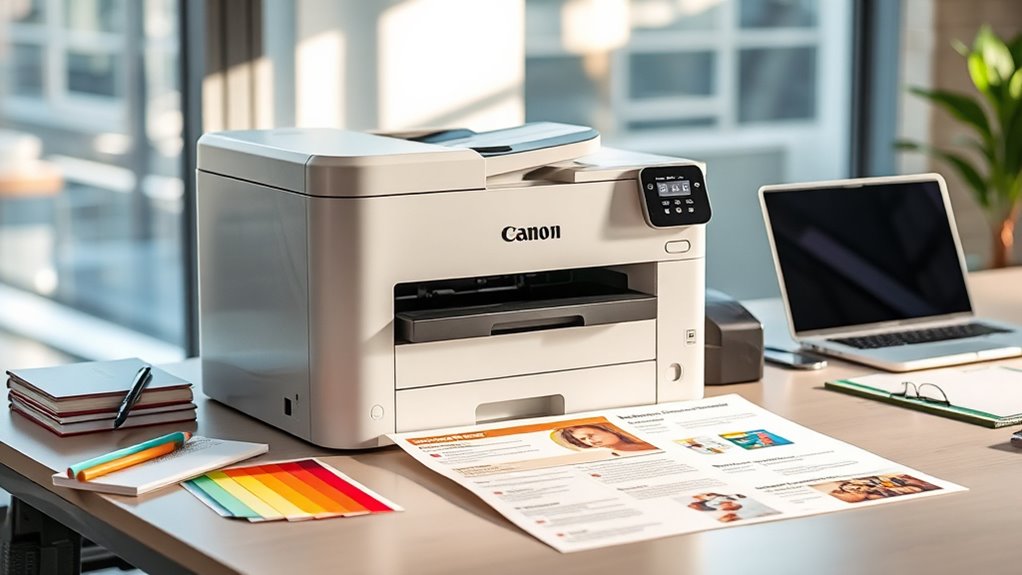
When you’re choosing a Canon laser printer, several key factors can make a big difference in your experience. Think about print speed, connectivity options, and paper handling capacity to match your needs.
Also, pay attention to energy efficiency ratings and print quality specifications to guarantee you’re making a smart investment. These details might seem small, but they really add up in the long run.
Print Speed Considerations
Choosing a Canon laser printer means considering print speed, especially since it plays an essential role in your workflow. Print speed is measured in pages per minute (ppm), and faster speeds can greatly reduce your wait times.
For instance, a printer with a speed of 35 ppm handles larger volumes more efficiently than one at 26 ppm. Initial print time also matters; some models deliver first prints in as little as 4.9 seconds, letting you access documents quickly.
Keep in mind that print speeds can vary between color and monochrome documents, so verify the specifications. In busy office settings, high print speeds help you process large volumes without compromising quality.
Plus, duplex printing features can streamline your overall workflow. It’s all about getting your work done faster and easier!
Connectivity Options Available
Understanding the connectivity options available is essential for maximizing the functionality of your Canon laser printer. Canon printers typically offer USB, Wi-Fi, and Ethernet connections, making it easy to install them in various settings.
If you’re looking for mobile printing, many models support apps like Canon PRINT, Apple AirPrint, and Mopria Print Service. This lets you print directly from your smartphone or tablet without any hassle.
The wireless setup processes are designed for ease, so you can quickly connect to both computers and mobile devices. Plus, some printers come with customizable touchscreens that simplify the connectivity setup even more.
For office environments with multiple users, Ethernet connectivity provides a stable network option. This ensures your printer is always ready for action whenever you need it.
Paper Handling Capacity
Paper handling capacity is an essential factor that can considerably affect your printing experience with a Canon laser printer. Most models have a standard paper capacity ranging from 150 to 250 sheets in the main cassette, perfect for home or small office needs.
If you anticipate higher volume printing, consider models with expandable options that can hold up to 850 sheets with additional cassettes. It’s a handy feature when you don’t want to keep refilling paper all the time.
Look for printers featuring automatic document feeders (ADF) that can accommodate 50 to 100 sheets. This makes duplex scanning and copying much easier and faster.
Additionally, these printers typically support various media sizes, including legal paper (8.5 x 14 inches) and smaller options like 3 x 5 inches. So, you get the versatility needed for different tasks around the office or at home.
Energy Efficiency Ratings
When evaluating a Canon laser printer, energy efficiency ratings play a significant role in your decision-making process. Look for models with ENERGY STAR certification, as they meet strict energy-saving criteria that help cut down on electricity costs.
Printers with EPEAT Silver ratings show a commitment to environmentally friendly practices, promoting reduced energy use and better recyclability. Many Canon printers also feature energy-saving modes that lower power consumption during downtime, enhancing overall efficiency.
Consider high-efficiency toner cartridges, which provide more pages per cartridge, reducing waste. Additionally, automatic duplex printing not only saves paper but also lessens the energy needed for printing, making your choice even more sustainable.
Prioritizing energy efficiency can lead to long-term savings and a smaller environmental footprint. It’s definitely worth keeping these factors in mind when picking your next printer.
Print Quality Specifications
Print quality is essential when selecting a Canon laser printer, as it directly impacts your documents’ appearance and professionalism. Look for models offering print resolutions up to 1200 x 1200 dpi for sharp and detailed color and black-and-white prints.
If you’re focused on monochrome documents, some printers achieve a maximum resolution of 2400 x 600 dpi, ensuring crisp text. Consider the initial print time, with some printers delivering the first page in as little as 4.9 seconds, which can really help keep your workflow moving.
Print speeds range from 26 to 42 pages per minute, so you can find something that fits your volume needs. And don’t forget about duplex printing capabilities—they not only improve quality by minimizing ink bleed but also save paper, making your printing more efficient overall.
Functionality and Features
Choosing a Canon laser printer goes beyond just print quality; it’s essential to evaluate the functionality and features that align with your specific needs.
First, decide if you need a multifunction printer for printing, scanning, copying, and faxing or if a single-function printer suffices.
Consider print speed, with options ranging from 26 to 42 pages per minute, to maintain efficiency. Automatic duplex printing is a great feature to save paper and boost productivity by printing on both sides.
Don’t overlook print resolution; maximums can reach 2400 x 600 dpi for monochrome and 1200 x 1200 dpi for color prints, influencing output quality.
Finally, assess paper handling capacity to accommodate varying printing volumes and media sizes. It’s all about finding what fits your workflow best.
Warranty and Support
Warranty and support play an essential role in your decision-making process for selecting a Canon laser printer. Most Canon models come with a limited warranty of 1 to 3 years, giving you peace of mind against defects.
Canon’s extensive service network guarantees you can access professional assistance for troubleshooting and repairs when needed. Plus, many printers offer a 30-day return guarantee, so if the printer doesn’t meet your expectations, you can return it hassle-free.
Warranty coverage often includes valuable resources like online troubleshooting guides and FAQs, which make it easier to resolve issues on your own. If you’re planning on using your printer long-term, it’s worth considering extended warranty options for extra support and assurance.
Toner and Maintenance Costs
When you’re considering a Canon laser printer, toner and maintenance costs are key factors that can impact your long-term budget. Look at the toner type and yield; high-capacity options can greatly reduce how often you need replacements.
Some Canon models produce between 3,000 and 10,200 pages per toner, which can enhance your cost efficiency. Regular maintenance is also easier with printers that have high page yields, aligning with your printing volume.
Additionally, consider ENERGY STAR certified models, as they often provide better energy efficiency, lowering your electricity costs. Finally, evaluate warranty and support options for toner and printer maintenance; extended warranties can help minimize unexpected expenses and offer peace of mind.
Frequently Asked Questions
How Do I Connect My Canon Laser Printer to Wi-Fi?
To connect your Canon laser printer to Wi-Fi, access the printer’s menu, select “Network,” then “Wi-Fi setup.”
Choose your network, enter the password, and follow the prompts. Your printer should connect automatically once configured.
It’s pretty straightforward, but if you run into any issues, double-check your password or try restarting your printer. You’ll be printing wirelessly in no time!
What Is the Average Lifespan of a Canon Laser Printer?
A Canon laser printer typically lasts around 5 to 7 years with proper care. Regular maintenance, like cleaning and replacing toner, can extend its lifespan.
This way, you can ensure you get quality prints for years to come. Just a little effort goes a long way!
Can I Use Third-Party Toner Cartridges With Canon Printers?
Yes, you can use third-party toner cartridges with Canon printers, but be cautious. They might affect print quality or void your warranty.
Always check compatibility and read reviews before making a purchase. It’s better to be safe than sorry!
How Often Should I Perform Maintenance on My Canon Printer?
You should perform maintenance on your Canon printer as if it’s a delicate flower!
Ideally, do it every month—cleaning the rollers, checking connections, and replacing cartridges. This helps keep it blooming beautifully and printing flawlessly.
What Operating Systems Are Compatible With Canon Laser Printers?
Canon laser printers typically work with Windows, macOS, and various Linux distributions. To guarantee smooth operation, check your specific printer model’s compatibility list on Canon’s website before installation.
You’ll want everything to run seamlessly! It’s always a good idea to double-check so you don’t run into any hiccups later on.
Conclusion
To sum up, choosing the right Canon laser printer can feel like finding a needle in a haystack, but it doesn’t have to be! With options like the Color imageCLASS LBP646Cdw and the MF753Cdw II, you’re sure to find the perfect fit for your needs.
Remember to take into account factors like print speed, functionality, and budget. These are key to making sure your printer matches exactly what you need for home or office use.
Invest in one of these Canon laser printers, and you’ll be amazed at the quality you can achieve with every print! Whether it’s sharp text or vibrant color, these models deliver excellent performance and reliability. So go ahead, make your choice confidently and enjoy hassle-free printing that meets your expectations perfectly.