12 Best Canon Laser All-in-One Printers for 2027
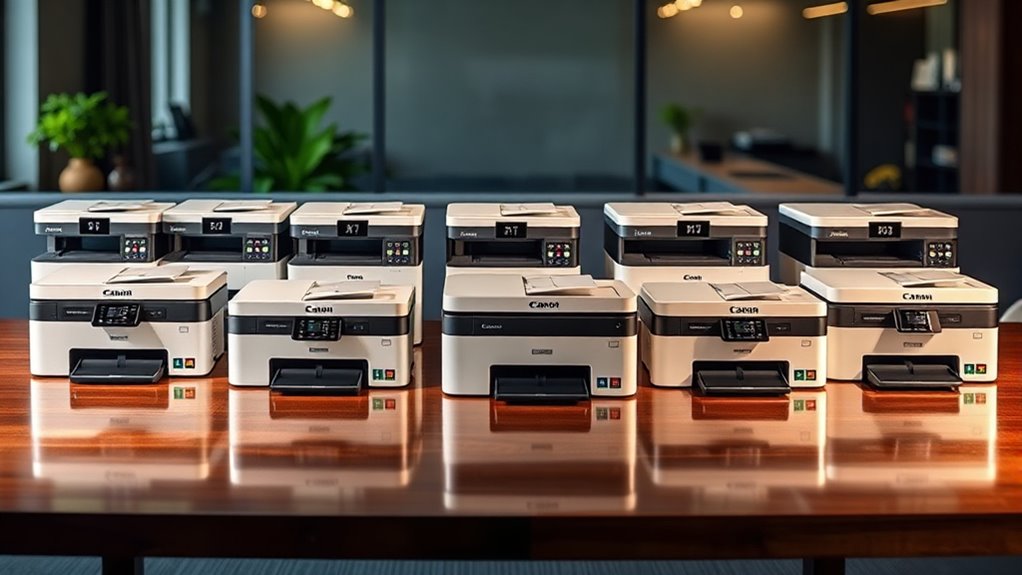
If you’re on the hunt for the best Canon laser all-in-one printers for 2027, you’re in the right place. These printers combine printing, scanning, copying, and sometimes faxing, making them perfect for any busy office or home workspace.
Whether you need fast color printing or efficient monochrome output, Canon has you covered with a range of models.
For example, the Color imageCLASS MF662Cdw and MF753Cdw II offer speedy printing and multifunction features that keep your workflow smooth.
Meanwhile, the MF465dw II stands out for high-speed black-and-white printing, ideal for heavy document tasks.
And if faxing is a must, the MF665Cdw provides all-in-one functionality that includes that feature.
Stick around, and you’ll get detailed insights to help you pick the perfect Canon printer for your needs!
| Image | Name | Editor's Rating | Price |
|---|---|---|---|

|
|
||

|
|
||

|
|
||

|
|
||
|
|
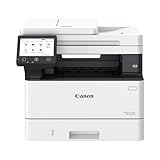
Canon Color imageCLASS MF662Cdw Wireless Laser Printer
- Color, Wireless, Duplex 3-in-1: Print, scan, copy.
- Fast Print Speeds: Print up to 26 ppm in both color and monochrome and spend less time waiting with a quick first print...
- Easy Wireless Setup: Setup your wireless connection and get up and running in just a few steps.

The Canon Color imageCLASS MF662Cdw Wireless Laser Printer is designed to boost productivity in small and home office environments. It delivers fast print speeds of up to 26 pages per minute, helping you complete tasks quickly and stay on schedule. The printer’s 3-in-1 functionality allows you to print, scan, and copy with ease, streamlining your workflow.
Setup is straightforward thanks to wireless connectivity options including Wi-Fi, Ethernet, and USB. You can also print directly from mobile devices, adding flexibility to where and how you work. The intuitive 5-inch touchscreen offers simple navigation, reducing the time spent on adjustments and settings.
Maintenance is manageable with easy toner replacement, although the 250-sheet paper capacity may require frequent refills for heavy use. The print resolution is 600 x 600 dpi, suitable for everyday documents but less ideal for tasks demanding high-detail output.
Energy efficiency is built into the design, making this printer a dependable and economical choice for routine office needs. Its compact form fits well in tight spaces without sacrificing functionality.
Best for: Small and home offices needing a versatile, efficient all-in-one laser printer that balances speed and convenience.
What We Like:
- Rapid printing up to 26 pages per minute saves time.
- Simple 5-inch touchscreen improves user experience.
- Multiple connectivity options including wireless and Ethernet.
- Compact design fits well in limited office spaces.
- Energy-efficient operation reduces power consumption.
Specification:
| Feature | Details |
|---|---|
| Manufacturer | Canon |
| Dimensions (W×D×H) | 16.1 × 17.7 × 15.7 inches |
| Weight | 42.4 lbs (19.2 kg) |
| Color Options | White and Gray |
| Print Speed | Up to 26 pages per minute |
| Print Resolution | 600 x 600 dpi |
| Paper Capacity | 250 sheets standard cassette |
| Connectivity | Wireless (Wi-Fi), Ethernet, USB |
Canon Color imageCLASS MF753Cdw II – All-in-One Color Duplex Laser Printer
- Color, Wireless, Duplex 4-in-1: Print, scan, copy, fax.
The Canon Color imageCLASS MF753Cdw II is designed to streamline printing tasks for small offices and hybrid workspaces. Its fast print speed of up to 35 pages per minute helps reduce wait times, keeping your team productive throughout the day. The sharp print resolution of 1200 x 1200 dpi delivers clear, vibrant documents suitable for professional use.
This all-in-one printer simplifies daily operations with its automatic duplex printing and a 250-sheet paper capacity, minimizing the need for frequent input. Wireless connectivity allows seamless printing from mobile devices or computers, reducing cable clutter and enhancing convenience.
Maintenance is straightforward, with intuitive controls via the 5-color touchscreen that guides users through setup and troubleshooting. While the printer’s weight of 50 pounds limits portability, its robust design supports consistent performance in busy environments.
The initial page print time of 7 seconds may be longer than some alternatives, but the overall efficiency and multifunctional capabilities make it a reliable asset for everyday office demands.
Best for: Small offices and hybrid work environments that require efficient all-in-one printing solutions.
What We Like:
- Fast print speeds up to 35 ppm improve workflow efficiency
- Crisp, high-resolution output at 1200 x 1200 dpi
- Convenient wireless printing from multiple devices
- Automatic duplex printing reduces paper waste
- User-friendly 5-color touchscreen interface
Specification:
| Feature | Details |
|---|---|
| Manufacturer | Canon |
| Dimensions (W×D×H) | 16.1 × 18.7 × 17.3 in |
| Weight | 50 lb (22.7 kg) |
| Technology | Color Duplex Laser |
| Paper Capacity | 250 sheets |
| Print Resolution | 1200 x 1200 dpi |
| Connectivity | Wireless, USB, Ethernet |
Canon imageCLASS MF465dw II Monochrome Wireless Printer
- Monochrome Wireless, Duplex 4-in-1: Print, Scan, Copy, Fax
- Print up to 42 ppm
- Easy Wireless Setup
Experience seamless productivity with the Canon imageCLASS MF465dw II, a monochrome wireless laser printer designed to simplify your office tasks. It combines printing, scanning, copying, and faxing into one compact device, saving space and reducing clutter. Its high-speed printing of up to 42 pages per minute keeps your workflow moving without delays.
The intuitive 5-inch color touchscreen makes controlling functions straightforward, reducing time spent navigating menus. Connectivity options like Wi-Fi, Ethernet, and USB allow easy integration into various work setups, while mobile printing support offers flexibility for on-the-go document handling.
Maintenance is convenient thanks to its robust design and straightforward paper handling. The standard 250-sheet paper tray supports moderate workloads, with an optional upgrade to 900 sheets for heavier printing demands. While it prints only in black and white, this laser printer excels in delivering sharp, professional text documents.
This all-in-one device fits perfectly in small offices or home workspaces where reliability and efficiency matter most. Its combination of speed, multifunctionality, and adaptable connectivity helps streamline daily operations.
Best for: Small to home offices and hybrid work environments needing a dependable monochrome multifunction printer.
What We Like:
- Fast printing speed of up to 42 ppm for enhanced efficiency
- User-friendly 5-inch color touchscreen for easy operation
- Multiple connectivity options including Wi-Fi, Ethernet, and USB
- Mobile printing support for flexible document management
- Optional paper capacity upgrade for high-volume needs
Specification:
| Feature | Details |
|---|---|
| Manufacturer | Canon |
| Dimensions | Not specified |
| Weight | Not specified |
| Color Options | Monochrome (Black and White) |
| Paper Capacity | 250 sheets (expandable to 900 sheets) |
| Print Speed | Up to 42 pages per minute |
| Connectivity | Wi-Fi, Ethernet, USB |
| Touchscreen | 5-inch color touchscreen |
Canon Color imageCLASS MF665Cdw – Wireless, All-in-One Duplex Laser Printer
- Color, Wireless, Duplex 4-in-1: Print, scan, copy, fax.
- Fast Print Speeds: Print up to 26 ppm in both color and monochrome and spend less time waiting with a quick first print...
- Easy Wireless Setup: Setup your wireless connection and get up and running in just a few steps.
The Canon Color imageCLASS MF665Cdw offers a versatile solution for small offices and hybrid workspaces needing more than just basic printing. This wireless all-in-one laser printer simplifies daily tasks by combining printing, scanning, copying, and faxing in one compact device. Its fast print speed helps reduce wait times, keeping your workday moving smoothly.
Designed to handle busy workflows, it features a 250-sheet paper capacity and a 50-sheet duplex automatic document feeder. These elements cut down on manual paper handling and help you manage large jobs efficiently. The duplex printing and scanning capabilities also promote sustainable practices by saving paper.
Maintenance is straightforward with Canon Genuine Toner, which ensures consistent print quality. While toner replacement costs can add up, proper management can keep expenses in check. The printer supports seamless mobile printing via the Canon PRINT app and integrates easily with other cloud services, enhancing flexibility.
Energy efficiency is built into the design, as it is ENERGY STAR certified, helping reduce your environmental impact without sacrificing performance. Its compact design fits well in limited spaces, making it practical for various office setups.
Best for: Small offices or hybrid work environments requiring a reliable and multifunctional wireless printer.
What We Like:
- Fast printing at up to 26 pages per minute
- Duplex capabilities for both printing and scanning
- Wireless connectivity with mobile app support
- Large paper capacity for handling bigger jobs
- ENERGY STAR certified for energy efficiency
Specification:
| Feature | Details |
|---|---|
| Manufacturer | Canon |
| Dimensions (W x D x H) | 16.5 x 18.5 x 15.1 inches |
| Weight | 44.1 lbs (20 kg) |
| Print Technology | Color Laser |
| Connectivity | Wireless, USB |
| Paper Capacity | 250 sheets |
| Automatic Document Feeder | 50-sheet duplex |
| Maximum Media Size | Legal (8.5 x 14 inches) |
Canon imageCLASS MF462dw II – Wireless, Monochrome Duplex Laser Printer
- Monochrome, Wireless, Duplex 4-in-1: Print, scan, copy, fax.
- Fast Print Speeds: Print up to 37 pages per minute and spend less time waiting with a quick first print time of...
- Easy Wireless Setup: Setup your wireless connection and get up and running in just a few steps2
The Canon imageCLASS MF462dw II transforms the way small offices and hybrid workspaces handle daily tasks. Its 4-in-1 functionality—print, scan, copy, and fax—streamlines processes, cutting down on the need for multiple devices. This all-in-one solution helps reduce clutter and improves efficiency.
With a fast print speed of up to 37 pages per minute, it quickly handles large workloads, saving valuable time. The 5-inch color touchscreen offers intuitive control, making navigation simple for all users. Its duplex automatic document feeder efficiently scans and copies multi-page documents, reducing manual effort.
Designed for convenience, this monochrome laser printer connects wirelessly, supporting mobile printing apps for easy access from smartphones or tablets. Maintenance is straightforward, with reliable toner performance that minimizes interruptions. The sizable paper capacity of up to 900 sheets supports high-volume printing without frequent reloads.
Though it weighs 44 pounds, making it less portable, its robust build suits busy office environments. The monochrome output limits color printing but focuses on delivering crisp, professional black-and-white documents. Overall, it solves common office workflow challenges with reliable, versatile functionality.
Best for: Small offices and hybrid work environments needing a dependable multifunction monochrome laser printer.
What We Like:
- Fast printing speed up to 37 ppm for enhanced productivity
- Intuitive 5-inch color touchscreen for easy operation
- Duplex automatic document feeder reduces manual handling
- Wireless connectivity with mobile app support
- Large paper capacity up to 900 sheets for uninterrupted workflow
Specification:
| Feature | Details |
|---|---|
| Manufacturer | Canon |
| Dimensions (W×D×H) | 16.3 × 15.7 × 15.0 inches |
| Weight | 44 lbs (20 kg) |
| Color Options | Monochrome (Black & White) |
| Connectivity | Wireless, Mobile Printing |
Canon MAXIFY GX2020 All-in-One Wireless Color Printer

- Wireless Print/Copy/Scan/Fax (2)
- Print up to 3,000 black & white / 3,000 color pages using a single set of inks! (1)
- 2.7” LCD Color Touchscreen
The Canon MAXIFY GX2020 All-in-One Wireless Color Printer is designed to keep your small business or home office running smoothly. Its high print yield means you can produce up to 3,000 pages per ink set, cutting down on frequent ink changes and minimizing interruptions. This helps maintain steady workflow without constant maintenance.
With print speeds of 15 pages per minute in black and white and 10 pages per minute in color, it handles daily printing tasks efficiently. The compact design fits neatly into most workspaces, while wireless connectivity offers flexible placement and easy access from multiple devices.
Maintenance is straightforward thanks to the large ink tanks, which reduce the hassle and cost of replacements. The 2.7-inch touchscreen and 35-sheet Automatic Document Feeder simplify operation, especially for multi-page documents, saving time and effort.
While it offers solid functionality, the printer’s footprint is slightly larger than some compact models, and its color print resolution of 600 x 1200 dpi may not meet high-end photo printing needs. Setup can require some technical skill, especially for wireless configuration.
Best for: Small businesses and home offices needing a reliable, high-capacity color printer for everyday use.
What We Like:
- High ink yield of up to 3,000 pages per set reduces downtime
- Fast print speeds boost office productivity
- Compact, wireless design fits versatile work environments
- Easy-to-use touchscreen and automatic document feeder streamline tasks
Specification:
| Feature | Details |
|---|---|
| Manufacturer | Canon |
| Dimensions (W x D x H) | Approx. 17.7 x 13.6 x 7.7 in |
| Weight | Approximately 10.6 lbs |
| Color Options | Black |
Canon imageCLASS MF273dw Wireless Monochrome Laser Printer

- Wireless 3-in-1: Print | Copy | Scan
- Print up to 30 Pages Per Minute (BW, Letter)
- First Print Out in Approximately 5.3 Seconds (Letter)
The Canon imageCLASS MF273dw is designed to streamline your daily printing, copying, and scanning tasks with ease. Its fast print speed of up to 30 pages per minute helps reduce wait times, making it ideal for busy environments. The compact and efficient design fits comfortably into small workspaces without sacrificing performance.
Maintenance is straightforward thanks to the auto document feeder and auto-duplex printing, which handle multi-page jobs and double-sided documents effortlessly. This reduces manual intervention, saving time and minimizing errors. Connectivity options like USB and Wi-Fi ensure seamless integration with your computer or mobile devices.
This monochrome laser printer is perfect for users who prioritize sharp, clear black-and-white documents. Its moderate paper capacity suits typical office demands, although high-volume users might need to refill more often. Weighing 24.7 pounds, it remains portable enough for occasional relocation but is best suited for a fixed setup.
The Canon imageCLASS MF273dw helps improve workflow efficiency and reliability, making it a practical choice for home offices and small to medium businesses that need a multifunction device without the complexity of color printing.
Best for: Home offices and small to medium-sized businesses requiring a dependable all-in-one monochrome laser printer.
What We Like:
- Fast printing up to 30 ppm enhances productivity
- Compact build fits limited workspace efficiently
- Auto duplex and document feeder reduce manual handling
- Easy USB and Wi-Fi connectivity for flexible use
Specification:
| Feature | Details |
|---|---|
| Manufacturer | Canon |
| Dimensions | Not specified |
| Weight | 24.7 lb (11.2 kg) |
| Color | Monochrome (Black & White) |
| Connectivity | USB, Wi-Fi |
Canon Color imageCLASS MF663Cdw Multifunction Laser Printer

- Color, Wireless, Duplex 3-in-1: Print, scan, copy.
- Fast Print Speeds: Print up to 26 ppm in both color and monochrome and spend less time waiting with a quick first print...
- Easy Wireless Setup: Setup your wireless connection and get up and running in just a few steps.
The Canon Color imageCLASS MF663Cdw offers a versatile solution for small offices and home workspaces that demand efficiency. This multifunction laser printer combines printing, scanning, and copying to streamline daily tasks and reduce the need for multiple devices.
Its printing speed of up to 26 pages per minute helps keep up with busy workloads without long waits. The sharp 1200 x 1200 dpi resolution ensures crisp, professional-quality documents every time, supporting both color and monochrome prints. Wireless connectivity and mobile printing options simplify access, making it easy to print from various devices.
Maintenance is straightforward with a 250-sheet paper capacity that minimizes refills, while the 50-sheet automatic document feeder speeds up scanning and copying. However, users should note it does not support automatic duplex scanning, only auto two-sided printing, which might require manual handling for double-sided scans.
Designed for hybrid work environments, this printer balances performance and convenience. Its user-friendly 5-inch touchscreen enhances navigation, helping users quickly access functions without hassle.
Best for: Small offices and home workspaces needing a reliable multifunction laser printer with efficient performance.
What We Like:
- Fast print speeds for both color and black-and-white documents
- Intuitive 5-inch touchscreen for easy operation
- Wireless and mobile printing support for flexible connectivity
Specification:
| Feature | Details |
|---|---|
| Manufacturer | Canon |
| Dimensions (W×D×H) | 16.1 × 16.5 × 15.1 inches |
| Weight | 38.6 lbs (17.5 kg) |
| Print Resolution | 1200 x 1200 dpi |
| Paper Capacity | 250 sheets |
| Automatic Document Feeder | 50 sheets |
| Connectivity | Wireless, Mobile Printing |
Canon imageCLASS MF287dw Wireless All-in-One Laser Printer

- Print up to 35 pages-per-minute with a first print out of time of less than 4.9 seconds (letter)
- Print on-the-go with Canon Print App, Canon PRINT Business, Apple AirPrint and Mopria Print Service
- High capacity toner option keeps up with your printing needs and limits toner replacement interruptions
The Canon imageCLASS MF287dw Wireless All-in-One Laser Printer is designed to streamline your office tasks. Its fast print speed of up to 35 pages per minute helps reduce wait times, keeping your workflow smooth and efficient. You can print directly from laptops, tablets, or smartphones using wireless connectivity, which eliminates the hassle of cables.
This printer’s compact design fits well in tight spaces, measuring 22.5D x 22.8W x 22.1H inches and weighing 27.6 pounds. Its 250-sheet paper capacity means fewer interruptions from paper refills, allowing you to focus more on your work. Maintenance is straightforward, helping you keep the printer running without frequent downtime.
Ideal for monochrome printing, this model is best suited for environments that require clear, crisp text documents. Although it lacks an automatic document feeder, it handles standard scanning and copying tasks efficiently. The wireless features support multiple mobile printing options, making it adaptable to modern office needs.
Best for: Small offices and workgroups needing a reliable wireless monochrome laser printer for everyday document management.
What We Like:
- Fast printing at up to 35 pages per minute
- Wireless printing via Canon Print App and Apple AirPrint
- Large 250-sheet paper capacity reduces refilling frequency
Specification:
| Feature | Specification |
|---|---|
| Manufacturer | Canon |
| Dimensions (in) | 22.5 D x 22.8 W x 22.1 H |
| Weight (lb) | 27.6 |
| Color | Black and White (Monochrome) |
| Connectivity | Wireless (Wi-Fi) |
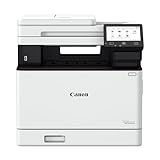
Canon Color imageCLASS MF751Cdw II Wireless Printer
- Color, Wireless, Duplex 3-in-1: Print, scan, copy.
- Fast Print Speeds: Print up to 35 ppm in both color and monochrome and spend less time waiting with a quick first print...
- Easy Wireless Setup: Setup your wireless connection and get up and running in just a few steps.
The Canon Color imageCLASS MF751Cdw II Wireless Printer is designed to streamline busy work environments. It tackles slow printing and multitasking challenges with a fast output of up to 35 pages per minute. The quick first print time of just 7 seconds helps you stay productive without delays.
This printer combines print, scan, and copy functions in one device, reducing clutter and simplifying workflows. Its automatic duplex printing saves paper and time, making it ideal for efficient document management. The 5-inch color touchscreen offers straightforward navigation, so you can operate the printer with ease.
Maintenance is hassle-free with Canon Genuine Toner 069, ensuring consistent, high-quality prints. The printer supports wireless connectivity through Canon PRINT, Apple AirPrint, and Mopria, allowing seamless printing from smartphones and tablets.
With an expandable paper capacity of up to 850 sheets, this model suits businesses with heavy printing demands. While it weighs 45 pounds, making it less portable, its robust design supports reliable, long-term use.
Best for: Professionals and small to medium-sized businesses needing a fast, multifunctional printer that boosts daily productivity.
What We Like:
- Fast print speed of up to 35 ppm for quick document turnaround
- Intuitive 5-inch color touchscreen for easy operation
- Large paper capacity reduces refill frequency
- Wireless printing from multiple mobile platforms
- Automatic duplex printing for efficient paper use
Specification:
| Feature | Details |
|---|---|
| Manufacturer | Canon |
| Dimensions (W×D×H) | Not specified |
| Weight | 45 lb (20.4 kg) |
| Functionality | Print, Scan, Copy |
| Paper Capacity | Up to 850 sheets |
| Connectivity | Wireless (Canon PRINT, Apple AirPrint, Mopria) |
| Touchscreen | 5-inch color |
Canon imageCLASS MF284dw Multifunction Wireless Monochrome Laser Printer

- Print up to 35 pages-per-minute with a first print out of time of less than 4.9 seconds (letter)
- Print on-the-go with Canon Print App, Canon PRINT Business, Apple AirPrint and Mopria Print Service
- High capacity toner option keeps up with your printing needs and limits toner replacement interruptions
Experience efficient printing with the Canon imageCLASS MF284dw, designed to meet the needs of busy home offices and small businesses. This multifunction wireless monochrome laser printer offers fast output, printing up to 35 pages per minute. Its quick first print time reduces wait, helping you stay productive throughout the day.
The compact design fits easily into limited workspaces, weighing just 27.6 pounds. Duplex printing minimizes paper use and cuts costs, making it an eco-friendly choice. High-speed scanning adds convenience, streamlining your document management.
Maintenance is straightforward, though keep in mind the initial toner cartridge yields about 1000 pages, which may require replacement with heavy use. Mobile printing support through Canon’s apps and Apple AirPrint lets you print directly from smartphones or tablets, improving flexibility.
With monochrome output only, this printer is ideal for text-heavy documents rather than color projects. Its reliable performance and multifunction capabilities make it a practical solution for everyday office tasks.
Best for: Small offices or home users needing a dependable and efficient monochrome laser printer with wireless multifunction features.
What We Like:
- Fast printing speed of up to 35 pages per minute
- Duplex printing saves paper and reduces expenses
- Wireless connectivity enables mobile and remote printing
- Compact and lightweight design fits small workspaces
- High-speed scanning enhances document workflow
Specification:
| Feature | Details |
|---|---|
| Manufacturer | Canon |
| Dimensions | Not specified |
| Weight | 27.6 lb (12.5 kg) |
| Color Options | Monochrome (Black & White) |
| Connectivity | Wireless, Mobile Printing (Canon apps, Apple AirPrint) |
Canon PIXMA TR8620a All-in-One Printer

- Never run out of ink. Connect your printer to Alexa and receive notifications when you’re running low. Alexa can even...
- Enrolling in Smart Reorders with Alexa ensures that you never have too much or too little ink supplies. No subscription...
- Wireless 4-in-1 (Print | Copy | Scan | Fax)
The Canon PIXMA TR8620a All-in-One Printer is designed to simplify your daily printing needs. It combines printing, copying, scanning, and faxing in a single device, helping you save space and reduce clutter. This versatile printer handles a variety of tasks, making it ideal for both home and small office environments.
With fast print speeds of 15 ipm for black and 10 ipm for color, you spend less time waiting and more time getting work done. The 200-sheet paper capacity and auto duplex printing reduce the need for constant refills and manual page flipping. This functionality supports smooth, efficient workflows.
Maintenance is straightforward thanks to five individual ink tanks, which allow you to replace only the colors you need. While this setup ensures vibrant, high-resolution prints up to 4800 x 1200 dpi, it may lead to higher ink expenses compared to combined cartridges. The printer’s weight of 17.4 pounds means it’s stable but less portable.
ENERGY STAR certification highlights its energy-efficient operation, and compatibility with Alexa and Android devices adds modern connectivity options. These features make it a practical choice for users who value convenience and eco-friendly technology.
Best for: Home or small office users who need a multifunctional printer with reliable performance and smart connectivity.
What We Like:
- Combines printing, copying, scanning, and faxing in one compact device
- Fast print speeds and auto duplex for efficient document handling
- Individual ink tanks for targeted maintenance and vibrant color output
- ENERGY STAR certified for energy-efficient operation
- Compatible with Alexa and Android for seamless wireless use
Specification:
| Feature | Details |
|---|---|
| Manufacturer | Canon |
| Dimensions | Not specified |
| Weight | 17.4 lb (7.9 kg) |
| Print Speed | 15 ipm (black), 10 ipm (color) |
| Paper Capacity | 200 sheets |
| Print Resolution | Up to 4800 x 1200 dpi |
| Ink Type | Five individual ink tanks |
| Connectivity | Alexa, Android compatible |
Factors to Consider When Choosing a Canon Laser All-in-One Printer
When you’re choosing a Canon laser all-in-one printer, it’s vital to take into account several key factors. Think about print speed, connectivity options, and paper handling capacity that best suit your needs.
Also, don’t overlook functionality, features, and energy efficiency ratings. These will help guarantee you make a smart choice.
Print Speed Considerations
Understanding print speed is essential for selecting the right Canon laser all-in-one printer, especially if you’re dealing with high volumes. Look for models that boast pages per minute (ppm) ratings of up to 42 for peak efficiency.
Also, pay attention to the initial print time; some can deliver the first page in just 4.9 seconds, which can greatly enhance productivity. Don’t forget to take into account print speeds for both color and black-and-white documents, as they can vary.
Features like automatic document feeders (ADF) allow for handling multiple pages at once, improving bulk job efficiency. Finally, check the maximum print speed for duplex printing, as this can affect your workflow if double-sided printing is common in your environment.
Connectivity Options Available
Choosing the right connectivity options can really impact your experience with a Canon laser all-in-one printer. Many models offer Ethernet, USB, and Wi-Fi, so you have plenty of ways to set it up.
If you prefer mobile printing, look for printers that support Apple AirPrint, the Canon PRINT app, or Mopria Print Service. This makes it super easy to print right from your smartphone or tablet.
Some advanced models even have Wi-Fi Direct, which lets you print wirelessly without needing a network connection. Plus, customizable touchscreen interfaces make the whole connection process a breeze.
With compatibility across various devices, including laptops and PCs, you’ll find it simple to connect and print from your favorite platform. It’s all about making your printing experience seamless and efficient.
Paper Handling Capacity
Having the right connectivity options sets the stage for a smooth printing experience, but paper handling capacity plays an equally important role in your overall efficiency.
When choosing a Canon laser all-in-one printer, consider models with a standard cassette capacity of 250 sheets. This size is perfect for small to medium print jobs.
Look for a multipurpose tray that holds up to 50 sheets for diverse media types. Need to boost productivity? Some models allow you to expand capacity up to 900 sheets with optional cassettes.
Automatic Document Feeders (ADF) that hold 50 sheets or more simplify duplex scanning. This means less manual effort for multi-page documents.
And remember, most printers support a maximum media size of legal dimensions (8.5 x 14 inches). That covers just about everything you might need.
Functionality and Features
When it comes to selecting a Canon laser all-in-one printer, the range of functionality and features can make all the difference in meeting your office needs. You’ll want to take into account essential functions like printing, scanning, copying, and faxing to guarantee versatility.
Look for automatic duplex printing to save paper and make double-sided documents easier. A high print speed, usually between 26 to 42 pages per minute (ppm), can greatly boost productivity.
Additionally, a user-friendly interface, such as a touchscreen, simplifies navigation and operation. Don’t forget to check connectivity options like wireless, Ethernet, and USB.
These allow seamless integration with multiple devices and support mobile printing solutions, making your workflow smoother and more efficient.
Energy Efficiency Ratings
While evaluating a Canon laser all-in-one printer, you can’t overlook the importance of energy efficiency ratings. Look for models with ENERGY STAR certification, as they meet strict guidelines for energy-saving set by the U.S. Environmental Protection Agency.
EPEAT-certified printers also stand out, showcasing superior environmental performance in energy use and material selection. Choosing a printer with high energy efficiency ratings not only lowers your electricity costs but also reduces your carbon footprint.
Many energy-efficient models include power-saving modes that cut consumption during idle times, ensuring you save even more. Best of all, these printers maintain excellent performance while using less energy, so you won’t have to sacrifice quality for sustainability.
Frequently Asked Questions
What Is the Average Lifespan of Canon Laser Printers?
The average lifespan of Canon laser printers is about 5 to 7 years with proper maintenance. Regularly replacing toner and keeping the printer clean can help you maximize its longevity and performance.
Taking care of your printer doesn’t have to be complicated. Just a little attention now and then goes a long way in keeping your printer running smoothly.
How Often Should I Replace Toner Cartridges?
You should replace toner cartridges when you notice print quality declining or when your printer alerts you.
Typically, this happens every 2,000 to 10,000 pages, depending on your printer model and usage.
Are Canon Laser Printers Compatible With Mac Systems?
Yes, Canon laser printers are compatible with Mac systems. You’ll find drivers available on Canon’s website, making it easy to set up and use your printer seamlessly with your Mac without any hassle.
It’s pretty straightforward to get everything up and running. Just download the right driver, and you’re good to go!
What Warranty Does Canon Offer on Their Printers?
Canon typically offers a one-year limited warranty on their printers, covering defects in materials and workmanship. You should check the specific model’s warranty details, as terms can vary.
It’s a good idea to keep your receipt handy for any warranty claims. That way, you’ll have everything you need if something goes wrong.
Can I Print From Mobile Devices With These Printers?
Yes, you can print from mobile devices with these printers. They support wireless printing through apps like Canon PRINT, Apple AirPrint, and Google Cloud Print.
This makes it super easy to send documents directly from your smartphone or tablet. No need to fuss with cables or complicated setups!
Conclusion
In choosing the right Canon laser all-in-one printer, you’ll want to weigh your needs against the features each model offers. Whether you’re printing colorful documents or sharp monochrome text, there’s a perfect fit for you.
Remember, it’s not just about the price; it’s about getting the most bang for your buck. With the right printer, you can streamline your tasks and keep your workspace running like a well-oiled machine.
When looking at Canon laser all-in-one printers, consider what matters most—print quality, speed, and versatility. These printers are designed to handle everything from documents to photos, making them ideal for home offices or small businesses.
Choosing a Canon laser all-in-one printer means investing in reliability and efficiency. So take your time, compare features, and find the best Canon laser all-in-one printer that fits your budget and printing needs. Happy printing!