12 Best Canon All-in-One Laser Printers for 2027
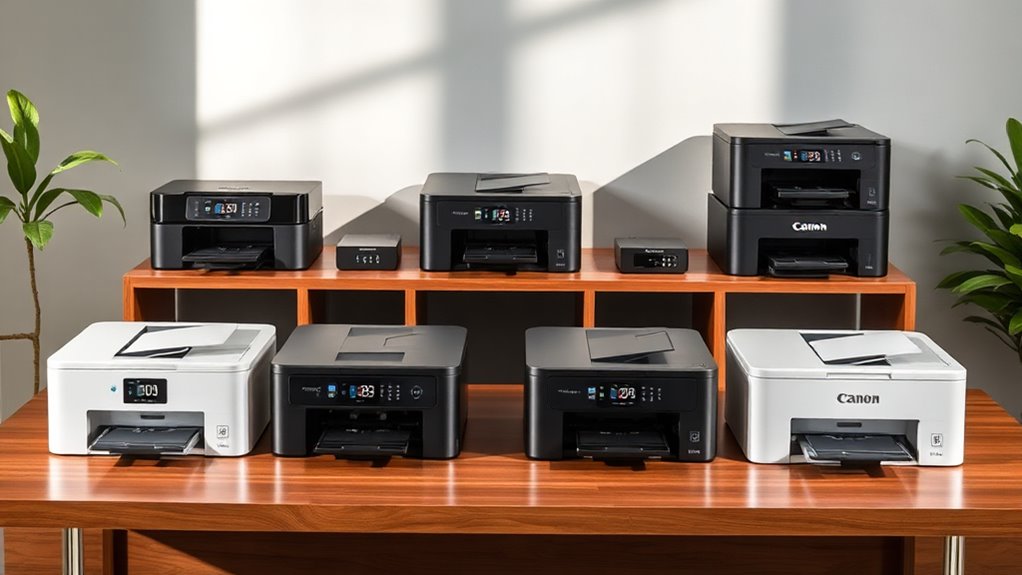
If you’re looking for the best Canon all-in-one laser printers in 2027, you’ve got some great options to consider.
Models like the Canon Color imageCLASS MF662Cdw and MF753Cdw II are top picks because they offer fast printing speeds and versatile functions, including scanning and copying.
The Canon MegaTank G3270 is another excellent choice, especially if you need a printer that can handle high-volume printing with a cost-effective ink system.
Whether you’re after vibrant color prints or reliable monochrome output, there’s definitely a model that will fit your needs.
Keep exploring these Canon all-in-one laser printers to find the perfect match for your home or office setup.
With so many features and options available, you’re sure to find one that suits your specific requirements.
| Image | Name | Editor's Rating | Price |
|---|---|---|---|

|
|
||

|
|
||

|
|
||
|
|
||

|
|
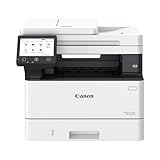
Canon Color imageCLASS MF662Cdw Wireless Laser Printer
- Color, Wireless, Duplex 3-in-1: Print, scan, copy.
- Fast Print Speeds: Print up to 26 ppm in both color and monochrome and spend less time waiting with a quick first print...
- Easy Wireless Setup: Setup your wireless connection and get up and running in just a few steps.

The Canon Color imageCLASS MF662Cdw Wireless Laser Printer offers a smart solution for busy small and home offices. It handles printing, scanning, and copying tasks in one compact device, reducing clutter and streamlining your workflow. This multifunction printer helps you save time with fast printing speeds of up to 26 pages per minute and a quick first print in just over 10 seconds.
Its wireless capabilities, including Wi-Fi and mobile printing, simplify setup and let you print from multiple devices without hassle. The 5-inch color touchscreen enhances usability, making navigation straightforward and efficient. This printer’s ENERGY STAR certification also reflects a commitment to energy efficiency, helping reduce operating costs.
Maintenance is manageable with a 250-sheet paper capacity and Canon Genuine Toner 075 cartridges. While the print resolution of 600 x 600 dpi suits everyday documents, it may not satisfy those needing ultra-high-quality prints. Toner costs might be higher than some third-party alternatives, but they ensure consistent print performance.
Designed to meet the demands of small-scale office environments, the MF662Cdw balances convenience and reliability in a single device.
Best for: Small and home offices needing a versatile, easy-to-use wireless laser printer that combines multiple functions in one unit.
What We Like:
- Fast print speeds with quick first-page output
- Integrated print, scan, and copy functionality
- Intuitive 5-inch color touchscreen interface
- Easy wireless setup and mobile printing support
- ENERGY STAR certified for energy efficiency
Specification:
| Feature | Details |
|---|---|
| Manufacturer | Canon |
| Dimensions (W×D×H) | 16.1 × 18.5 × 16.5 inches |
| Weight | 43.5 lbs (19.7 kg) |
| Color Options | White and gray |
| Print Speed | Up to 26 pages per minute |
| Print Resolution | 600 × 600 dpi |
| Paper Capacity | 250 sheets |
Canon Color imageCLASS MF753Cdw II – All-in-One Color Duplex Laser Printer
- Color, Wireless, Duplex 4-in-1: Print, scan, copy, fax.
The Canon Color imageCLASS MF753Cdw II delivers efficient, high-quality printing designed to meet the demands of small offices and hybrid work environments. Its fast print speed of up to 35 pages per minute helps reduce wait times and keeps busy workflows moving smoothly. You can expect sharp, vibrant prints thanks to the 1200 x 1200 dpi resolution, which enhances the clarity of documents and graphics.
This all-in-one printer simplifies daily tasks with an automatic duplex feature, allowing double-sided printing without manual intervention. The 250-sheet paper capacity supports moderate print volumes, while wireless connectivity enables convenient printing directly from mobile devices. The customizable touchscreen interface makes managing print jobs straightforward and user-friendly.
Maintenance is straightforward with this model, helping minimize downtime and keep your office running efficiently. While it weighs 50 pounds, making it less portable, its robust design fits well in a fixed workspace. The printer balances functionality and ease of use, making it a practical solution for diverse office needs.
Best for: Small offices and hybrid teams needing a reliable, fast color printer with duplex printing and wireless capabilities.
What We Like:
- Fast printing at up to 35 pages per minute for improved productivity
- Crisp 1200 x 1200 dpi resolution for vibrant color output
- Wireless printing supports mobile device integration
- Automatic duplex printing reduces paper use and manual effort
- User-friendly customizable touchscreen interface
Specification:
| Feature | Details |
|---|---|
| Manufacturer | Canon |
| Dimensions (W×D×H) | 16.9 × 18.5 × 15.3 inches |
| Weight | 50 lbs (22.7 kg) |
| Technology | Color Duplex Laser Printer |
| Paper Capacity | 250 sheets |
| Connectivity | Wireless, USB |
Canon imageCLASS MF465dw II Monochrome Laser Printer
- Monochrome Wireless, Duplex 4-in-1: Print, Scan, Copy, Fax
- Print up to 42 ppm
- Easy Wireless Setup
The Canon imageCLASS MF465dw II offers a versatile solution for small and home offices that need more than just a printer. This compact 4-in-1 device combines printing, copying, scanning, and faxing, helping to streamline daily tasks and reduce clutter. Its design saves space while delivering reliable functionality.
With a fast print speed of up to 42 pages per minute and a quick first page out time, the printer boosts productivity by minimizing wait times. The customizable 5-inch color touchscreen simplifies operation, making it easy to navigate through various functions without hassle.
Maintenance is straightforward with high-capacity toner options that reduce the frequency of replacements. The automatic document feeder supports duplex scanning with a 50-sheet capacity, allowing for efficient handling of multi-page documents.
Wireless connectivity ensures seamless access from laptops and smartphones, enabling flexible printing options. Although it prints only in monochrome, the device excels in delivering crisp and clear text documents, ideal for professional use.
Best for: Small and home offices needing a multifunctional monochrome laser printer that enhances workflow with fast, reliable performance.
What We Like:
- Rapid print speed of up to 42 ppm for increased efficiency
- Easy wireless printing from multiple devices including smartphones
- User-friendly customizable 5-inch color touchscreen
- Automatic document feeder supports smooth duplex scanning
- High-capacity toner reduces maintenance frequency
Specification:
| Feature | Details |
|---|---|
| Manufacturer | Canon |
| Dimensions (W x D x H) | Approx. 16.1 x 16.4 x 14.1 in |
| Weight | Approx. 30.1 lb |
| Color Options | Monochrome (black and white) |
| Connectivity | Wireless, USB |
| Print Speed | Up to 42 pages per minute |
| Touchscreen | 5-inch color, customizable |
| Document Feeder Capacity | 50 sheets |
Canon imageCLASS MF462dw II – Wireless, Monochrome Duplex Laser Printer
- Monochrome, Wireless, Duplex 4-in-1: Print, scan, copy, fax.
- Fast Print Speeds: Print up to 37 pages per minute and spend less time waiting with a quick first print time of...
- Easy Wireless Setup: Setup your wireless connection and get up and running in just a few steps2
The Canon imageCLASS MF462dw II is an efficient solution for small offices and home workspaces looking to streamline daily tasks. This wireless monochrome laser printer handles printing, scanning, copying, and faxing all in one device, reducing clutter and boosting productivity. With fast print speeds of up to 37 pages per minute, it helps you complete jobs quickly and stay on schedule.
Designed for ease of use, the 5-inch color touchscreen offers simple navigation through its features. Mobile printing support keeps you connected, allowing printing from smartphones and tablets without hassle. The printer’s duplex capability saves paper by automatically printing on both sides.
Maintenance is straightforward with a generous 250-sheet paper capacity that minimizes frequent refills. Although monochrome-only, it meets the needs of users focused on text and document printing without color distractions. Its sturdy build supports hybrid work environments but weighs 44 pounds, so it’s less suited for frequent relocation.
Best for: Small and home offices seeking a versatile, efficient monochrome all-in-one printer that supports hybrid workflows.
What We Like:
- Combines print, scan, copy, and fax in one compact device
- Fast printing speeds reduce wait times
- Intuitive 5-inch color touchscreen for easy control
- Wireless and mobile printing enhance connectivity
- Automatic duplex printing saves paper
Specification:
| Feature | Details |
|---|---|
| Manufacturer | Canon |
| Dimensions (W×D×H) | Not specified |
| Weight | 44 lb (20 kg) |
| Color Options | Monochrome (black/white) |
| Paper Capacity | 250 sheets |
| Print Speed | Up to 37 ppm |
| Touchscreen | 5-inch color display |
Canon MegaTank G3270 All-in-One Wireless Color Printer
- Wireless Print/Copy/Scan
- Up to 2 years of ink included (2)
- Print up to 6,000 black & white / 7,700 color pages using a single set of inks! (1)
The Canon MegaTank G3270 is designed to simplify high-volume printing for home offices and small businesses. Its MegaTank ink system significantly reduces the need for frequent ink replacements, allowing you to print thousands of pages with a single refill. This feature helps save time and lowers ongoing printing costs.
With a compact and efficient design, the printer fits easily into any workspace without taking up much room. It delivers reliable performance with print speeds of up to 11 pages per minute in black-and-white and 6 pages per minute in color, meeting everyday printing demands smoothly.
Maintenance is straightforward thanks to the refillable ink tanks, which are easy to monitor and refill. Wireless connectivity enhances convenience by letting you print directly from your smartphone or tablet, reducing dependence on cables or desktop setups.
While it offers great functionality, the G3270 has a maximum paper capacity of 100 sheets, which may require frequent reloading during large jobs. Its single tray limits handling of multiple media types at once, which might affect versatility for specialized printing needs.
Best for: Home offices and small businesses needing efficient, high-volume printing with minimal maintenance.
What We Like:
- Cost-saving MegaTank ink system for thousands of prints per refill
- Compact design suits limited workspace environments
- Wireless printing from mobile devices for added convenience
- Clear ink level monitoring simplifies maintenance
Specification:
| Feature | Details |
|---|---|
| Manufacturer | Canon |
| Dimensions | Compact design (exact size not specified) |
| Weight | Not specified |
| Color Options | Wireless color printer |
Canon MAXIFY GX2020 All-in-One Wireless Color Printer

- Wireless Print/Copy/Scan/Fax (2)
- Print up to 3,000 black & white / 3,000 color pages using a single set of inks! (1)
- 2.7” LCD Color Touchscreen
The Canon MAXIFY GX2020 is designed to keep your work flowing without interruptions. With an impressive ink yield of up to 3,000 pages per set, it reduces the hassle of frequent ink replacements. This helps maintain productivity in busy home offices or small businesses.
Print speeds of 15 pages per minute in black and white and 10 in color mean you can get tasks done quickly. Its compact design fits neatly on your desk, saving valuable space. The 2.7-inch touchscreen makes navigating menus simple and straightforward.
Maintenance is easy with the 35-sheet Automatic Document Feeder, allowing efficient handling of multi-page documents. Wireless connectivity adds flexibility, enabling printing from various devices without clutter. However, at 17.8 pounds, moving the printer might require some effort.
While the color print resolution maxes out at 600 x 1200 dpi, it suits everyday business needs rather than high-end photo printing. Some users may find initial setup a bit challenging compared to plug-and-play models, but overall, the GX2020 balances functionality and reliability well.
Best for: Small businesses and busy home offices needing a dependable all-in-one printer with high ink capacity and efficient workflow.
What We Like:
- High page yield reduces ink replacement frequency
- Fast black-and-white and color print speeds
- User-friendly touchscreen interface
- Convenient 35-sheet Automatic Document Feeder
- Compact footprint fits small workspaces
Specification:
| Feature | Details |
|---|---|
| Manufacturer | Canon |
| Dimensions (W x D x H) | Approx. 17.6 x 14.9 x 9.4 in |
| Weight | 17.8 lb (8.07 kg) |
| Color Options | Black |
| Connectivity | Wireless |
Canon Megatank G3290 All-in-One Wireless Printer

- Wireless Print/Copy/Scan (2)
- Up to 2 years of ink included
- Print up to 6,000 black & white / 7,700 color pages using a single set of inks! (1)
The Canon Megatank G3290 All-in-One Wireless Printer is designed to make printing easy and affordable. Its high-capacity MegaTank ink system dramatically reduces the need for frequent refills, so you can print thousands of pages without interruption. This helps lower your overall ink expenses, making it ideal for home or small office use.
With a sharp print resolution of 4800 x 1200 dpi, your documents and photos come out clear and detailed every time. The 2.7” LCD color touchscreen simplifies setup and operation, allowing you to navigate menus effortlessly. Auto-duplex printing saves paper and time by printing on both sides automatically.
This printer supports wireless connectivity, enabling convenient mobile printing from your smartphone or tablet. It handles various media types and sizes, including borderless photo printing, adding versatility to your tasks. Weighing 14.2 pounds, it fits neatly in most workspaces but may be less portable than lighter models.
While the print speed is moderate, it suits everyday printing needs without overwhelming noise or complexity. Regular maintenance is straightforward thanks to the easy-to-replenish ink tanks, making upkeep hassle-free.
Best for: Home users and small offices seeking a cost-effective printer with high ink capacity and wireless convenience.
What We Like:
- High ink capacity reduces refill frequency and ink costs
- Easy-to-use 2.7” color touchscreen interface
- Supports a variety of media sizes and borderless printing
- Wireless connectivity for mobile device printing
- Automatic duplex printing saves paper and time
Specification:
| Feature | Details |
|---|---|
| Manufacturer | Canon |
| Dimensions | Not specified |
| Weight | 14.2 lb (6.44 kg) |
| Print Resolution | 4800 x 1200 dpi |
| Screen | 2.7” LCD color touchscreen |
| Connectivity | Wireless |
Canon Color imageCLASS MF665Cdw – Wireless, All-in-One Duplex Laser Printer

- Color, Wireless, Duplex 4-in-1: Print, scan, copy, fax.
- Fast Print Speeds: Print up to 26 ppm in both color and monochrome and spend less time waiting with a quick first print...
- Easy Wireless Setup: Setup your wireless connection and get up and running in just a few steps.
Experience seamless productivity with the Canon Color imageCLASS MF665Cdw, designed to meet the needs of busy small offices and hybrid workspaces. This all-in-one laser printer combines printing, scanning, copying, and faxing into a single, efficient device. Its wireless duplex capability helps reduce paper use and speeds up document handling.
The printer delivers sharp color and monochrome prints at up to 26 pages per minute. It starts printing quickly, with the first page out in just over 10 seconds. The 250-sheet cassette and 50-sheet automatic document feeder make managing large print jobs easier, reducing interruptions.
Maintenance is straightforward, but setting up the wireless connection might require some technical experience. The device’s larger size means it needs adequate space, which is important to consider in compact work areas. Replacement toner costs are higher compared to inkjet printers, affecting long-term expenses.
This Canon printer supports multiple connection options, including the Canon PRINT app, Apple AirPrint, and Mopria, allowing easy integration with various devices. Its ENERGY STAR certification reflects energy-conscious design, helping to reduce operational costs.
Best for: Small offices and hybrid work environments needing a multifunctional, wireless laser printer that improves workflow efficiency.
What We Like:
- Fast print speeds of up to 26 ppm for color and black-and-white
- Wireless duplex printing reduces paper waste and saves time
- Versatile all-in-one functionality covering print, scan, copy, and fax
- Supports multiple mobile printing options for easy connectivity
- ENERGY STAR certified for energy-efficient operation
Specification:
| Feature | Details |
|---|---|
| Manufacturer | Canon |
| Dimensions (W×D×H) | Approx. 17.6 × 19.8 × 18.1 in |
| Weight | Approx. 48.5 lb (22 kg) |
| Printing Technology | Color Laser |
| Paper Capacity | 250-sheet cassette + 50-sheet ADF |
| Connectivity | Wireless, Canon PRINT app, Apple AirPrint, Mopria |
Canon imageCLASS MF273dw Multifunction Wireless Laser Printer

- Wireless 3-in-1: Print | Copy | Scan
- Print up to 30 Pages Per Minute (BW, Letter)
- First Print Out in Approximately 5.3 Seconds (Letter)
The Canon imageCLASS MF273dw offers a streamlined solution for small offices facing daily printing challenges. Its monochrome wireless laser technology ensures sharp text output, helping teams maintain professional documents without delay. With speeds reaching up to 30 pages per minute, it keeps workflows moving efficiently.
This multifunction printer combines printing, copying, and scanning functions in a compact design. Its auto duplexing feature reduces paper use and supports eco-friendly office practices. Setup is straightforward, and Wi-Fi connectivity allows printing directly from laptops or mobile devices without hassle.
Maintenance is simple thanks to its reliable build and manageable size, weighing just 24.7 pounds. While the 150-sheet tray suits moderate use, high-volume offices might need to refill paper more often. The printer’s focus on monochrome output fits environments where crisp black-and-white documents are essential.
Overall, the imageCLASS MF273dw balances speed, convenience, and practicality, making it an effective tool for enhancing office productivity and reducing operational friction.
Best for: Small offices needing a dependable all-in-one monochrome laser printer that supports wireless connectivity.
What We Like:
- Fast printing speeds up to 30 ppm for quick task completion
- Compact size fits easily into limited workspace areas
- Wireless connectivity simplifies printing from multiple devices
- Auto duplexing helps save paper and reduce waste
Specification:
| Feature | Details |
|---|---|
| Manufacturer | Canon |
| Dimensions (HxWxD) | Compact (exact dimensions not specified) |
| Weight | 24.7 lb (11.2 kg) |
| Print Technology | Monochrome Wireless Laser |
| Paper Capacity | 150 sheets |
Canon Color imageCLASS MF663Cdw Multifunction Laser Printer

- Color, Wireless, Duplex 3-in-1: Print, scan, copy.
- Fast Print Speeds: Print up to 26 ppm in both color and monochrome and spend less time waiting with a quick first print...
- Easy Wireless Setup: Setup your wireless connection and get up and running in just a few steps.
For small offices and hybrid work environments, the Canon Color imageCLASS MF663Cdw Multifunction Laser Printer offers a practical solution to everyday printing challenges. It delivers sharp, professional-quality prints at a fast pace, helping teams complete tasks efficiently without delays.
This printer combines printing, scanning, and copying in one device, reducing the need for multiple machines. Its 50-sheet Automatic Document Feeder speeds up handling of multi-page documents, while automatic duplex printing cuts paper use and supports sustainability efforts.
Designed with ease of use in mind, the MF663Cdw features a 5-inch color touchscreen that simplifies navigation and setup. Wireless connectivity and mobile printing options allow users to print effortlessly from smartphones or laptops, streamlining workflows.
Maintenance is straightforward thanks to its robust paper capacity and user-friendly interface. However, the 250-sheet cassette may require refilling during heavy use, and the simplex Automatic Document Feeder only scans one side at a time, which could slow some tasks.
Best for: Small offices and hybrid workspaces that need a reliable all-in-one printer to enhance productivity and reduce paper waste.
What We Like:
- Fast color and monochrome printing up to 26 pages per minute
- Crisp 1200 x 1200 dpi resolution for professional document quality
- Intuitive 5-inch touchscreen and easy wireless setup
- Automatic duplex printing conserves paper
- Multifunction design reduces office clutter
Specification:
| Feature | Details |
|---|---|
| Manufacturer | Canon |
| Dimensions | Approx. 16.5 x 18.5 x 18.3 in (W x D x H) |
| Weight | Approx. 47.2 lb (21.4 kg) |
| Print Speed | Up to 26 ppm (color & mono) |
| Print Resolution | 1200 x 1200 dpi |
| Paper Capacity | 250-sheet cassette |
| Automatic Document Feeder | 50 sheets (simplex scanning) |
| Display | 5-inch color touchscreen |
| Connectivity | Wireless, mobile printing |
Canon imageCLASS MF287dw All-in-One Wireless Laser Printer

- Print up to 35 pages-per-minute with a first print out of time of less than 4.9 seconds (letter)
- Print on-the-go with Canon Print App, Canon PRINT Business, Apple AirPrint and Mopria Print Service
- High capacity toner option keeps up with your printing needs and limits toner replacement interruptions
Looking for an efficient all-in-one printer that streamlines your office tasks? The Canon imageCLASS MF287dw offers a reliable solution by combining printing, copying, scanning, and faxing in one compact unit. This monochrome laser printer caters to busy environments where speed and clarity matter.
Designed to fit comfortably in tight workspaces, it weighs 27.6 pounds, making it sturdy yet manageable. The fast print speed of up to 35 pages per minute helps reduce wait times, keeping your workflow smooth. Wireless connectivity adds convenience by allowing printing directly from laptops, tablets, or smartphones without complicated setups.
Maintenance is straightforward with a 250-sheet paper capacity that minimizes frequent reloads. Its monochrome printing focuses on producing sharp black-and-white documents, ideal for professional or home office use. While it does not support color printing, this specialization ensures consistent quality in text output.
Best for: Small to medium-sized businesses or home offices seeking a versatile and dependable all-in-one monochrome laser printer.
What We Like:
- Fast print speed up to 35 ppm increases productivity
- Wireless printing from multiple device types
- Compact design saves office space
- Large 250-sheet paper capacity reduces interruptions
- Clear monochrome output for professional documents
Specification:
| Feature | Details |
|---|---|
| Manufacturer | Canon |
| Dimensions (W x D x H) | 16.5 x 16.1 x 12.5 in |
| Weight | 27.6 lb (12.5 kg) |
| Color Options | Monochrome (Black and White) |
Canon imageCLASS MF284dw Multifunction Wireless Monochrome Laser Printer

- Print up to 35 pages-per-minute with a first print out of time of less than 4.9 seconds (letter)
- Print on-the-go with Canon Print App, Canon PRINT Business, Apple AirPrint and Mopria Print Service
- High capacity toner option keeps up with your printing needs and limits toner replacement interruptions
The Canon imageCLASS MF284dw is designed to streamline office tasks with efficiency and reliability. Its fast printing speed of up to 35 pages per minute helps reduce wait times and keeps your workflow moving smoothly. This multifunction printer combines printing, copying, and scanning into one compact device, saving valuable desk space.
Duplex printing automatically handles double-sided documents, cutting paper use and lowering operational costs. The high-speed scanner captures up to 15 images per minute, making it easy to digitize documents quickly. Mobile printing options, including Apple AirPrint and the Canon Print App, provide flexibility to print directly from smartphones and tablets.
Maintenance is straightforward with a robust toner cartridge that yields approximately 1000 pages before replacement, minimizing interruptions. Though it only supports monochrome printing, this laser printer is ideal for clear, sharp black-and-white documents. Its sturdy build weighs 27.6 pounds, making it stable but less portable.
Best for: Small businesses and busy offices that need a dependable monochrome multifunction printer to improve productivity and manage everyday document tasks.
What We Like:
- Fast printing speeds up to 35 ppm reduce downtime
- Duplex printing saves paper and lowers costs
- Mobile printing compatibility via popular apps
- High-speed scanning for quick document digitization
- Long toner yield minimizes maintenance frequency
Specification:
| Feature | Details |
|---|---|
| Manufacturer | Canon |
| Dimensions | Not specified |
| Weight | 27.6 lb (12.5 kg) |
| Color Options | Monochrome (Black & White) |
| Printing Speed | Up to 35 pages per minute |
| Scanning Speed | Up to 15 images per minute |
Factors to Consider When Choosing a Canon Laser Printer All-in-One
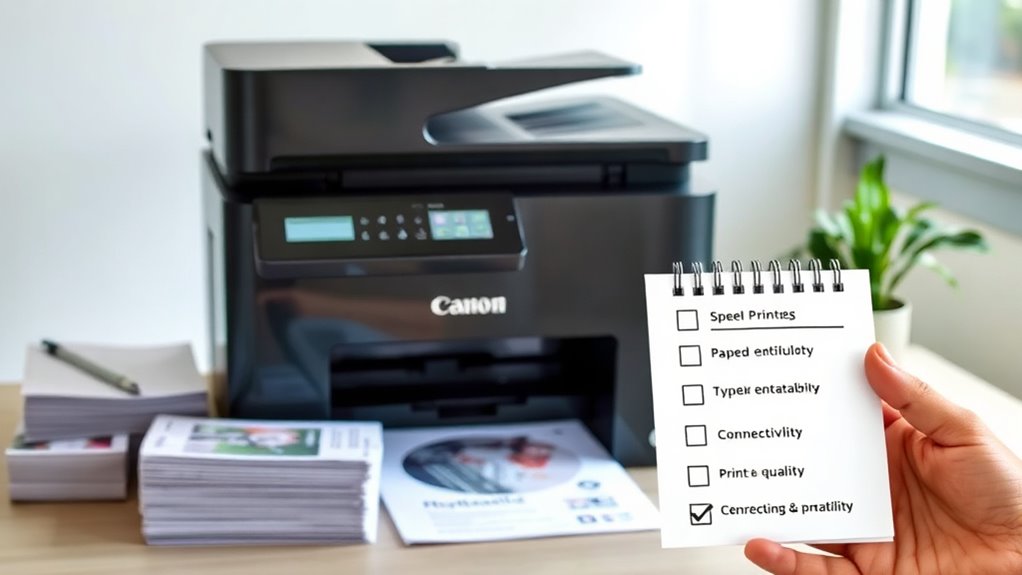
When choosing a Canon all-in-one laser printer, you’ll want to reflect on several key factors. Think about print speed performance, connectivity options, and paper handling capacity to guarantee it meets your needs.
Don’t forget to evaluate toner yield efficiency, as this can impact your overall printing costs. It’s worth taking a moment to consider how often you’ll be printing and what kind of documents you’ll handle most. This way, you can pick the printer that really fits your routine.
Factors to Consider When Choosing Canon Laser Printer All in One
Choosing the right Canon laser printer all-in-one can greatly enhance your productivity and print quality. First, consider print speed; models range from 11 ppm to over 42 ppm, affecting efficiency in busy environments.
Next, check the print resolution—aim for at least 600 x 600 dpi, with higher options like 1200 x 1200 dpi for sharper text and images. It really makes a difference if you want crisp, clear documents.
Evaluate the paper handling capacity too; a standard 250-sheet cassette can often be expanded to hold up to 900 sheets. This is ideal if you regularly have larger jobs to tackle.
Connectivity options are essential; confirm your printer supports USB, Wi-Fi, and mobile printing like Apple AirPrint. This way, you can print easily from multiple devices without any hassle.
Finally, look into the warranty and support—many models offer a 3-year limited warranty for peace of mind. It’s always good to know you’re covered if something goes wrong.
Print Speed Performance
Print speed performance can make or break your workflow, especially in busy offices. When choosing a Canon all-in-one laser printer, look for models that offer speeds between 26 to 42 pages per minute (ppm) for both color and monochrome prints.
Some can deliver the first page in as little as 4.9 seconds, giving you quicker access to important documents. Consistent high-speed printing is essential for high-volume tasks, ensuring you won’t waste time waiting.
Many multifunction printers also feature automatic duplex printing, allowing you to print on both sides without sacrificing speed. Advanced models may even provide faster copy speeds, boosting your productivity and keeping your operations running smoothly.
Connectivity Options Available
A smooth workflow relies not just on print speed but also on how easily you can connect your devices. Many Canon laser printers come with multiple connectivity options like USB, Ethernet, and Wi-Fi, giving you flexibility.
Wireless capabilities often support mobile printing through apps such as Apple AirPrint, Canon PRINT, and Mopria Print Service. This makes it super easy to print from your smartphone or tablet.
Some models even feature Wi-Fi Direct, letting you connect directly to devices without a traditional network setup. If you’re in an office environment, Ethernet ports provide stable connections.
Plus, setting up wireless connections is usually quick and hassle-free. That way, you can get your printer up and running fast, boosting your productivity overall.
Paper Handling Capacity
When evaluating the paper handling capacity of Canon all-in-one laser printers, it’s essential to contemplate how well the printer meets your specific needs. Many models come with a standard capacity of 250 sheets in the main cassette, plus an additional 1-sheet multipurpose tray. This setup is perfect for frequent print jobs.
If you require more, some printers allow you to expand capacity up to 900 sheets with optional cassettes. This is great if you’re dealing with high-volume printing. Features like automatic document feeders (ADF) typically hold 50 sheets, enabling double-sided scanning and copying in one pass.
Additionally, maximum media size often includes legal dimensions. Support for various media types enhances flexibility. This way, you’re ready for any printing task that comes your way.
Toner Yield Efficiency
High paper handling capacity sets the stage for efficient printing, but it’s the toner yield efficiency that really keeps your workflow running smoothly. When choosing a Canon all-in-one laser printer, consider the toner yield—some high-capacity cartridges can print up to 10,200 pages, while standard ones typically yield around 3,000 pages.
If your business has higher printing demands, opting for high-capacity cartridges can greatly reduce your cost-per-page. This efficiency translates to fewer replacements, minimizing downtime and maintenance.
For small to medium-sized offices that rely on consistent printing, selecting a printer with excellent toner yield can lead to substantial savings over time. It ensures your printing needs are met without interruption.
Additional Features Offered
While selecting a Canon all-in-one laser printer, you’ll want to evaluate its additional features that can enhance your printing experience. Many models come with a customizable 5-inch color touchscreen, making navigation intuitive and easy.
Automatic duplex printing is another great feature that saves paper and cuts costs by allowing two-sided printing. If you’re looking to minimize maintenance, high-capacity toner options offer page yields of up to 10,200 pages, reducing the frequency of replacements.
Integrated mobile printing capabilities, compatible with apps like Canon PRINT, Apple AirPrint, and Mopria, let you print directly from your smartphone or tablet. Some printers even include software like Poster Artist Online, making it simple to create professional-quality posters and signage.
User Interface Design
Choosing a Canon all-in-one laser printer involves more than just considering print quality; you’ll also want to focus on the user interface design. A user-friendly interface, like a customizable touchscreen, enhances navigation and lets you access printer functions quickly.
The size and clarity of the touchscreen matter too; larger displays often offer better visibility and easier interaction. Look for intuitive layouts with clearly labeled icons, which can reduce the learning curve for new users and boost efficiency.
Quick access buttons for frequently used features can streamline tasks, enabling you to complete operations like printing or scanning more efficiently. Additionally, interfaces that support mobile printing apps enhance convenience, allowing you to print directly from your smartphone or tablet with minimal setup.
Warranty and Support
When selecting a Canon all-in-one laser printer, warranty and support play an essential role in your decision. Typically, Canon offers warranties ranging from one to three years, giving you peace of mind against unexpected repair costs.
These warranties usually cover both parts and labor, protecting your investment. If you need more extended support, Canon often provides options for assistance beyond the standard warranty period, ensuring you’re not left in the lurch.
Additionally, Canon backs many models with an extensive service network, making it easier for you to access customer service and technical support. You can also take advantage of return policies, like a 30-day voluntary return guarantee, allowing you to evaluate your printer risk-free.
Frequently Asked Questions
What Is the Average Lifespan of Canon Laser Printers?
Canon laser printers typically last between 5 to 10 years, depending on usage and maintenance.
If you regularly service your printer and use it efficiently, you can really maximize its lifespan and performance.
Taking good care of your printer goes a long way in keeping it running smoothly for years.
How Do I Connect My Printer to Wi-Fi?
To connect your printer to Wi-Fi, start by accessing the menu. Then, select the wireless setup option and follow the prompts to choose your network.
Once you’ve picked your network, just enter your password. And that’s it — you’re all set to print wirelessly! Easy, right?
Can I Use Third-Party Toner Cartridges?
Yes, you can use third-party toner cartridges with your Canon printer, but be cautious. Some may affect print quality or warranty.
Always check compatibility and read reviews to guarantee you’re making a reliable choice. It’s a good idea to do a little homework before you buy. That way, you won’t end up with any surprises.
What Maintenance Do Canon Laser Printers Require?
To keep your Canon laser printer humming like a well-tuned engine, regularly clean the drum, replace toner, and check for paper jams.
It’s a dance of maintenance that guarantees crisp prints every time. Just a little care goes a long way!
Are Canon Laser Printers Energy-Efficient?
Yes, Canon laser printers are energy-efficient. They often feature Energy Star certification, which helps reduce power consumption.
Conclusion
When you’re choosing a Canon all-in-one laser printer, remember that the right fit depends on your specific needs—be it high-volume printing or versatile functionality. While many believe that higher price tags always mean better quality, it’s crucial to assess features that matter most to you.
In 2027, Canon’s range offers something for everyone, so take the time to evaluate your options. You’ll find that the best printer is one that balances performance, cost, and usability.
So, whether you need a reliable printer for home office tasks or a robust all-in-one laser printer that handles heavy workloads, Canon has you covered. The key is to focus on what features align with your daily demands and budget. By doing this, you’ll pick the perfect Canon all-in-one laser printer that delivers excellent value and efficiency well into 2027.