12 Best Canon Multifunction Inkjet Printers for 2027
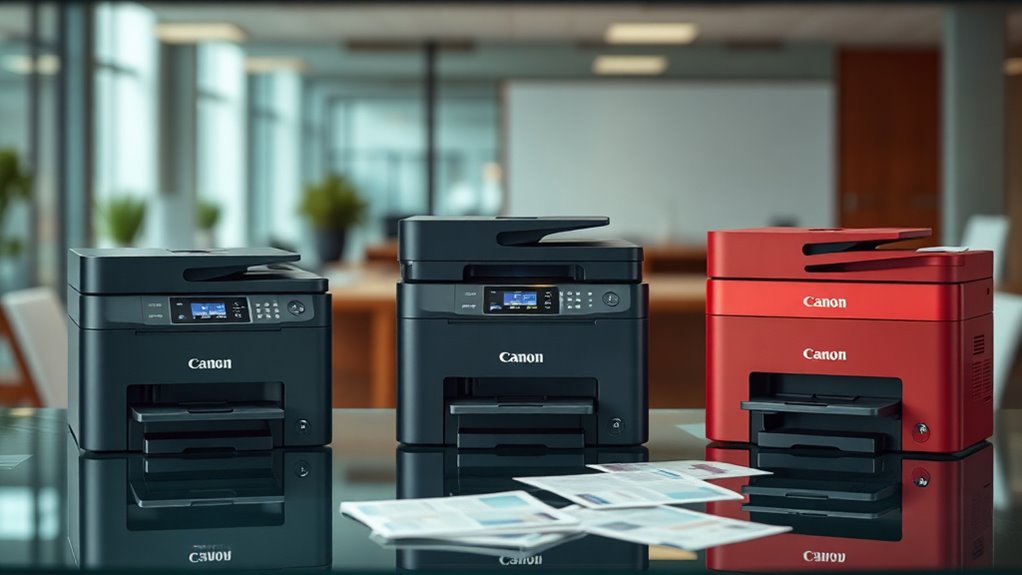
If you’re on the hunt for the best Canon multifunction inkjet printers for 2027, you’re in the right place. These printers combine printing, scanning, and copying all in one device, making them perfect for home or office use.
Models like the MegaTank G3270 and the PIXMA TS7720 stand out. They offer impressive print speeds, high resolutions, and flexible connectivity options that keep you connected with ease.
The G3290 is ideal if you need to handle high-volume printing without a hitch. Meanwhile, the TS4320 is compact and fits nicely in small spaces, so it won’t take up much room.
Each model is packed with user-friendly features designed to make your printing experience smooth and hassle-free.
Keep reading to discover even more top picks that might be just right for your needs.
| Image | Name | Editor's Rating | Price |
|---|---|---|---|

|
|
||

|
|
||

|
|
||

|
|
||

|
|
Canon MegaTank G3270 All-in-One Wireless Color Printer
- Wireless Print/Copy/Scan
- Up to 2 years of ink included (2)
- Print up to 6,000 black & white / 7,700 color pages using a single set of inks! (1)

The Canon MegaTank G3270 All-in-One Wireless Color Printer is designed to streamline your workday with reliable performance. It combines printing, copying, and scanning functions in a compact design that fits well in home offices or small business spaces. This versatility helps you complete multiple tasks without needing extra devices.
Its MegaTank ink system reduces the hassle of frequent cartridge changes by allowing thousands of pages to be printed from one set of inks. This feature cuts downtime and lowers running costs, making it easier to manage high-volume printing demands. The printer’s print speed is balanced for moderate workloads, offering up to 11 pages per minute in black and 6 in color.
Connectivity is simple with USB and Wi-Fi options, so you can print directly from your smartphone or tablet. This wireless capability adds flexibility and convenience to your daily printing needs. However, the paper tray holds only 100 sheets, which may require regular refilling during larger projects.
Overall, the Canon MegaTank G3270 improves productivity with its multi-function capabilities and efficient ink usage. Its compact footprint suits users who need a reliable printer without sacrificing space.
Best for: Small businesses or home offices seeking a cost-effective all-in-one printer with high ink capacity and wireless convenience.
What We Like:
- High page yield with MegaTank ink system minimizes interruptions
- Multifunction design handles printing, copying, and scanning tasks
- Wireless and USB connectivity for easy mobile device printing
- Compact size fits comfortably in limited workspaces
Specification:
| Feature | Details |
|---|---|
| Manufacturer | Canon |
| Dimensions | Approx. 14.7 x 12.2 x 7.7 in (37.3 x 31 x 19.6 cm) |
| Weight | Approx. 9.3 lb (4.2 kg) |
| Color Options | Black |
| Connectivity | USB, Wi-Fi |
Canon PIXMA TS7720 Wireless All-in-One Inkjet Printer
- ALL-IN-ONE: Print, Copy, Scan features for full control at your fingertips.
- FAST PRINT SPEEDS: Print approximately 15 (black) / 10 (color) images per minute.
- EASY SETUP: Get running in just a few minutes thanks to a streamlined and easy setup process out of the box.
The Canon PIXMA TS7720 is a compact wireless all-in-one printer designed to simplify your home printing needs. It delivers sharp, high-quality prints with a resolution of up to 1200 x 1200 dpi, ensuring clear text and vibrant images for documents and photos alike.
This printer’s dual paper trays allow you to switch effortlessly between different media types, such as photo paper and envelopes, saving time and reducing hassle. Its 2.7” LCD touchscreen offers intuitive controls, making navigation and printing straightforward.
Maintenance is user-friendly but keep in mind that the ink system may require frequent cartridge replacements with heavy use. The machine supports auto-duplexing and borderless printing, making it suitable for creative projects and everyday tasks.
While it handles standard media sizes up to 8.5” x 11”, the compact design means it may lack some features found in larger models. Still, it’s a reliable, versatile choice for home offices or creative spaces where space efficiency and quality matter.
Best for: Home users needing a versatile all-in-one printer that balances quality, convenience, and compact design.
What We Like:
- Fast print speeds of 15 ppm black and 10 ppm color
- High-quality prints with up to 1200 x 1200 dpi resolution
- Dual paper trays for easy media switching
- User-friendly 2.7” LCD touchscreen
- Supports auto-duplex and borderless printing
Specification:
| Feature | Details |
|---|---|
| Manufacturer | Canon |
| Dimensions | Compact (exact size not provided) |
| Weight | Not specified |
| Print Resolution | Up to 1200 x 1200 dpi |
| Print Speed | 15 ppm (black), 10 ppm (color) |
| Media Size | Max 8.5” x 11” |
| Display | 2.7” LCD touchscreen |
| Paper Trays | Dual |
| Connectivity | Wireless |
Canon Megatank G3290 All-in-One Wireless Printer
- Wireless Print/Copy/Scan (2)
- Up to 2 years of ink included
- Print up to 6,000 black & white / 7,700 color pages using a single set of inks! (1)
The Canon Megatank G3290 All-in-One Wireless Printer offers a practical printing solution for home and small office environments. Its high-capacity MegaTank ink system reduces the need for frequent refills, allowing you to print thousands of pages with ease. This feature helps lower printing costs and minimizes interruptions, making everyday printing more manageable.
Designed for versatility, this printer handles various media sizes and types, from standard documents to creative projects like photos and banners. Its wireless connectivity enables flexible placement and easy access from multiple devices, simplifying your workflow. The 2.7” LCD touchscreen provides straightforward navigation, enhancing user control.
Maintenance is straightforward with the refillable ink tanks, which are easy to monitor and replenish. The auto-duplex printing feature saves paper by printing on both sides automatically. While it weighs 14.2 pounds and prints at a moderate speed, its reliability and multifunction capability suit diverse tasks.
Best for: Home users and small businesses seeking an affordable, efficient printer with versatile media handling and low maintenance.
What We Like:
- High-volume printing with cost-effective MegaTank ink system
- Supports multiple media types and sizes for varied projects
- Easy-to-use 2.7” LCD touchscreen interface
- Convenient wireless connectivity and auto-duplex printing
Specification:
| Feature | Details |
|---|---|
| Manufacturer | Canon |
| Dimensions | Not specified |
| Weight | 14.2 lb (6.44 kg) |
| Color Options | Not specified |
| Connectivity | Wireless |
Canon PIXMA TS4320 – Wireless Color Inkjet Printer with Print, Copy, Scan
- Affordable Versatility - A budget-friendly all-in-one printer perfect for both home users and hybrid workers, offering...
- Crisp, Vibrant Prints - Experience impressive print quality for both documents and photos, thanks to its 2-cartridge...
- Effortless Setup & Use - Get started quickly with easy setup for your smartphone or computer, so you can print, scan...
Compact yet powerful, the Canon PIXMA TS4320 offers a versatile printing solution for home offices and students. Its sleek design fits comfortably in small spaces, helping you maintain an organized workspace without sacrificing functionality. This printer streamlines your daily tasks with easy wireless connectivity.
Equipped with a 2-cartridge hybrid ink system, it delivers sharp prints at resolutions up to 1200 x 1200 dpi. This ensures your documents and photos look crisp and professional. The printer handles black and white printing at 14 pages per minute and color printing at 9 pages per minute, balancing speed and quality for routine use.
Maintenance is straightforward with simple cartridge replacements and a manageable 100-sheet paper capacity. While it lacks a complex display screen, the dual-band Wi-Fi and mobile printing capabilities simplify operation and reduce the need for wired connections.
The Canon PIXMA TS4320 is ideal for users who need a reliable, multifunction printer that handles printing, scanning, and copying efficiently. Its compact size and user-friendly features make it a practical choice for everyday document management.
Best for: Home offices and students who need a compact multifunction printer for daily printing and scanning tasks.
What We Like:
- Compact design fits easily in limited spaces
- High-resolution printing for clear documents and photos
- Dual-band Wi-Fi and mobile printing enhance convenience
- Easy maintenance with straightforward ink cartridge replacement
Specification:
| Feature | Details |
|---|---|
| Manufacturer | Canon |
| Dimensions (W×D×H) | Approx. 14.5 × 11.7 × 5.0 in |
| Weight | 15.5 lb (7.03 kg) |
| Ink System | 2-cartridge hybrid ink |
| Print Resolution | Up to 1200 × 1200 dpi |
| Print Speed (B&W) | 14 pages per minute |
| Print Speed (Color) | 9 pages per minute |
| Connectivity | Dual-band Wi-Fi, mobile print |
Canon PIXMA TS6520 Wireless Color Inkjet Printer, 1.42″ OLED Display, White
- Affordable Versatility - A budget-friendly all-in-one printer perfect for both home users and hybrid workers, offering...
- Crisp, Vibrant Prints - Experience impressive print quality for both documents and photos, thanks to its 2-cartridge...
- Effortless Setup & Use - Get started quickly with easy setup for your smartphone or computer, so you can print, scan...
The Canon PIXMA TS6520 is designed to simplify printing tasks for families and students. Its compact and stylish design fits neatly into any home or study space, reducing clutter while offering versatile functionality. You can easily print, scan, and copy without hassle, making everyday document management smoother.
Maintaining the printer is straightforward thanks to the 2-cartridge hybrid ink system. The 1.42” OLED display provides clear, real-time updates on ink levels and printer status, so you spend less time troubleshooting. Dual-band Wi-Fi ensures a stable connection, allowing seamless mobile printing from various devices.
This printer addresses common home printing challenges by offering automatic duplex printing, which saves paper and supports eco-friendly habits. While its print size is limited to standard letter dimensions, it delivers vibrant colors and sharp text at a reasonable speed of up to 14 pages per minute.
Overall, the PIXMA TS6520 balances functionality, ease of use, and thoughtful design to meet everyday printing needs efficiently.
Best for: Families and students seeking a reliable, user-friendly printer for everyday tasks.
What We Like:
- All-in-one printer with print, scan, and copy functions
- Compact and stylish design suitable for home environments
- Easy maintenance with 2-cartridge hybrid ink system
- Stable dual-band Wi-Fi for smooth mobile printing
- Automatic duplex printing for paper savings
Specification:
| Feature | Details |
|---|---|
| Manufacturer | Canon |
| Dimensions | Approx. 12.0 x 14.7 x 5.6 inches (W x D x H) |
| Weight | Approx. 12.6 lbs |
| Ink System | 2-cartridge hybrid ink |
| Display | 1.42-inch OLED |
| Connectivity | Dual-band Wi-Fi |
| Print Size | Up to 8.5” x 11” |
| Color Options | White |
Canon Color imageCLASS MF753Cdw II – All-in-One Color Duplex Laser Printer

- Color, Wireless, Duplex 4-in-1: Print, scan, copy, fax.
The Canon Color imageCLASS MF753Cdw II offers a powerful solution for small offices and hybrid workspaces. Its fast printing speed of up to 35 pages per minute helps reduce wait times and keeps workflows moving smoothly. This all-in-one device simplifies tasks by combining printing, scanning, copying, and faxing in one compact unit.
Designed for efficiency, it features automatic duplex printing that cuts paper use and saves time on double-sided documents. The 250-sheet paper tray accommodates everyday printing needs, while wireless connectivity allows seamless mobile and remote printing. Its intuitive 5-color touchscreen makes navigation straightforward, reducing training time and errors.
Maintenance is straightforward, with easy access to replace toner and supplies, ensuring minimal downtime. The printer’s sharp 1200 x 1200 dpi resolution produces clear, professional-quality documents, ideal for presentations and reports. However, its 50-pound weight limits portability, and larger print volumes may require additional paper capacity.
Best for: Small offices and hybrid work environments seeking a versatile, efficient all-in-one color laser printer with reliable performance.
What We Like:
- Fast print speed up to 35 ppm to boost productivity
- Wireless and mobile printing for flexible connectivity
- Automatic duplex printing reduces paper consumption
- Clear, high-resolution output for professional documents
- User-friendly 5-color touchscreen interface
Specification:
| Feature | Details |
|---|---|
| Manufacturer | Canon |
| Dimensions (W×D×H) | 16.5 × 18.5 × 16.3 inches |
| Weight | 50 lb (22.7 kg) |
| Print Resolution | 1200 x 1200 dpi |
| Paper Capacity | 250 sheets (standard) |
| Connectivity | Wireless, USB, Ethernet |
| Functions | Print, scan, copy, fax |
Canon PIXMA TS9521Ca – Wireless Home All-in-One Inkjet Printer

- ALL-IN-ONE: Print, Copy, Scan features for full control at your fingertips. Comes with a 1 year limited warranty.
- FAST PRINT SPEEDS: Print approximately 15 (black) / 10 (color) images per minute.
- EASY SETUP and INSTALL: Get running in just a few minutes thanks to a streamlined and easy setup process out of the box...
The Canon PIXMA TS9521Ca is designed to simplify your home printing tasks with wireless convenience. Whether you need to print, scan, or copy, this all-in-one inkjet printer handles it smoothly. It supports a wide range of media sizes, including photos and banners, making it adaptable for creative projects and everyday documents.
Its 200-sheet capacity and auto document feeder reduce the hassle of frequent paper refills, allowing you to focus on your work. The wireless connectivity lets you print from multiple devices without tangled cables, enhancing flexibility. The 4.3-inch touch LCD screen offers an intuitive way to navigate menus and settings.
Maintenance is straightforward, though replacing ink cartridges can be costly if you print often. Print speeds are decent but may feel slower during color jobs compared to higher-end models. The printer’s compact design fits well in home offices, balancing functionality and space-saving needs.
Best for: Families and home offices needing a versatile wireless printer capable of handling diverse media and tasks.
What We Like:
- High-quality print resolution up to 4800 x 1200 dpi for sharp images
- Wireless and USB connectivity for flexible device integration
- Easy-to-use 4.3” touch LCD for quick operation
- Supports a variety of media sizes including banners and photos
Specification:
| Feature | Details |
|---|---|
| Manufacturer | Canon |
| Dimensions (W x D x H) | 17.7 x 15.2 x 6.0 inches |
| Weight | 15.2 lbs (6.9 kg) |
| Printer Type | Wireless All-in-One Inkjet |
| Max Print Resolution | 4800 x 1200 dpi |
| Paper Capacity | 200 sheets |
| Display | 4.3” Touch LCD |
Canon PIXMA TR8620a All-in-One Printer

- Never run out of ink. Connect your printer to Alexa and receive notifications when you’re running low. Alexa can even...
- Enrolling in Smart Reorders with Alexa ensures that you never have too much or too little ink supplies. No subscription...
- Wireless 4-in-1 (Print | Copy | Scan | Fax)
The Canon PIXMA TR8620a All-in-One Printer offers a smart solution for busy home offices and small businesses. It combines printing, copying, scanning, and faxing in one compact device, reducing clutter and streamlining your workspace. This multifunctional printer adapts easily to your daily tasks, helping you stay organized and efficient.
Designed with user convenience in mind, it features wireless and USB connectivity, allowing seamless integration with various devices, including Alexa and Android systems. The printer delivers sharp prints with resolutions up to 4800 x 1200 dpi, ensuring professional-quality documents and vibrant images.
Maintenance is straightforward thanks to the auto document feeder and dual paper trays, which reduce manual handling and increase productivity. The ENERGY STAR and EPEAT Silver certifications highlight its energy-efficient operation, helping you lower power consumption without sacrificing performance.
While it weighs 17.4 pounds and supports a monthly duty cycle of up to 1,000 pages, it suits moderate print volumes well. Its paper capacity maxes out at 200 sheets, so it may require more frequent refilling for heavier workloads.
Best for: Small business owners and home office users needing a versatile all-in-one printer that handles multiple tasks efficiently.
What We Like:
- Multifunctional design combining print, copy, scan, and fax
- High-quality print resolution up to 4800 x 1200 dpi
- Wireless and USB connectivity with smart device compatibility
- Energy-efficient operation with recognized certifications
Specification:
| Feature | Details |
|---|---|
| Manufacturer | Canon |
| Dimensions (in) | 14.4 x 12.7 x 7.5 |
| Weight (lb) | 17.4 |
| Connectivity | Wireless, USB |
| Print Resolution | Up to 4800 x 1200 dpi |
| Paper Capacity | 200 sheets (combined trays) |
Canon PIXMA TR4720 All-in-One Wireless Printer

- Wireless 4-in-1 (print | copy | scan | fax)..Power Consumption: 7W (0.8W Standby / 0.3W Off)
- Print speed up to: 4" x 6" Borderless Photo (PP-201): Approx. 65.0 Seconds / Black Document (Letter/Simplex): Approx...
- Designed for easy ink cartridge installation and replacement.
The Canon PIXMA TR4720 All-in-One Wireless Printer is designed to simplify your daily tasks. Its compact size fits easily in small spaces, making it ideal for home offices or tight work areas. This printer combines printing, copying, scanning, and faxing into one efficient device, helping you manage documents without clutter.
With fast black-and-white printing at 8.8 images per minute and a sharp 4800 x 1200 dpi resolution, it delivers clear and professional results. The 100-sheet front tray supports different paper sizes, while automatic duplex printing helps reduce paper waste and saves you time.
Maintaining the printer is straightforward, though heavy users may need to replace ink cartridges more often. Connectivity options include USB and Wi-Fi, allowing seamless mobile printing from your smartphone or tablet. Additionally, Alexa integration provides helpful voice alerts for low ink, reducing downtime.
Best for: Home users and small office environments seeking a versatile, space-saving all-in-one printer with reliable wireless features.
What We Like:
- Compact design fits limited spaces easily
- Fast black-and-white printing with high-resolution output
- Wireless and mobile printing options for convenience
- Automatic duplex printing reduces paper use
- Alexa integration for smart ink alerts
Specification:
| Feature | Details |
|---|---|
| Manufacturer | Canon |
| Dimensions | Compact (exact size not provided) |
| Weight | Not specified |
| Color Options | Not specified |
| Connectivity | USB, Wi-Fi |
Canon Color imageCLASS MF665Cdw – Wireless, All-in-One Duplex Laser Printer

- Color, Wireless, Duplex 4-in-1: Print, scan, copy, fax.
- Fast Print Speeds: Print up to 26 ppm in both color and monochrome and spend less time waiting with a quick first print...
- Easy Wireless Setup: Setup your wireless connection and get up and running in just a few steps.
Experience efficient and versatile printing with the Canon Color imageCLASS MF665Cdw. Designed for small offices and hybrid workspaces, this all-in-one wireless laser printer tackles daily document tasks with ease. Its fast print speed ensures you won’t waste time waiting for important materials.
This device supports seamless mobile printing through the Canon PRINT app, Apple AirPrint, and Mopria Print Service. You can conveniently print directly from your smartphone or tablet, improving workflow and reducing hassle. The 250-sheet paper capacity helps manage workloads, though frequent refills may be needed for very high volumes.
Maintenance is straightforward, with ENERGY STAR certification highlighting its energy-efficient operation that lowers running costs while being environmentally considerate. Duplex scanning and printing simplify double-sided document management, though scanning speed may be slower on duplex mode.
With a compact design and reliable functionality, this printer fits well into busy workspaces that require dependable performance and flexible connectivity options.
Best for: Small offices and hybrid work environments needing a dependable all-in-one color laser printer with wireless mobile printing.
What We Like:
- Fast print speed of up to 26 pages per minute in color and black & white
- Easy wireless mobile printing via popular apps
- ENERGY STAR certified for energy-efficient operation
- Duplex printing and scanning for convenient double-sided document handling
- Compact design suitable for limited office space
Specification:
| Feature | Details |
|---|---|
| Manufacturer | Canon |
| Dimensions | 16.5 x 18.7 x 18.5 inches |
| Weight | 47.4 lb (21.5 kg) |
| Print Technology | Duplex Laser |
| Connectivity | Wireless, USB |
| Paper Capacity | 250 sheets |
Canon imageCLASS MF273dw Monochrome Wireless Laser Printer

- Wireless 3-in-1: Print | Copy | Scan
- Print up to 30 Pages Per Minute (BW, Letter)
- First Print Out in Approximately 5.3 Seconds (Letter)
The Canon imageCLASS MF273dw Monochrome Wireless Laser Printer offers a practical solution for busy home offices. It streamlines your daily tasks by combining printing, copying, and scanning into one compact device. This multifunction printer helps reduce clutter and saves space without compromising performance.
With print speeds up to 30 pages per minute, it keeps your workflow moving efficiently. The quick first page output means less waiting and more productivity. Auto duplex printing further enhances convenience by handling double-sided documents automatically.
Designed for easy maintenance, this printer supports a 150-sheet paper capacity, minimizing frequent refills during typical use. Wireless and USB connectivity options provide flexible placement and hassle-free setup. Its low power consumption of just 1 watt supports energy savings during idle times.
While it handles monochrome printing well, it isn’t suitable for color projects. The sheetfed scanner is ideal for standard documents but may not suit large batch scanning needs. Overall, this printer balances functionality and efficiency for everyday monochrome printing tasks.
Best for: Home office users needing a reliable and efficient monochrome multifunction printer for routine printing, copying, and scanning.
What We Like:
- Fast printing speeds enhance daily productivity
- Multifunction design reduces workspace clutter
- Auto duplex printing saves paper and time
- Energy-efficient operation lowers power costs
- Flexible wireless and USB connectivity options
Specification:
| Feature | Details |
|---|---|
| Manufacturer | Canon |
| Dimensions | Not specified |
| Weight | Not specified |
| Color Options | Monochrome (Black and White) |
| Connectivity | Wireless (Wi-Fi), USB |
| Paper Capacity | 150 sheets |
| Print Speed | Up to 30 pages per minute |
| Power Consumption | 1 watt |
Canon PIXMA PRO-200S Wireless Inkjet Photo Printer

- 8 COLOR dye-based ink system produces vibrant, high quality prints.
- BORDERLESS PRINTING from 3.5” x 3.5” up to 13” x 19”.
- HIGH SPEED PRINTING — bordered A3+ print in just 90 seconds or bordered 8" x 10" print in 53 seconds.
The Canon PIXMA PRO-200S Wireless Inkjet Photo Printer transforms your photography into vibrant, high-quality prints with ease. Its advanced 8-color dye-based ink system enhances color accuracy and detail, helping your images stand out. This printer supports borderless printing from small sizes up to 13” x 19”, meeting diverse creative needs.
Designed for smooth integration, the PRO-200S offers Wi-Fi, Ethernet, and USB connectivity. This flexibility fits seamlessly into both home studios and professional workflows. With a 100-sheet capacity, it handles larger print runs efficiently, reducing the need for frequent paper refills.
Maintenance is straightforward, but be aware that this model focuses solely on printing, without scanning or copying functions. Its weight of 32 pounds may limit portability, so it’s best suited for a fixed workspace. Print speeds, particularly for large formats, balance quality and time effectively.
Overall, this printer delivers reliable, detailed photo prints that elevate your work. It’s ideal for photographers who value color fidelity and versatility in print sizes.
Best for: Photographers and visual artists needing a dedicated photo printer with precise color output and flexible connectivity.
What We Like:
- 8-color dye-based ink system for vivid color and detail
- Wide range of borderless print sizes up to 13” x 19”
- Multiple connectivity options including Wi-Fi and Ethernet
- Large 100-sheet paper capacity for extended print runs
Specification:
| Feature | Details |
|---|---|
| Manufacturer | Canon |
| Dimensions | Not specified |
| Weight | 32 lb (14.5 kg) |
| Ink System | 8-color dye-based |
| Max Print Size | 13” x 19” (borderless) |
| Connectivity | Wi-Fi, Ethernet, USB |
| Paper Capacity | 100 sheets |
Factors to Consider When Choosing a Canon Multifunction Inkjet Printer
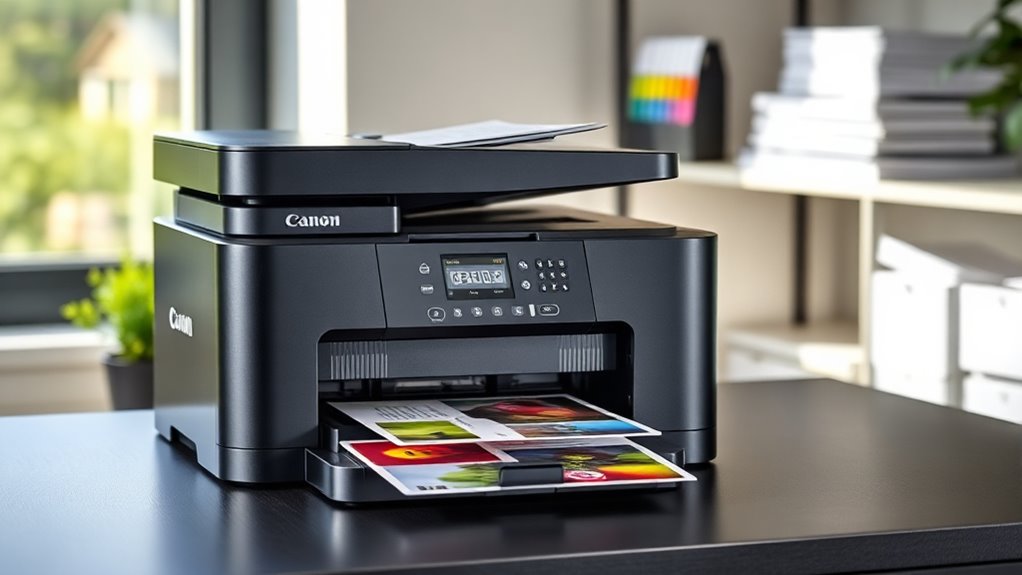
When you’re picking a Canon multifunction inkjet printer, several key factors can make a big difference. Reflect on print speed, connectivity options, and print quality to guarantee it meets your needs.
Don’t forget to take into account media handling capacity and energy efficiency. These can really enhance your overall experience.
Print Speed Considerations
While selecting a Canon multifunction inkjet printer, print speed should be a top consideration, especially if you often handle large volumes of documents. Most models offer speeds ranging from 6 to 15 pages per minute (ppm) for black and white prints, with color prints typically slower.
High print speeds boost productivity, particularly in busy offices where frequent printing is necessary. Don’t forget the initial page print time, which can impact overall efficiency.
Automatic duplex printing can also enhance speed, allowing for double-sided printing without extra effort. Finally, keep in mind that print speeds may vary depending on the complexity of your documents—text prints faster than those with images.
Choose wisely to match your printing needs. It’ll make a big difference in your daily routine!
Connectivity Options Available
Choosing a Canon multifunction inkjet printer means considering the various connectivity options available, since they can greatly impact your printing experience. Many models offer dual-band Wi-Fi, ensuring stable connections on both 2.4GHz and 5GHz networks.
You’ll appreciate the mobile printing capabilities, with support for Apple AirPrint, Google Cloud Print, and the Canon PRINT app. This makes it easy to print from your smartphone or tablet.
If you prefer a wired connection, USB ports are standard, allowing direct links to your computer. For office settings requiring reliable internet, several printers come with Ethernet ports.
Additionally, some models feature Wi-Fi Direct, letting you print straight from your mobile device without needing a router or network. It’s super convenient if you want a quick, hassle-free connection.
Print Quality Standards
After considering connectivity options, print quality becomes a key factor in selecting a Canon multifunction inkjet printer. You’ll want to look at print resolution, usually measured in dots per inch (dpi). Higher resolutions, like 4800 x 1200 dpi, deliver sharper, more detailed images.
The type of ink system also matters; dye-based inks are great for vibrant photos, while pigment-based inks offer longevity and fade resistance. Remember that the printer’s ability to handle various media types can greatly impact quality, especially for specialized prints.
Print speed is essential too; models with higher pages per minute (ppm) can handle high-volume tasks efficiently. And, don’t forget about borderless printing—it really enhances the professional look of your photos and presentations.
Media Handling Capacity
When selecting a Canon multifunction inkjet printer, media handling capacity is essential for ensuring efficiency and convenience. You’ll want to evaluate how much paper the printer can hold, typically ranging from 100 to 250 sheets. Some models even offer up to 500 sheets with additional trays.
This capacity affects how often you need to refill the paper tray, which can impact your workflow. It’s a good idea to look for printers with multiple trays for different paper types and sizes. That way, you get more versatility for tasks like printing photos or legal documents.
An automatic document feeder (ADF) can also boost productivity. It lets you scan or copy multiple pages at once, so you don’t have to do it manually.
Energy Efficiency Ratings
Alongside media handling capacity, energy efficiency ratings play an essential role in selecting the right Canon multifunction inkjet printer. Look for models with ENERGY STAR certification, which typically consume 25% less energy than standard printers.
This not only helps lower your energy costs but also supports environmental sustainability. EPEAT ratings further assess a printer’s environmental impact based on energy use, materials, and recyclability, offering you an eco-friendly choice.
Many energy-efficient printers include features like auto-duplex printing, which reduces paper waste and conserves energy during print jobs. By choosing a printer with high energy efficiency ratings, you’ll greatly lower your carbon footprint, aligning your purchase with sustainable practices in both home and office environments.
Warranty and Support Options
Warranty and support options are vital factors to assess when choosing a Canon multifunction inkjet printer. Most models come with a one-year limited warranty, covering manufacturing defects during normal use.
Additionally, many retailers offer a 30-day return guarantee, allowing you to return the printer if it doesn’t meet your expectations. Canon provides customer support through various channels, including online resources and telephone assistance, so you can easily access help when needed.
Spare parts are typically available for up to five years after release, which is important for long-term maintenance. Plus, some printers are Energy Star certified, potentially qualifying you for extra support or rebates depending on your location.
Make sure to review these aspects for a smoother printing experience. It really pays off to know what support you can count on!
Frequently Asked Questions
What Is the Warranty Period for Canon Multifunction Inkjet Printers?
Canon multifunction inkjet printers typically come with a one-year limited warranty. If you register your product, you might access additional benefits.
Always check your specific model for detailed warranty information to guarantee coverage. It’s a good idea to be sure about what’s included!
Are Replacement Ink Cartridges Readily Available for These Models?
Yes, replacement ink cartridges are readily available for Canon multifunction inkjet printers. You can find them at local retailers, online stores, or directly through Canon’s website.
This way, you can always make sure you have the ink you need when you need it. It’s pretty convenient, right?
How Do I Troubleshoot Common Printing Issues With Canon Printers?
When your Canon printer fails, don’t panic. Check the connections, clean the print head, and confirm paper’s loaded correctly.
If that doesn’t work, updating drivers or resetting the printer might just save the day. Sometimes, a quick reset is all it takes to get things back on track.
Can These Printers Support Mobile Printing via Apps?
Yes, these printers support mobile printing via apps. You can easily print from your smartphone or tablet using Canon’s mobile applications.
It’s super convenient to send documents directly to your printer from anywhere. Just a few taps, and you’re good to go!
What Maintenance Is Required for Canon Multifunction Inkjet Printers?
You’ll need to clean the print heads regularly, replace ink cartridges when low, and perform routine maintenance checks.
Keeping the printer dust-free and using high-quality paper also helps maintain peak performance and print quality.
It’s pretty straightforward, but staying on top of these tasks can save you from bigger headaches down the line.
Conclusion
In your search for the perfect Canon multifunction inkjet printer, think of it as finding a trusty sidekick for your creative adventures. Imagine effortlessly printing vibrant photos, scanning important documents, and copying cherished memories—all with just a few taps.
With options like the MegaTank G3270 and the PIXMA TS7720, there’s a model to fit every need. Whether you want high-quality photo prints or reliable everyday performance, Canon has you covered.
So, go ahead and choose wisely; your ideal printing partner is waiting to help you release your imagination! The best Canon multifunction inkjet printers combine versatility, ease of use, and vibrant output to make your creative projects come alive. Finding the right Canon printer will boost your productivity and bring your ideas to life with stunning prints every time.