9 Best Canon Multifunction Laser Printers for 2027
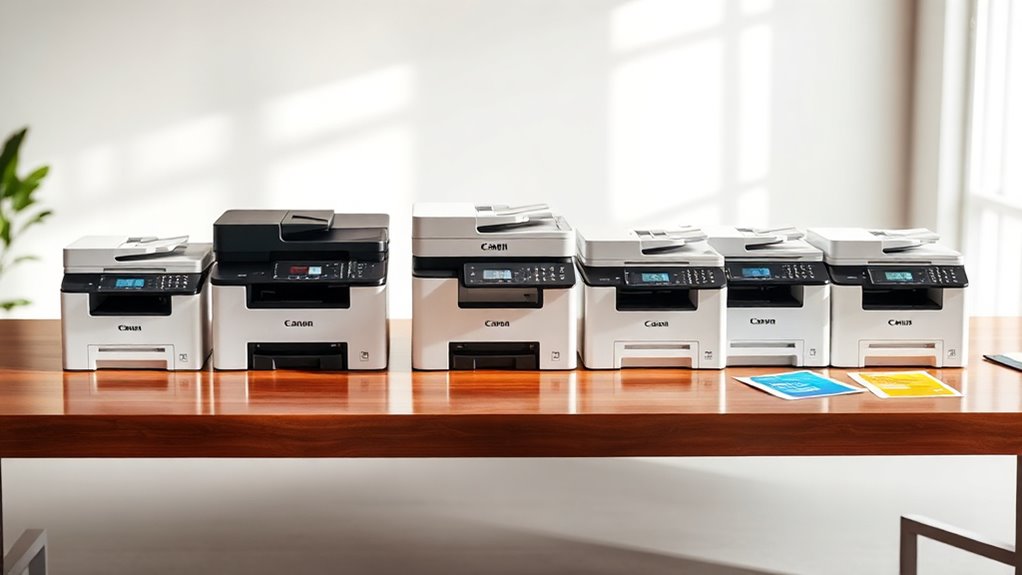
If you’re looking for the best Canon multifunction laser printers for 2027, you’re in the right place. Models like the Color imageCLASS MF753Cdw II and the imageCLASS MF273dw really stand out.
They offer fast print speeds and wireless connectivity, making them super convenient for any workspace.
Whether you need color printing or just monochrome, there’s a compact option that fits perfectly.
Plus, features like duplex printing and high-capacity toner cartridges keep your printing costs down.
Stick around to discover more recommendations and useful insights on choosing the right Canon multifunction laser printer for your needs!
| Image | Name | Editor's Rating | Price |
|---|---|---|---|

|
|
||

|
|
||

|
|
||

|
|
||

|
|
Canon Color imageCLASS MF753Cdw II – All-in-One Color Duplex Laser Printer
- Color, Wireless, Duplex 4-in-1: Print, scan, copy, fax.

The Canon Color imageCLASS MF753Cdw II is designed to streamline your printing tasks with efficiency and ease. Its fast output of up to 35 pages per minute means you spend less time waiting and more time focusing on your work. This printer’s automatic duplex feature reduces paper use, helping to lower costs and support eco-friendly practices.
With a sharp 1200 x 1200 dpi resolution, your documents come out clear and professional every time. The 250-sheet paper capacity handles daily workloads without constant refilling, making it well-suited for busy small offices or home environments. Wireless connectivity adds convenience by allowing printing directly from mobile devices, which simplifies the workflow.
Maintenance is straightforward, ensuring minimal downtime. The printer’s robust design supports extended use, but its 50-pound weight may require some planning for placement. While the initial investment is higher than basic models, its functionality offers long-term value, especially for users needing consistent, high-quality color printing.
Best for: Small and home offices needing a reliable, fast, and versatile all-in-one color laser printer.
What We Like:
- Rapid print speeds improve productivity
- Automatic double-sided printing saves time and resources
- Wireless printing enhances convenience and mobility
- High-resolution output delivers sharp, vibrant prints
- Solid build supports frequent use
Specification:
| Feature | Details |
|---|---|
| Manufacturer | Canon |
| Dimensions (W×D×H) | 17.7 × 19.1 × 16.5 inches |
| Weight | 50 lbs (22.7 kg) |
| Print Technology | Color Duplex Laser |
| Print Speed | Up to 35 pages per minute |
| Print Resolution | 1200 x 1200 dpi |
| Paper Capacity | 250 sheets (standard) |
| Connectivity | Wireless |
Canon imageCLASS MF273dw Monochrome Wireless Laser Printer
- Wireless 3-in-1: Print | Copy | Scan
- Print up to 30 Pages Per Minute (BW, Letter)
- First Print Out in Approximately 5.3 Seconds (Letter)
The Canon imageCLASS MF273dw offers a smart solution for small offices or home users who need a reliable, efficient printer without sacrificing space. It handles printing, copying, and scanning tasks swiftly, helping you stay productive even during busy days.
Its fast printing speed of up to 30 pages per minute reduces wait times, while the quick first print gets your documents ready in about 5 seconds. The auto duplex feature cuts paper use by printing on both sides automatically, making your workflow more eco-friendly and cost-effective.
Designed with convenience in mind, this multifunction printer includes an auto document feeder that streamlines scanning and copying of multi-page documents. Its compact size fits easily into limited spaces, making it ideal for desks with little room to spare.
Maintenance is straightforward thanks to its simple design and wireless connectivity options. You can connect via USB or Wi-Fi, allowing flexible placement without cluttering your workspace. Keep in mind, this model prints only in monochrome and has a 150-sheet paper capacity, which may require regular refills for heavy use.
Best for: Small offices or home users needing a compact, multifunction monochrome printer that balances speed and efficiency.
What We Like:
- Fast print speed up to 30 pages per minute
- Auto duplex printing saves paper and reduces waste
- Auto document feeder simplifies multi-page scanning and copying
- Compact design fits easily in small or crowded spaces
- Flexible USB and wireless connectivity options
Specification:
| Feature | Details |
|---|---|
| Manufacturer | Canon |
| Dimensions | 14.6 x 15.4 x 14.4 inches |
| Weight | 24.7 pounds |
| Printing Technology | Monochrome Laser |
| Connectivity | USB, Wi-Fi |
| Paper Capacity | 150 sheets |
Canon imageCLASS MF465dw II Wireless Duplex Laser Printer
- Monochrome Wireless, Duplex 4-in-1: Print, Scan, Copy, Fax
- Print up to 42 ppm
- Easy Wireless Setup
The Canon imageCLASS MF465dw II transforms your workspace with its versatile 4-in-1 capabilities. Designed to handle printing, copying, scanning, and faxing, it streamlines multiple tasks into one compact device. This printer helps reduce clutter and saves time, making it ideal for busy small or home offices.
With a fast print speed of up to 42 pages per minute, it keeps up with demanding workloads efficiently. The intuitive 5-inch color touchscreen simplifies navigation, so you can operate the printer without hassle. Wireless connectivity allows you to print directly from smartphones, tablets, or laptops, adding convenience to your daily routine.
Maintenance is straightforward thanks to high-capacity toner options and a generous 250-sheet paper capacity that can be expanded. The automatic document feeder supports duplex scanning, reducing manual effort and speeding up multi-page tasks. Its monochrome output fits well for offices focused on black-and-white documents.
Best for: Small to medium-sized offices needing a reliable, multifunction printer that handles high-volume monochrome printing and scanning.
What We Like:
- Efficient 42 ppm print speed for productivity
- 4-in-1 multifunction design saves space and time
- Wireless printing from multiple devices
- Easy-to-use 5-inch touchscreen interface
- Expandable paper capacity with automatic duplex scanning
Specification:
| Feature | Details |
|---|---|
| Manufacturer | Canon |
| Dimensions (W×D×H) | Approximately 16.5 × 15.7 × 14.8 in (42 × 40 × 37.5 cm) |
| Weight | Around 33.1 lb (15 kg) |
| Color Options | White / Black |
| Connectivity | Wireless, USB |
| Print Speed | Up to 42 pages per minute |
| Functions | Print, Copy, Scan, Fax |
| Touchscreen | 5-inch color touchscreen |
| Paper Capacity | 250 sheets standard, expandable |
Canon Color imageCLASS MF665Cdw – Wireless, All-in-One Duplex Laser Printer
- Color, Wireless, Duplex 4-in-1: Print, scan, copy, fax.
- Fast Print Speeds: Print up to 26 ppm in both color and monochrome and spend less time waiting with a quick first print...
- Easy Wireless Setup: Setup your wireless connection and get up and running in just a few steps.
Experience smooth and efficient printing with the Canon Color imageCLASS MF665Cdw. Designed to tackle busy workloads, it delivers fast output with a print speed of up to 26 pages per minute. This ensures your documents are ready quickly, reducing wait times and improving productivity.
Its wireless connectivity simplifies printing from mobile devices through the Canon PRINT app, Apple AirPrint, or Mopria. This flexibility helps you manage tasks without being tied to your desk. The intuitive design supports seamless scanning, copying, and faxing, making it a versatile all-in-one solution.
Maintenance is straightforward thanks to the 250-sheet cassette and 50-sheet duplex automatic document feeder, which handle large jobs with minimal intervention. Energy efficiency is also a priority, as the printer is ENERGY STAR certified, helping reduce power consumption and environmental impact.
While the initial investment may be higher than basic models, the printer’s robust features and quality build justify the cost. Keep in mind, toner replacement contributes to ongoing expenses, and media size support is limited to legal (8.5 x 14 inches), which may restrict some specialized printing needs.
Best for: Small and home offices requiring a reliable all-in-one printer that balances speed, functionality, and wireless convenience.
What We Like:
- Fast print speed up to 26 ppm for quick document turnaround
- Wireless and mobile printing compatibility for flexible use
- ENERGY STAR certification promotes energy-efficient operation
- Large paper capacity and duplex feeder reduce manual handling
Specification:
| Feature | Details |
|---|---|
| Manufacturer | Canon |
| Dimensions (W x D x H) | 17.2 x 19.6 x 15 inches |
| Weight | 51.8 lbs (23.5 kg) |
| Printing Technology | Color Laser |
| Paper Capacity | 250-sheet cassette + 50-sheet duplex feeder |
| Connectivity | Wireless, USB |
| Maximum Media Size | Legal (8.5 x 14 inches) |
Canon Color imageCLASS MF662Cdw Wireless Laser Printer
- Color, Wireless, Duplex 3-in-1: Print, scan, copy.
- Fast Print Speeds: Print up to 26 ppm in both color and monochrome and spend less time waiting with a quick first print...
- Easy Wireless Setup: Setup your wireless connection and get up and running in just a few steps.
The Canon Color imageCLASS MF662Cdw transforms everyday office tasks with its all-in-one functionality. This wireless laser printer helps small businesses and home offices handle printing, scanning, and copying seamlessly. It boosts productivity by delivering up to 26 pages per minute and starts printing quickly, reducing wait times.
Its design focuses on ease of use and efficiency. The 5-inch color touchscreen offers intuitive navigation, while automatic duplex printing cuts paper waste. Wireless connectivity and mobile printing options make setup and operation simple, fitting smoothly into modern workspaces.
Maintenance is straightforward, though the 250-sheet paper cassette might require refills during heavy use. The printer’s 600 x 600 dpi resolution handles most standard documents well, but it may not satisfy users needing ultra-high print quality. Toner costs can be higher due to the use of Canon Genuine Toner.
Overall, the MF662Cdw is a practical solution for those needing reliable multifunction performance in a compact, energy-efficient design.
Best for: Small businesses and home offices seeking a versatile, easy-to-maintain color laser printer with wireless capabilities.
What We Like:
- Efficient 3-in-1 functionality for printing, scanning, and copying
- Fast print speeds of up to 26 ppm in color and black-and-white
- User-friendly 5-inch color touchscreen for easy control
- Automatic duplex printing reduces paper use
- ENERGY STAR certified for energy-efficient operation
Specification:
| Feature | Details |
|---|---|
| Manufacturer | Canon |
| Dimensions (W x D x H) | 17.7 x 18.5 x 15.4 inches |
| Weight | 39.7 lbs (18 kg) |
| Printing Technology | Wireless Duplex Laser |
| Print Speed | Up to 26 ppm |
| Print Resolution | 600 x 600 dpi |
| Paper Capacity | 250-sheet cassette |
| Display | 5-inch color touchscreen |
| Connectivity | Wireless, Mobile Printing |
Canon imageCLASS MF3010 Monochrome Laser Printer
No products found.
The Canon imageCLASS MF3010 Monochrome Laser Printer delivers reliable performance for busy home offices. It tackles your daily printing needs with a fast print speed of 19 pages per minute, helping you stay productive without delays. This compact device also scans and copies, streamlining multiple tasks in one small footprint.
Maintenance is simple with a toner yield of up to 2,300 pages, which means fewer cartridge replacements and less downtime. The printer’s energy saver mode helps reduce electricity use, making it more cost-effective over time. Its lightweight design fits easily into tight spaces, saving valuable desk area.
Designed specifically for monochrome printing, this printer focuses on sharp, clear text output. While it lacks wireless connectivity, its straightforward USB connection ensures stable and consistent use. The 600 dpi scan resolution handles most everyday document scanning needs effectively.
This multifunction printer suits users who want a dependable device for routine printing, scanning, and copying without extra features that complicate operation.
Best for: Home offices and small businesses needing a reliable monochrome laser printer that combines essential functions with ease of use.
What We Like:
- Compact size fits well in limited spaces
- High toner yield reduces cartridge changes
- Fast printing boosts workflow efficiency
- Energy saver mode lowers power consumption
Specification:
| Feature | Details |
|---|---|
| Manufacturer | Canon |
| Dimensions | Compact design (exact size not specified) |
| Weight | 16.8 lb (7.6 kg) |
| Color | Monochrome (Black and White) |
| Print Speed | 19 pages per minute |
| Scan Resolution | Up to 600 dpi |
| Toner Yield | Up to 2,300 pages |
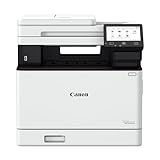
Canon Color imageCLASS MF751Cdw II Wireless Laser Printer
- Color, Wireless, Duplex 3-in-1: Print, scan, copy.
- Fast Print Speeds: Print up to 35 ppm in both color and monochrome and spend less time waiting with a quick first print...
- Easy Wireless Setup: Setup your wireless connection and get up and running in just a few steps.
The Canon Color imageCLASS MF751Cdw II transforms busy office workflows with its reliable wireless laser printing. It tackles high-volume tasks efficiently, producing sharp, professional-quality documents that enhance your daily operations. This 3-in-1 device combines printing, scanning, and copying to streamline office functions.
Designed for convenience, it features automatic two-sided printing and a 50-sheet automatic document feeder. These help reduce manual handling and save you time. The intuitive 5-inch touchscreen simplifies navigation, making routine tasks straightforward even for new users.
Maintenance is straightforward with Canon Genuine Toner, ensuring consistent output quality and reducing the need for frequent replacements. Although the printer weighs 45 pounds, its robust build supports steady performance during extended use. Optional cassette expansion is available for larger print jobs but may add to overall costs.
Wireless connectivity keeps your team connected from various devices, improving accessibility and workflow flexibility. While initial setup might require some technical familiarity, the overall design supports efficient, high-quality printing tailored to busy office environments.
Best for: Offices seeking a versatile and efficient wireless duplex laser printer that handles multiple tasks with ease.
What We Like:
- Fast printing up to 35 pages per minute for quick document turnaround
- Sharp, professional output with Canon Genuine Toner
- Easy-to-use 5-inch touchscreen interface
- Automatic duplex printing and 50-sheet ADF for hands-free operation
- Wireless connectivity supporting multiple devices
Specification:
| Feature | Details |
|---|---|
| Manufacturer | Canon |
| Dimensions (W x D x H) | 17.7 x 18.5 x 16.5 inches |
| Weight | 45 lb (20.4 kg) |
| Color Options | White |
| Printing Technology | Wireless Duplex Laser |
Canon imageCLASS MF284dw Multifunction Wireless Monochrome Laser Printer

- Print up to 35 pages-per-minute with a first print out of time of less than 4.9 seconds (letter)
- Print on-the-go with Canon Print App, Canon PRINT Business, Apple AirPrint and Mopria Print Service
- High capacity toner option keeps up with your printing needs and limits toner replacement interruptions
Experience efficient printing that keeps your workflow smooth with the Canon imageCLASS MF284dw. This multifunction wireless monochrome laser printer is designed to handle busy office demands by delivering sharp black-and-white prints quickly. Its ability to print up to 35 pages per minute means less waiting and more doing.
The printer’s duplex printing feature helps reduce paper usage, saving both costs and the environment. Scanning is fast and reliable, with speeds up to 21 images per minute, making document management effortless. Wireless connectivity supports seamless mobile printing through the Canon Print App and Apple AirPrint, so you can print directly from your smartphone or tablet.
Maintenance is straightforward with a high-capacity toner cartridge that prints up to 1,000 pages, minimizing the need for frequent replacements. While it is monochrome-only, this focus ensures crisp text quality and dependable performance. Weighing 27.6 pounds, it offers a compact footprint that fits well in small offices, though it is not designed for frequent relocation.
Best for: Small to medium-sized businesses and home offices seeking a reliable monochrome multifunction printer that balances speed and ease of use.
What We Like:
- Fast printing speed up to 35 ppm boosts productivity
- Duplex printing reduces paper waste and costs
- Mobile printing compatibility simplifies remote workflows
- High-capacity toner lowers maintenance frequency
- Compact design fits neatly in limited spaces
Specification:
| Feature | Details |
|---|---|
| Manufacturer | Canon |
| Dimensions | Compact size (exact size not provided) |
| Weight | 27.6 lb (12.5 kg) |
| Printing Technology | Monochrome Laser |
| Connectivity | Wireless, Mobile Printing (Canon Print App, Apple AirPrint) |
| Print Speed | Up to 35 pages per minute |
| Scan Speed | Up to 21 images per minute |
Canon Color imageCLASS MF652Cw Wireless Laser Printer

- Wireless 3-in-1 (print, scan, copy)
- Print up to 22 pages per minute (CL/BW), with first print out in approximately 10.3 seconds
- Uses Canon Genuine Toner 067 / 067 high capacity
Experience seamless productivity with the Canon Color imageCLASS MF652Cw, designed to meet the demands of small businesses and home offices. This compact 3-in-1 printer combines printing, scanning, and copying in one space-saving unit. It simplifies your workflow by handling multiple tasks without the need for separate devices.
With print speeds of up to 22 pages per minute and sharp 1200 x 1200 dpi resolution, your documents come out clear and professional every time. Wireless connectivity allows you to print directly from laptops, tablets, and smartphones, reducing cable clutter and enhancing convenience. This flexibility fits well in modern work environments.
Maintenance is straightforward, but note the 250-sheet standard paper cassette means you may need to refill it more often during heavy printing. The single-sheet multipurpose tray is perfect for occasional specialty prints but might slow down larger jobs. Weighing 39.7 pounds, it is stable but less portable.
Overall, the Canon Color imageCLASS MF652Cw offers a balanced mix of functionality and design for efficient daily use. Its multifunction capabilities and wireless options help streamline office tasks while fitting neatly into your workspace.
Best for: Small businesses and home offices needing a reliable multifunction printer for printing, scanning, and copying.
What We Like:
- Efficient 3-in-1 functionality for versatile office tasks
- Crisp 1200 x 1200 dpi print quality
- Wireless printing from multiple devices
- Compact design suitable for limited spaces
Specification:
| Feature | Details |
|---|---|
| Manufacturer | Canon |
| Dimensions | Not specified |
| Weight | 39.7 lb (18 kg) |
| Color Options | Not specified |
| Connectivity | Wireless (Wi-Fi) |
Factors to Consider When Choosing a Canon Multifunction Laser Printer
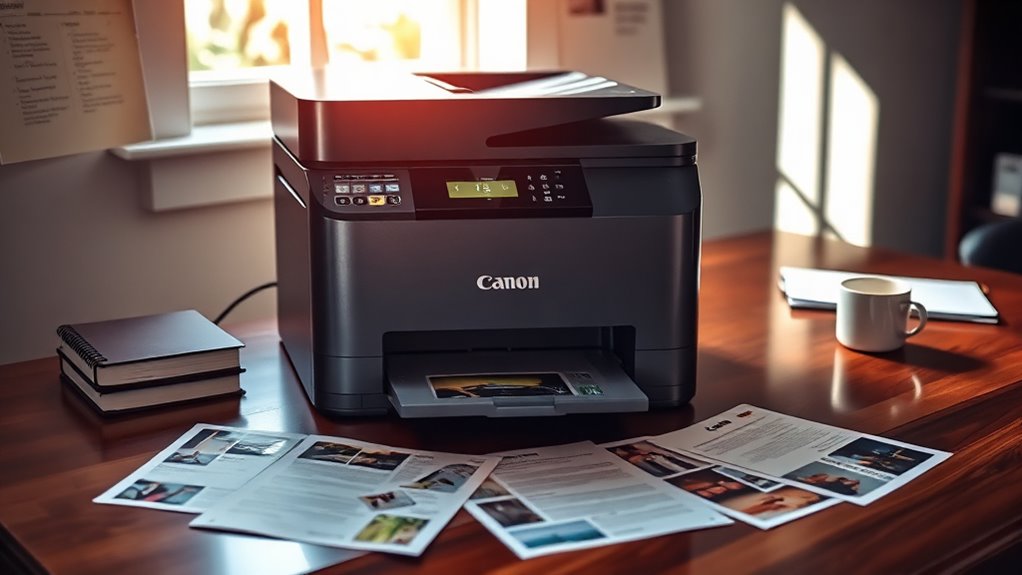
When you’re choosing a Canon multifunction laser printer, it’s important to contemplate several key factors. Think about your print speed needs, the connectivity options that best fit your setup, and how much paper the printer can handle.
Also, don’t forget to check the size and dimensions to guarantee it fits comfortably in your workspace. It’s all about making sure the printer works well for you without taking up too much room.
Factors to Consider When Choosing Canon Multifunction Laser Printer
Choosing the right Canon multifunction laser printer can greatly enhance your office productivity. First, consider the print speed, typically ranging from 19 to 42 pages per minute (PPM). This will help guarantee it meets your efficiency needs.
Next, evaluate the paper handling capacity; options usually range from 150 to 900 sheets. This helps reduce how often you need to refill the paper tray.
Look for automatic duplex printing capabilities, so you can save on paper costs with double-sided printing. It’s a simple feature but can make a big difference over time.
Connectivity options are essential, so make sure the printer supports USB, Ethernet, and Wi-Fi. This way, you can easily integrate it with all your devices.
Finally, check the warranty period, which can range from one to three years. Having reliable customer support when you need it is always a good thing.
Print Speed Requirements
Print speed is a key factor in ensuring your Canon multifunction laser printer meets your office’s productivity demands. Most models offer speeds ranging from 19 to 42 pages per minute (PPM) for black and white prints. Meanwhile, high-performance color printers can reach up to 35 PPM.
The initial page print time is essential. Some printers can deliver the first page in as little as 4.9 seconds. If your office has a high print volume, opting for a faster printer will definitely enhance efficiency and help meet quick turnaround needs.
Also, don’t forget to consider duplex printing capabilities. Some models perform automatic double-sided printing in a single pass, which further boosts overall speed and productivity.
Connectivity Options Available
Connectivity options play a vital role in the functionality of Canon multifunction laser printers. Many of these models offer a range of connectivity choices, including USB, Ethernet, and Wi-Fi. This makes it easy to set up in any environment.
If you often print from your smartphone or tablet, you’ll appreciate the mobile printing capabilities through apps like Apple AirPrint, Canon PRINT, and Mopria Print Service. For quick tasks, models with Wi-Fi Direct let you connect directly to the printer without needing a network.
If you’re in an office setting, Ethernet connectivity provides stable, high-speed access for multiple users. Plus, support for cloud printing services makes it simple to print documents stored online. This enhances your versatility, especially if you work remotely.
Paper Handling Capacity
When looking for a Canon multifunction laser printer, paper handling capacity is a key factor to evaluate. Most models offer a standard main cassette capacity ranging from 150 to 250 sheets.
If you need more, consider models with expandable options that allow for additional cassettes. This can boost total capacity to 900 sheets or more.
Look for an Automatic Document Feeder (ADF) that supports 50 to 100 sheets. It makes duplex scanning and copying much more efficient.
Maximum media sizes typically accommodate legal size (8.5 x 14 inches), and some can handle smaller sizes down to 3 x 5 inches.
Plus, duplex printing capabilities can greatly reduce paper usage and costs. It’s definitely a smart choice for your printing needs.
Size and Dimensions
Choosing the right Canon multifunction laser printer involves more than just evaluating paper handling capacity; size and dimensions play a significant role in determining where it fits in your office. Models vary widely, with compact designs around 14.4 inches in height and larger units reaching up to 22.8 inches in depth.
Consider weight as well; lighter printers (about 24.7 pounds) are easier to move, while heavier models often boast advanced features. Standard widths range from 15.4 to 17.8 inches, affecting how the printer fits alongside other equipment.
Also, be mindful of the footprint—some require up to 22.5 inches in depth. Ensuring adequate height and width guarantees easy access to controls and paper loading. It’s all about finding the right balance that works for your space and needs.
Warranty and Support
While evaluating a Canon multifunction laser printer, don’t overlook the importance of warranty and support. Many models offer warranties ranging from one to three years, so you can feel secure about potential defects or issues.
Canon’s robust support network guarantees you have access to help and resources for troubleshooting and maintenance. You’ll find customer service for warranty claims is straightforward, with online resources, manuals, and FAQs readily available.
Plus, some models come with specific return policies, like a 30-day return guarantee, enhancing your satisfaction and confidence in your purchase. Knowing you have solid support can make a big difference, especially if you encounter any challenges with your printer down the line.
Energy Efficiency Ratings
Having solid warranty and support options is just one aspect to contemplate in your search for a Canon multifunction laser printer. You should also pay attention to energy efficiency ratings.
Look for ENERGY STAR certification, which guarantees the printer meets strict energy performance standards. This helps lower your energy bills, which is always a bonus.
EPEAT ratings are another great indicator, evaluating the environmental impact throughout the product’s lifecycle. Many modern printers come with energy-saving modes that keep power usage under 2 watts during idle times.
Plus, opting for high-capacity toner cartridges means fewer replacements. This reduces waste and energy used in production.
Choosing energy-efficient printers not only supports sustainability but also cuts overall operational costs in your home or office. It’s a win-win!
Frequently Asked Questions
What Is the Average Lifespan of a Canon Laser Printer?
A Canon laser printer typically lasts around five to seven years with proper maintenance. If you keep the printer clean, regularly replace consumables, and avoid heavy usage, it can serve you even longer.
It’s all about how well you take care of it. Treat it right, and you might get more mileage than you expect!
How Often Should I Replace the Toner Cartridges?
You should replace toner cartridges when they’re low or after printing about 2,000 to 4,000 pages, depending on the model.
It’s a good idea to regularly check your printer’s notifications. That way, you can keep everything running smoothly and maintain great print quality.
Are Canon Printers Compatible With Third-Party Toner?
Yes, Canon printers can work with third-party toner, but it’s like walking a tightrope. You might save money, yet risk quality and reliability.
It’s best to stick to trusted brands for the best results and performance. That way, you avoid potential headaches and keep your printer running smoothly.
Can I Connect My Canon Printer to Mobile Devices?
Yes, you can connect your Canon printer to mobile devices. Use the Canon PRINT app or AirPrint for easy setup.
This lets you print directly from your smartphone or tablet without any hassle. It’s super convenient for on-the-go printing!
What Warranty Options Are Available for Canon Printers?
Canon printers typically come with a one-year limited warranty. You can also purchase extended warranties or service plans for additional coverage.
It’s a good idea to check with your retailer or Canon’s website for specific options and details. That way, you can find the best plan that fits your needs.
Conclusion
When choosing a Canon multifunction laser printer, you’ll find excellent options that cater to various needs. For instance, the Canon Color imageCLASS MF753Cdw II boasts a staggering print speed of up to 28 pages per minute, making it a top choice for busy offices.
With features like wireless connectivity and duplex printing, these printers help streamline your workflow. They’re designed to save time and reduce hassle, whether you’re printing reports or scanning documents.
Ultimately, investing in a reliable Canon multifunction laser printer not only boosts productivity but also enhances your overall printing experience. These printers combine speed, efficiency, and quality to meet both personal and professional demands. Choosing the right Canon model means you get dependable performance and smart features that keep your office running smoothly.