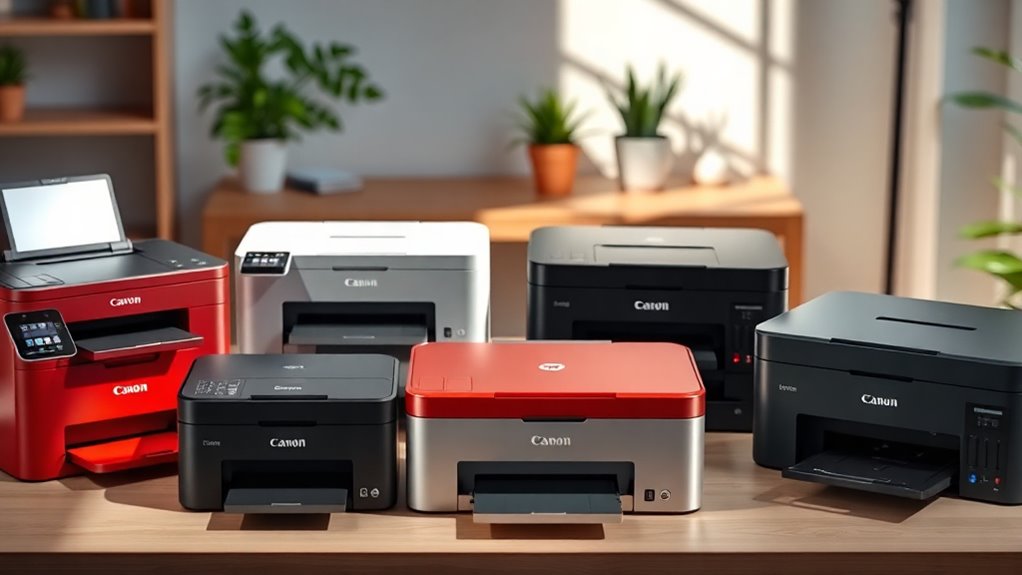
11 Best Canon MX Printers for 2027 That Impress Every Time
If you’re on the hunt for the best Canon MX printers in 2027, you’ve come to the right place.
Whether you need something for a busy home office or a compact model to save space, Canon has plenty of options. The PIXMA TR8620a is perfect for home offices, offering great speed and reliable connectivity.
For smaller spaces, the TR4720 fits right in without compromising performance.
And if you’re tackling high-volume printing, the MegaTank G3270 delivers impressive ink capacity and efficiency.
But that’s not all—you’ll also find models like the TS7720 and TS9521Ca that are fantastic for creative projects.
These printers handle photos and craft jobs with ease, making them a favorite among artists and hobbyists.
Stick around to learn more about what makes each model stand out and why they’re the top picks for 2027!
| Image | Name | Editor's Rating | Price |
|---|---|---|---|

|
|
||

|
|
||
|
|
||

|
|
||

|
|
Canon PIXMA TR8620a All-in-One Printer
- Never run out of ink. Connect your printer to Alexa and receive notifications when you’re running low. Alexa can even...
- Enrolling in Smart Reorders with Alexa ensures that you never have too much or too little ink supplies. No subscription...
- Wireless 4-in-1 (Print | Copy | Scan | Fax)

The Canon PIXMA TR8620a All-in-One Printer delivers versatile functionality designed to meet the needs of busy home office environments. It seamlessly integrates printing, copying, scanning, and faxing into one compact machine. This helps reduce clutter and streamline your workspace.
Its fast print speeds of 15 ipm for black and 10 ipm for color mean you spend less time waiting for documents. Sharp image quality is ensured with a high resolution of up to 4800 x 1200 dpi. Wireless connectivity and Alexa compatibility simplify printing from multiple devices.
Maintenance is straightforward with five individual ink tanks, allowing you to replace only the colors you need. The 20-sheet auto document feeder supports efficient multitasking, while borderless printing adds a professional touch to your projects.
Despite its slightly heavier 17.4-pound frame and a monthly duty cycle capped at 1,000 pages, the PIXMA TR8620a balances performance and convenience well for typical home office demands.
Best for: Home office users seeking a compact, multifunction printer that enhances productivity with ease of use.
What We Like:
- Combines printing, copying, scanning, and faxing in one device
- High-resolution prints for sharp, detailed images
- Wireless and Alexa-enabled for flexible connectivity
- Five individual ink tanks reduce ink waste
- 20-sheet auto document feeder increases efficiency
Specification:
| Feature | Details |
|---|---|
| Manufacturer | Canon |
| Dimensions (W×D×H) | Not specified |
| Weight | 17.4 lb (7.9 kg) |
| Print Resolution | Up to 4800 x 1200 dpi |
| Print Speed | 15 ipm (black), 10 ipm (color) |
| Connectivity | Wireless, Alexa-compatible |
| Ink System | Five individual ink tanks |
| Auto Document Feeder | 20 sheets |
Canon PIXMA TR4720 All-in-One Wireless Printer
- Wireless 4-in-1 (print | copy | scan | fax)..Power Consumption: 7W (0.8W Standby / 0.3W Off)
- Print speed up to: 4" x 6" Borderless Photo (PP-201): Approx. 65.0 Seconds / Black Document (Letter/Simplex): Approx...
- Designed for easy ink cartridge installation and replacement.
The Canon PIXMA TR4720 is designed to simplify your printing tasks at home or in a small office. This all-in-one wireless printer combines printing, scanning, copying, and faxing, reducing the need for multiple devices. Its compact size fits easily into tight spaces, making it ideal for desks or small work areas.
Maintenance is straightforward thanks to a 100-sheet front paper tray that helps keep your workspace organized. Automatic duplex printing saves paper and cuts down on manual work. With mobile printing support, you can send documents directly from your phone or tablet, enhancing convenience.
The printer delivers clear black text at 8.8 ipm, suitable for everyday documents, though color prints run slower at 4.4 ipm. While photo printing takes longer, the TR4720 handles borderless 4 x 6-inch photos with good quality. Energy-efficient and easy to use, it also connects with Alexa for timely ink alerts.
Best for: Small businesses and home users needing a compact, efficient all-in-one wireless printer.
What We Like:
- Multifunction device combining print, scan, copy, and fax
- Supports mobile printing through Canon apps
- ENERGY STAR certified for low power use
- Automatic duplex printing to save paper
Specification:
| Feature | Details |
|---|---|
| Manufacturer | Canon |
| Dimensions | Compact (exact size not specified) |
| Weight | Not specified |
| Material | Not specified |
| Color Options | Not specified |
Canon Pixma MG3620 Wireless All-in-One Printer
- Wireless 3-in-1 (print | copy | scan)
- Easily print and scan photos and documents directly from your mobile devices.
- 9.9 / 5.7 ipm print speed
Discover the convenience of the Canon Pixma MG3620 wireless all-in-one printer, designed to streamline your home or small office tasks. This compact device handles printing, copying, and scanning with ease, helping you stay productive without cluttering your workspace.
Its wireless functionality means you can print directly from your smartphone or tablet using AirPrint or Google Cloud Print. This cuts down on cables and makes mobile printing straightforward. Automatic duplex printing reduces paper use, making your workflow more efficient and eco-friendly.
Maintenance is simple with a 100-sheet paper capacity that suits everyday needs, though larger jobs may require more frequent refills. The printer’s design supports media sizes up to 8.5 x 14 inches, offering flexibility for various document types. While print speeds are moderate, especially for color prints, this model balances functionality and affordability.
The Canon Pixma MG3620 is ideal for those seeking a reliable, space-saving printer that covers essential tasks without unnecessary complexity. Its straightforward controls and compatibility with multiple operating systems add to its user-friendly appeal.
Best for: Individuals or small businesses needing a compact, efficient all-in-one printer for everyday printing, copying, and scanning.
What We Like:
- Combines printing, copying, and scanning in a compact unit
- Wireless connectivity via AirPrint and Google Cloud Print
- Automatic duplex printing for double-sided documents
- Supports various media sizes up to 8.5 x 14 inches
Specification:
| Feature | Details |
|---|---|
| Manufacturer | Canon |
| Dimensions | Compact size (exact not provided) |
| Weight | Not specified |
| Paper Capacity | 100 sheets |
| Maximum Media Size | 8.5 x 14 inches |
| Print Speed (Black) | 9.9 ipm |
| Print Speed (Color) | 5.7 ipm |
| Connectivity | Wireless (AirPrint, Google Cloud Print) |
Canon MegaTank G3270 All-in-One Wireless Color Printer
- Wireless Print/Copy/Scan
- Up to 2 years of ink included (2)
- Print up to 6,000 black & white / 7,700 color pages using a single set of inks! (1)
The Canon MegaTank G3270 All-in-One Wireless Color Printer is designed to simplify your home office tasks. It combines printing, copying, and scanning into one compact device, saving space and reducing clutter. This printer helps you manage everyday documents efficiently with clear color and black-and-white prints.
Maintenance is easy thanks to its MegaTank ink system, which holds large ink reservoirs. This means fewer interruptions for refills, letting you focus on your work without constant upkeep. The printer’s wireless connectivity ensures smooth operation with multiple devices, making sharing documents hassle-free.
Its design fits comfortably in small workspaces, while borderless printing adds a professional touch to photos and presentations. Although the color print speed is moderate and it uses a single paper tray, it balances functionality and convenience well.
Overall, this printer supports diverse office needs and reduces the hassle of frequent ink replacements.
Best for: Small businesses or home offices seeking an affordable, multifunctional printer with high-volume ink capacity.
What We Like:
- Large ink tanks for extended printing without frequent refills
- Multifunctional use: print, copy, and scan in one device
- Compact footprint ideal for limited desk space
- Wireless and USB connectivity for flexible device compatibility
- Borderless printing enhances photo and document presentation
Specification:
| Feature | Details |
|---|---|
| Manufacturer | Canon |
| Dimensions | Compact (exact size not provided) |
| Weight | 13.2 lbs (6 kg) |
| Color Options | Not specified |
Canon PIXMA TS7720 Wireless All-in-One Inkjet Printer
- ALL-IN-ONE: Print, Copy, Scan features for full control at your fingertips.
- FAST PRINT SPEEDS: Print approximately 15 (black) / 10 (color) images per minute.
- EASY SETUP: Get running in just a few minutes thanks to a streamlined and easy setup process out of the box.
The Canon PIXMA TS7720 is designed to deliver efficient and high-quality printing in a compact package. Its sleek design fits easily into home offices or small spaces, solving common issues with bulky printers. This all-in-one inkjet printer handles everyday documents and vibrant photo prints with ease.
Prints come out sharp and colorful thanks to the 2-cartridge FINE Hybrid ink system, which supports resolutions up to 1200 x 1200 dpi. You can print documents quickly at speeds of 15 pages per minute for black and 10 for color, helping you stay productive without long waits.
Connecting the printer is simple through USB or wireless options, offering flexible placement and easy access. The 2.7-inch LCD touchscreen enhances usability, allowing intuitive control over print settings and maintenance tasks.
Maintaining the Canon PIXMA TS7720 is straightforward, though its hybrid ink system might require more frequent cartridge changes compared to printers with separate color cartridges. Setup could pose a slight challenge for users new to wireless technology but becomes manageable with guided prompts.
Best for: Home users needing a compact, versatile all-in-one printer that balances quality prints with user-friendly operation.
What We Like:
- Compact design perfect for limited spaces
- Sharp print quality with vibrant colors
- Supports various media types including photo and custom sizes
- Easy wireless and USB connectivity
- Intuitive 2.7” LCD touchscreen for simple operation
Specification:
| Feature | Details |
|---|---|
| Manufacturer | Canon |
| Dimensions | Compact design (exact size not provided) |
| Weight | Not specified |
| Ink System | 2-cartridge FINE Hybrid ink |
| Print Resolution | Up to 1200 x 1200 dpi |
| Print Speed | 15 ppm (black), 10 ppm (color) |
| Connectivity | USB, Wireless |
| Display | 2.7-inch LCD touchscreen |
| Media Handling | Photo paper, custom sizes |
Canon PIXMA TS6520 Wireless Color Inkjet Printer, 1.42″ OLED Display, White

- Affordable Versatility - A budget-friendly all-in-one printer perfect for both home users and hybrid workers, offering...
- Crisp, Vibrant Prints - Experience impressive print quality for both documents and photos, thanks to its 2-cartridge...
- Effortless Setup & Use - Get started quickly with easy setup for your smartphone or computer, so you can print, scan...
The Canon PIXMA TS6520 offers a smart solution for everyday printing needs. Its compact and stylish design fits well in homes and small offices, saving space without sacrificing performance. The printer’s user-friendly 1.42″ OLED display provides clear status updates, making maintenance and monitoring straightforward.
With dual-band Wi-Fi, the PIXMA TS6520 ensures stable and reliable connections. This means you can print effortlessly from smartphones, tablets, or laptops, reducing the hassle of wired setups. The hybrid ink system produces sharp text and vibrant colors, enhancing documents and photos alike.
Maintenance is simple but requires attention to the 2-cartridge ink system, which may need more frequent replacements than multi-cartridge models. The auto-duplex feature helps cut paper waste, adding an eco-friendly advantage. Print speeds of up to 14 pages per minute keep daily tasks efficient, though it might not suit heavy printing volumes.
While it lacks an automatic document feeder for multi-page scanning, this printer meets the needs of families and students who require a reliable, easy-to-use all-in-one device for various printing tasks.
Best for: Families and students seeking a compact, dependable all-in-one printer for everyday use.
What We Like:
- Compact design fits easily in limited spaces
- Dual-band Wi-Fi delivers consistent wireless printing
- Auto-duplex printing reduces paper consumption
- Clear OLED display enhances user experience
- Hybrid ink system balances sharp text and vivid colors
Specification:
| Feature | Details |
|---|---|
| Manufacturer | Canon |
| Dimensions | Approx. 14.6 x 11.7 x 5.6 inches |
| Weight | Approx. 13.5 lbs |
| Ink System | Hybrid 2-cartridge |
| Display | 1.42” OLED |
| Connectivity | Dual-band Wi-Fi |
| Color Options | White |
Canon MAXIFY GX2020 All-in-One Wireless Printer

- Wireless Print/Copy/Scan/Fax (2)
- Print up to 3,000 black & white / 3,000 color pages using a single set of inks! (1)
- 2.7” LCD Color Touchscreen
If you need a dependable printer that handles all your office tasks, the Canon MAXIFY GX2020 is designed to simplify your workflow. This all-in-one wireless printer combines printing, copying, scanning, and faxing in one compact device. It helps reduce downtime with fast print speeds—up to 15 pages per minute for black and white and 10 for color.
Maintenance is straightforward thanks to its MegaTank system, which lets you print up to 3,000 pages per ink set. This feature minimizes frequent ink replacements and keeps running costs low. The 2.7-inch touchscreen provides easy access to functions, making navigation quick and intuitive.
Its compact desktop design fits well in small spaces, making it ideal for home offices or small business environments. While it weighs 17.8 pounds, which can make moving it a bit challenging, its sturdy build ensures reliable performance over time. The printer’s maximum color print resolution of 600 x 1200 dpi suits everyday documents but may not satisfy high-end photo printing needs.
Best for: Professionals and small business owners needing a versatile, cost-effective all-in-one printer for daily office tasks.
What We Like:
- High page yield with MegaTank ink system reduces ink replacement frequency
- Fast printing speeds improve productivity
- Compact design saves desk space
- Easy-to-use touchscreen for streamlined operation
- Supports wireless connectivity for flexible placement
Specification:
| Feature | Details |
|---|---|
| Manufacturer | Canon |
| Dimensions | Not specified |
| Weight | 17.8 lb (8.07 kg) |
| Color Options | Not specified |
| Print Speed (B&W) | 15 ppm |
| Print Speed (Color) | 10 ppm |
| Color Print Resolution | 600 x 1200 dpi |
| Display | 2.7-inch touchscreen |
Canon PIXMA MG3620 Wireless All-In-One Inkjet Printer

- Mobile Device Printing: Easily print from your iPhone, iPad, Android or tablet
- Quick and Easy Wireless Setup. Paper Sizes- 4 x 6, 5 x 7, Letter, Legal, U.S. #10 Envelopes. Output Tray Capacity...
- Powerful Printing options: Airprint, Google Cloud Print, NFC, Mopria and Canon Print
The Canon PIXMA MG3620 Wireless All-In-One Inkjet Printer is designed to simplify your home office tasks. Its compact size fits easily into tight spaces, making it ideal for small work areas. This printer combines printing, scanning, and copying functions, helping you manage multiple tasks without clutter.
With wireless connectivity, you can print directly from your smartphone, tablet, or laptop, saving time and avoiding cables. The high print resolution ensures your documents and photos look sharp and vibrant. Auto-duplex printing reduces paper waste by printing on both sides automatically.
Maintenance is straightforward with easy cartridge replacement and a user-friendly interface. However, its print speed is moderate, and its single output tray holds up to 100 sheets, which might require more frequent paper refills during heavy use.
This all-in-one printer offers practical functionality and space-saving design for everyday printing needs. It’s a solid choice if you want reliable wireless printing without sacrificing quality.
Best for: Individuals or small families needing a compact, multifunction printer with strong wireless and photo printing capabilities.
What We Like:
- Combines printing, scanning, and copying in one device
- High-quality prints with up to 4800 x 1200 dpi resolution
- Supports mobile printing from iPhone, iPad, Android, and tablets
- Auto-duplex printing helps reduce paper use
Specification:
| Feature | Details |
|---|---|
| Manufacturer | Canon |
| Dimensions | 17.7 x 12.0 x 6.0 inches |
| Weight | 11.9 pounds |
| Print Resolution | Up to 4800 x 1200 dpi |
| Connectivity | Wireless (Wi-Fi) |
| Paper Capacity | 100 sheets (output tray) |
Canon PIXMA TS9521Ca – Wireless Home All-in-One Inkjet Printer

- ALL-IN-ONE: Print, Copy, Scan features for full control at your fingertips. Comes with a 1 year limited warranty.
- FAST PRINT SPEEDS: Print approximately 15 (black) / 10 (color) images per minute.
- EASY SETUP and INSTALL: Get running in just a few minutes thanks to a streamlined and easy setup process out of the box...
The Canon PIXMA TS9521Ca offers a flexible printing solution tailored for creative home users. Its wireless all-in-one design makes it simple to print, copy, and scan from virtually anywhere in your home. This versatility helps streamline your creative projects without the hassle of multiple devices.
With print speeds of 15 pages per minute for black and 10 for color, it balances quality and efficiency. The high resolution of up to 4800 x 1200 dpi ensures sharp, detailed prints for photos and documents alike. Automatic duplex printing and a 200-sheet paper capacity reduce interruptions and save time during busy tasks.
Maintenance is straightforward but requires attention to the five individual ink cartridges. While replacing these cartridges can add up, it allows targeted ink use to avoid waste. The 4.3” touch LCD screen offers easy navigation, making daily operation intuitive for users of all skill levels.
Connectivity options include Wi-Fi and USB, giving you flexible setup choices. Additional creative tools like the Poster Artist Online software help unlock your design potential directly from the printer. This model suits those who need a reliable, multi-functional device for home office and creative work.
Best for: Creative home users seeking a versatile all-in-one printer for various printing needs.
What We Like:
- High-quality prints with up to 4800 x 1200 dpi resolution
- Large 200-sheet capacity and automatic duplex printing for efficiency
- Intuitive 4.3” touch LCD screen for easy operation
- Flexible wireless and USB connectivity options
Specification:
| Feature | Details |
|---|---|
| Manufacturer | Canon |
| Model | PIXMA TS9521Ca |
| Printer Type | Wireless All-in-One Inkjet |
| Print Resolution | Up to 4800 x 1200 dpi |
| Print Speed | 15 ppm (black), 10 ppm (color) |
| Paper Capacity | 200 sheets |
| Display | 4.3” Touch LCD |
| Connectivity | Wi-Fi, USB |
Canon PIXMA TS3720 Wireless All-in-One Printer
No products found.
The Canon PIXMA TS3720 is designed to simplify your home printing tasks with its all-in-one functionality. This wireless inkjet printer lets you print, scan, and copy in one compact device, saving space and reducing clutter. It handles everyday documents and photos, including borderless prints, making it a versatile tool for the whole family.
Its dual-band Wi-Fi connection offers reliable wireless printing from your smartphone or computer, reducing setup frustrations. The printer’s lightweight design at just 8.7 pounds allows it to fit comfortably in small home offices or busy family areas. Replacing ink cartridges is straightforward, helping you manage costs and downtime.
While the print speed may be modest—7.7 pages per minute for black and 4 for color—it meets the needs of typical home use without overwhelming complexity. The 60-sheet paper tray is adequate for daily tasks but might require frequent refills during heavy use. Note that it lacks advanced features like automatic duplex printing, which may be a consideration for some users.
Best for: Families seeking a reliable and space-saving printer for everyday printing, scanning, and copying needs.
What We Like:
- All-in-one functionality simplifies home office tasks
- Dual-band Wi-Fi ensures stable wireless connections
- Compact and lightweight design fits small spaces
- Easy-to-replace ink cartridges help control costs
Specification:
| Feature | Details |
|---|---|
| Manufacturer | Canon |
| Dimensions | Not specified |
| Weight | 8.7 lb (3.95 kg) |
| Printer Type | Wireless Inkjet All-in-One |
| Paper Capacity | 60 sheets |
| Connectivity | Dual-band Wi-Fi |
Canon PIXMA TR4720 All-in-One Wireless Printer

- Product 1: PRINT, COPY, SCAN, FAX: The PIXMA TR4720 is a true 4-in-1 printer that is compact, versatile and...
- Product 1: EASY SETUP: Enjoy simple setup through the Canon PRINT Inkjet/SELPHY app[1].
- Product 1: EASY TO INSTALL: Designed for easy ink cartridge installation and replacement.
The Canon PIXMA TR4720 is a compact all-in-one printer designed to simplify your home or small office tasks. It combines printing, copying, scanning, and faxing in one device, helping you manage multiple functions without clutter. Its wireless capability allows easy connection to your network, reducing cable hassle and making setup straightforward.
Maintenance is hassle-free with the included starter ink cartridges, though replacement ink costs can be a consideration. The auto document feeder streamlines multi-page jobs, saving time on scanning or faxing. While the printer offers convenience, its printing speed is moderate and the document feeder may not suit high-volume workloads.
This printer supports mobile printing, letting you print directly from smartphones or tablets. Its user-friendly design and simple app-based setup make it accessible even for those less familiar with technology. The PIXMA TR4720 is ideal for daily tasks, providing reliable functionality without occupying much space.
Best for: Small office users or home users needing a versatile, space-saving all-in-one printer with wireless features.
What We Like:
- All-in-one functionality for diverse office tasks
- Easy wireless setup via Canon PRINT app
- Mobile printing from various devices
- Compact design fits small spaces
- Auto document feeder for multi-page documents
Specification:
| Feature | Details |
|---|---|
| Manufacturer | Canon |
| Dimensions | Approx. 17.7 x 12.7 x 7.5 inches (45 x 32.3 x 19 cm) |
| Weight | Approx. 11.9 lbs (5.4 kg) |
| Color Options | Black |
| Connectivity | Wireless (Wi-Fi) |
Factors to Consider When Choosing a Canon MX Printer
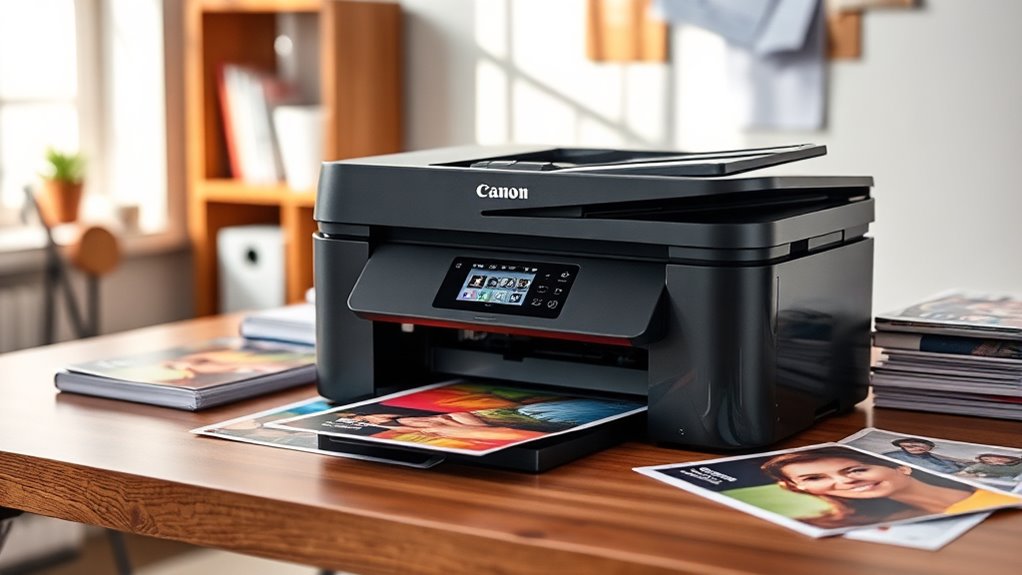
When you’re choosing a Canon MX printer, think about your specific needs. Consider factors like print speed, media compatibility, and available connectivity options to find the best fit.
Don’t forget to check the functionality and ink system to guarantee it meets your demands. It’s all about making sure the printer works perfectly for what you need.
Print Speed Requirements
Print speed is an essential factor to take into account when choosing a Canon MX printer, especially if you frequently print high volumes. Print speeds are typically measured in images per minute (ipm) or pages per minute (ppm).
Some models print black documents at 15 ipm, while others may only reach 7.7 ipm. If you need to print a lot, look for models that exceed 1,000 pages per month.
Keep in mind that color printing is generally slower, often around 10 ipm compared to 15 ipm for black. Also, remember that higher print quality settings can reduce speed.
Media Size Compatibility
Choosing the right Canon MX printer means considering not just print speed but also media size compatibility. Look at the maximum media size your printer can handle; options typically range from standard letter sizes (8.5″ x 11″) to larger formats like legal (8.5″ x 14″) and tabloid (11″ x 17″).
If you plan on printing photos, check for borderless printing capabilities to guarantee full-page coverage without margins. It’s a great feature if you want your pictures to really pop.
Additionally, consider the paper tray capacity—higher capacities, like 100 sheets or more, reduce the need for frequent refills during larger print jobs. That way, you can keep printing without constant interruptions.
Also, make certain it supports various media types such as envelopes, glossy photo paper, and cardstock. And don’t forget to verify if it offers automatic duplex printing to save paper and costs.
Connectivity Options Available
Selecting a Canon MX printer means considering the variety of connectivity options available to you. These printers often provide USB, Wi-Fi, and Ethernet connections, giving you flexibility in how you link your devices.
Many models support dual-band Wi-Fi (2.4GHz and 5GHz), ensuring stable connections and better performance in different settings. If you’re on the go, mobile printing capabilities let you print directly from your smartphone or tablet using apps like Canon PRINT and AirPrint.
Some models even include NFC support for effortless one-touch printing from compatible devices. Plus, with cloud printing support, you can easily print documents stored in cloud services, making your printing experience seamless and efficient.
Functionality and Features
When it comes to Canon MX printers, functionality and features play a significant role in your decision-making process. Look for all-in-one models that print, copy, scan, and fax to maximize versatility for both home and office use.
Consider print speed, aiming for higher rates like 15 images per minute (ipm) for black and 10 ipm for color, especially if you’re in a busy environment. Automatic duplex printing is essential, as it saves paper and cuts costs.
Check the maximum print resolution; higher resolutions, up to 4800 x 1200 dpi, deliver better quality for detailed images. Finally, evaluate connectivity options like wireless capabilities and mobile printing support to make printing from various devices seamless.
Ink System Type
Understanding the ink system type is essential for anyone considering a Canon MX printer. Canon offers traditional cartridge systems and MegaTank refillable ink tanks, each with distinct advantages.
Cartridge systems let you replace only the color that runs out, reducing waste and keeping costs lower. If you print frequently, a MegaTank printer might be your best bet, as some models can yield thousands of pages before needing a refill.
Additionally, consider the hybrid ink system, which combines dye-based and pigment-based inks for vibrant photos and sharp text. Think about your printing habits and volume; this choice can greatly impact your overall printing costs and convenience.
Make sure to select the ink system that aligns with your needs. It really makes a difference in how smoothly your printing experience goes!
Energy Efficiency Ratings
Opting for a Canon MX printer with strong energy efficiency ratings can greatly benefit both your wallet and the environment. Look for models with ENERGY STAR certification; they consume about 30% less energy than standard printers, helping you save on electricity bills.
EPEAT ratings are also important—they categorize printers based on their environmental performance, with higher ratings indicating better energy efficiency and recyclability. Many modern Canon MX printers come with power-saving modes that automatically reduce energy use during downtime, further enhancing efficiency.
Dimensions and Weight
Choosing the right dimensions and weight for your Canon MX printer is vital for fitting it into your workspace. These printers vary in size, typically ranging from 13.8 x 17.3 x 7.5 inches to larger models at 21.9 x 16.4 x 10.6 inches, catering to different needs.
If you’re tight on space, a compact design is ideal. It allows for easy integration without overcrowding your desk.
Weight also plays an important role. Lighter models weigh around 8.7 pounds, while heavier ones can reach 17.8 pounds, which affects portability.
Consider the overall footprint to make sure it fits comfortably. Also, think about how often you might need to move the printer for the best setup and easy access to controls and paper trays.
Warranty and Support Options
How important is warranty and support when selecting your Canon MX printer? A solid warranty can save you headaches down the line. Most Canon MX printers come with a standard 1-year limited warranty that covers manufacturing defects.
If you’re eyeing models like the Canon MAXIFY GX2020, consider extended warranty options that can last up to 3 years or cover a specific number of pages printed.
Additionally, Canon offers robust customer support, including online resources and troubleshooting guides. You’ll also benefit from a 30-day return guarantee when buying from authorized retailers, allowing you to return the printer if it doesn’t meet your needs.
Always check the specific warranty terms for each model, as they can vary. It’s worth taking a moment to make sure you know what’s covered before you buy.
Frequently Asked Questions
How Do I Troubleshoot Common Canon MX Printer Issues?
To troubleshoot common Canon MX printer issues, start by checking all the connections. Make sure the printer is properly plugged in and connected to your computer or network. Also, verify that the ink levels are adequate to avoid print quality problems.
Next, clear any paper jams carefully. Sometimes a simple jam can cause the printer to stop working. After that, try restarting the printer to refresh its system.
It’s also a good idea to update the printer drivers. Updated drivers can fix bugs and improve compatibility with your device.
If you’re still having trouble after trying these steps, don’t worry. You can consult the user manual or visit Canon’s support website for more detailed help. They usually have guides and troubleshooting tips that can solve most issues.
What Is the Average Lifespan of a Canon MX Printer?
The average lifespan of a Canon MX printer is around 3 to 5 years, depending on usage and maintenance.
Regular cleaning and care can extend its longevity, so keep an eye on its performance. Taking a little time to maintain it can really make a difference.
Can I Use Third-Party Ink With Canon MX Printers?
Yes, you can use third-party ink with Canon MX printers. However, be cautious; quality may vary, and it could affect your printer’s warranty.
Always check compatibility to guarantee peak performance and avoid potential issues. It’s better to be safe than sorry!
How Do I Connect My Canon MX Printer to Wi-Fi?
To connect your Canon MX printer to Wi-Fi, you’ll navigate the settings menu and select the wireless option. Then, just follow the prompts like a tech wizard.
All you need to do is enter your network details, and voilà—printing magic! It’s easier than it sounds, I promise.
Are Canon MX Printers Compatible With Mobile Printing Apps?
Yes, Canon MX printers are compatible with mobile printing apps. You can easily print from your smartphone or tablet using Canon’s PRINT app, Apple AirPrint, or Google Cloud Print.
This makes printing super convenient and efficient. So, whether you’re at home or on the go, getting your documents or photos printed is a breeze!
Conclusion
In the domain of home and office printing, choosing the right Canon MX printer transforms your workspace into a hub of creativity and productivity. Imagine vibrant photos bursting to life and crisp documents gliding effortlessly from the tray.
With options like the PIXMA TR8620a and the MegaTank G3270, you’re not just making a purchase; you’re investing in a reliable partner for your printing needs. So take the leap, and let your ideas flow seamlessly onto the page!
When it comes to finding the best Canon MX printers for 2027, it’s all about balancing performance, quality, and ease of use. Whether you need a printer for vibrant photos or everyday office documents, Canon’s lineup has something that fits perfectly. From advanced features to budget-friendly options, these printers impress every time, making sure your printing experience is smooth, efficient, and enjoyable. So, why wait? Upgrade your printing game with one of the top Canon MX printers and watch your productivity and creativity soar!