3 Best Camera Settings for iPhone 16 Plus in 2027
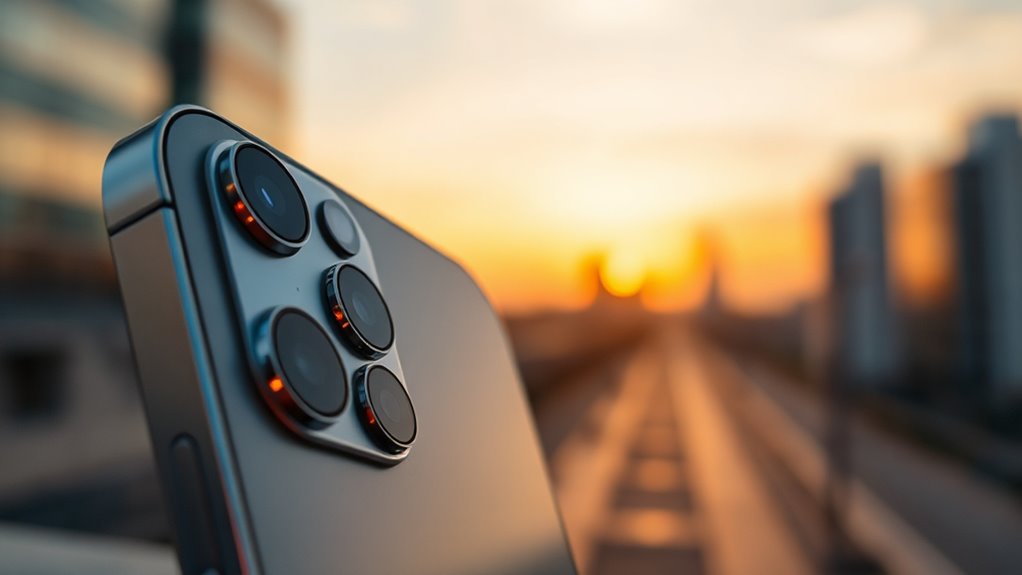
To get the best shots on your iPhone 16 Plus in 2027, you’ll want to make the most of its advanced camera features and compatible lenses.
Using lenses like the 3in1 Kit or APEXEL 10X Tele-Macro Pro can give you versatile perspectives that really make your photos pop. These accessories help you capture everything from wide landscapes to detailed close-ups with ease.
Tap to focus and slide to adjust exposure on your screen, then enable AE/AF Lock and HDR to keep your photos balanced and vibrant.
Shooting in resolutions up to 48MP lets you capture crisp details that stand out, especially when you zoom in or crop later on.
Also, don’t forget to rely on the iPhone’s optical stabilization or use a tripod to avoid any blur.
Keep these settings and simple techniques in mind, and you’ll unlock even more advanced tips and tricks to master your photography.
| Image | Name | Editor's Rating | Price |
|---|---|---|---|
|
|
||

|
|
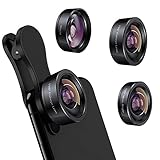
3in1 Phone Camera Lens Kit Fisheye+Wide Angle+Macro Lens for iPhone
- 3 in 1 Phone Camera Lens Set: Every lens can be used separately. The 20X Macro lens has a best focusing distance of...
- High Quality: Professional HD Lens with advanced lanthanide optical glass can reduce the reflection and ghosting...
- Clip-on Phone Lens: Easy Use Design. Just attach the lens to the clip and clip it on the phone camera, then you can...
Expand your iPhone 16 Plus photography effortlessly with the 3in1 Phone Camera Lens Kit. This versatile kit transforms your shots, letting you capture dramatic fisheye perspectives, wider scenes, and detailed close-ups. It solves the common limitation of a single smartphone lens, enhancing your creative options.
The kit includes a 198° fisheye lens for bold, immersive images, a 120° wide-angle lens that expands your frame by about 10%, and a 20X macro lens for sharp close-ups. Each lens clips securely onto most smartphones without causing scratches, thanks to a soft rubber grip and strong spring mechanism.
Built with premium lanthanide optical glass and housed in a durable aluminum shell, these lenses provide clear, sharp images. To maintain optimal performance, avoid using the zoom feature and remove the lenses carefully after use. The compact design makes them easy to carry and clean.
Best for: Smartphone photographers seeking to enhance their image variety with wide-angle, fisheye, and macro shots using a convenient and durable lens kit.
What We Like:
- Three versatile lenses for creative photography
- Secure, scratch-free universal clip-on design
- High-quality optical glass for sharp images
- Durable aluminum casing for long-lasting use
Specification:
| Feature | Details |
|---|---|
| Manufacturer | Not specified |
| Dimensions | Compact, clip-on design |
| Weight | Lightweight |
| Material | Lanthanide optical glass, aluminum shell |
| Color Options | Not specified |
APEXEL 10X Tele-Macro Pro Dual Lens 2-in-1 for iPhone
- 【10X Telephoto & Macro 2-in-1 Lens】Experience the power of two professional lenses in one. This dual lens combines a...
- 【Superior Optical Clarity & Sharpness】Featuring a complex 12-element optical structure with full-surface multi-layer...
- 【Lightweight & On-the-Go Ready】Weighing only 5.12 oz, this clip-on telephoto lens for Phone is incredibly...
Capture stunning photos from near or far with the APEXEL 10X Tele-Macro Pro Dual Lens designed for iPhone users. This versatile clip-on lens solves the common challenge of switching lenses by combining a powerful 10X telephoto with an 8-inch macro lens. Now, you can effortlessly shoot distant subjects like concerts and detailed close-ups such as flower textures without changing equipment.
Its advanced 12-element optical design with multi-layer coating minimizes glare and distortion. This means your images come out clearer and more vibrant, enhancing every moment you capture. The lightweight, compact build makes it easy to carry, so it won’t weigh you down during travel or daily use.
Maintaining the lens is simple—just keep the optical surfaces clean to avoid any impact on image quality. The manual focus feature gives you full control, helping you achieve precise shots, though it may take a bit of practice for beginners to master.
With the APEXEL Tele-Macro lens, your iPhone photography reaches a new level of detail and versatility, perfect for creative content and memorable snapshots.
Best for: Mobile photographers and content creators wanting versatile, high-quality close-up and telephoto shots with their iPhones.
What We Like:
- Combines 10X telephoto and 8-inch macro lenses for diverse shooting options
- Lightweight and portable design ideal for travel
- 12-element optical system with multi-layer coating improves image clarity
- Manual focus allows precise control over shot sharpness
Specification:
| Feature | Details |
|---|---|
| Manufacturer | APEXEL |
| Dimensions | Compact clip-on size |
| Weight | 5.12 oz (145 g) |
| Material | Optical glass with coating |
| Compatible with | iPhone 16 Plus and similar smartphones |
AMIR Phone Camera Lens, 0.45X Super Wide Angle & 15X Macro Lens Kit
No products found.
Capture every moment with clarity and creativity using the AMIR Phone Camera Lens Kit. This versatile kit includes a 0.45X super wide-angle lens and a 15X macro lens, designed to expand your smartphone photography possibilities. Whether you’re shooting broad landscapes or detailed close-ups, these lenses help you get the perfect shot without distortion.
The wide-angle lens lets you fit more into each frame, ideal for group photos or scenic views. When you want to explore intricate details, the macro lens captures vibrant close-ups from just over an inch away. Both lenses are crafted with professional HD optical glass and durable aluminum, reducing glare and ensuring sharp, clear images.
Designed with a universal clamp, the kit fits most smartphones securely but requires removing your phone case for proper attachment. Its compact, lightweight design makes it easy to carry, perfect for photographers on the move. To keep your lenses in top condition, store them in the included protective case and clean the glass gently with a microfiber cloth.
Best for: Photographers and content creators seeking versatile, high-quality smartphone lenses for wide-angle and macro photography.
What We Like:
- Dual lenses offer wide-angle and macro options for diverse shots
- Professional HD glass ensures clear, sharp images
- Durable aluminum build for long-lasting use
- Universal clamp fits most smartphones securely
- Portable with a protective carrying case
Specification:
| Feature | Details |
|---|---|
| Manufacturer | AMIR |
| Lens Types | 0.45X Super Wide-Angle, 15X Macro |
| Material | HD Optical Glass, Aluminum |
| Compatibility | Most smartphones (case removal required) |
| Weight | Lightweight (approximate) |
| Included | Protective carrying case |
Factors to Consider When Choosing Camera Settings iPhone 16 Plus
When choosing camera settings on your iPhone 16 Plus, you’ll want to think about how lighting conditions affect your shots. Also, consider which lenses work best for your scene.
Pay close attention to focus, exposure, and image resolution. These help you capture sharp, clear photos.
And don’t forget to use stabilization techniques. They keep your images steady and blur-free.
Lighting Conditions Impact
Because lighting conditions directly influence your iPhone 16 Plus’s exposure settings, adjusting them properly guarantees your photos come out clear and well-balanced. In bright environments, you’ll want faster shutter speeds to avoid overexposure, while low-light scenes benefit from slower speeds to capture more light.
Your iPhone automatically adjusts ISO sensitivity, but be aware that higher ISO in dim settings can add noise and reduce image quality. Using HDR mode helps balance exposure when your scene has both bright and dark areas, preserving detail in highlights and shadows.
For natural light, aim to shoot during the golden hour for softer, warmer tones. If you’re shooting in direct sunlight, use exposure compensation to reduce glare and keep your subject well-lit without losing detail. It really makes a difference in how your photos turn out!
Lens Compatibility Options
Choosing the right lens for your iPhone 16 Plus can greatly enhance your photography experience. Make sure the lens features a universal clip design that fits your phone’s camera dimensions and positioning perfectly.
Opt for lenses compatible with multiple smartphone models to keep your options open if you upgrade later. It’s always good to have flexibility.
Prioritize lenses with advanced optical features like multi-layer coatings—they improve image clarity and reduce glare for sharper shots. These little details make a big difference in your photos.
Also, choose lenses with soft rubber clips or similar user-friendly attachments to protect your device while securing the lens firmly. You don’t want to risk scratching your phone.
Finally, pick lenses that come with clear instructions and usage tips so you can make the most of their capabilities. That way, you’ll capture stunning photos every time.
Focus And Exposure
Selecting the right lens sets the stage for great photos, but mastering focus and exposure on your iPhone 16 Plus takes your shots to the next level. Tap your subject on the screen to set focus, ensuring sharpness where it counts.
After that, slide your finger up or down to adjust exposure, brightening or darkening your image to match lighting conditions perfectly. Use autofocus for quick snaps, but switch to manual focus when you need precision, like in tricky lighting or close-ups.
Don’t forget the AE/AF Lock—press and hold your focus point to lock focus and exposure, preventing unwanted shifts as lighting changes. And for high-contrast scenes, just enable HDR to capture balanced details in both shadows and highlights.
Image Resolution Settings
Your iPhone 16 Plus offers several image resolution options, typically ranging from 12MP to 48MP, letting you control how much detail your photos capture. Choosing a higher resolution like 48MP is ideal when you want crisp images for large prints or cropping without quality loss.
However, keep in mind that higher resolutions create larger files, which can quickly fill your storage and slow down sharing or uploading. If you’re shooting rapidly or using apps needing quicker processing, lowering the resolution to 12MP can boost performance.
Balancing resolution with your storage capacity and intended use is key. Opt for higher resolution when detail matters most, and lower it when speed and storage are priorities. This way, you get the most out of your iPhone 16 Plus’s camera.
Stabilization Techniques
Mastering stabilization techniques can dramatically improve the clarity and sharpness of your photos and videos on the iPhone 16 Plus. Start by utilizing optical image stabilization (OIS) to reduce blurriness caused by small hand movements, especially in low-light settings.
For videos, enable digital stabilization to smooth out shakes and jitters during dynamic scenes. When shooting static shots or recording steady videos, use a tripod or stabilizer to maintain consistent framing and minimize camera shake.
Adjust your shutter speed according to the lighting—faster speeds help minimize motion blur in action shots. Finally, turn on grid lines to keep horizons level and improve composition, which indirectly supports stability by helping you hold the phone steady.
These techniques together guarantee sharper, more professional results every time. Give them a try, and you’ll see the difference right away!
Editing And Filters
Once you’ve nailed stabilization, enhancing your photos through editing and filters can take them to the next level. Use the iPhone 16 Plus’s built-in editing tools in the Photos app to adjust exposure, brightness, contrast, and saturation easily after capturing your shot.
Don’t hesitate to experiment with the variety of filters available—from vibrant color boosts to vintage effects—to set the perfect mood. For quick fixes, try the “Auto” adjustment, which smartly improves your photo’s overall look.
Sharpen details by tweaking sharpness and definition, especially for close-ups. Finally, use the crop and rotate tools to frame your subject precisely, ensuring the main focus stands out.
These simple steps help you create striking images with minimal effort. Give them a try and see how your photos transform!
Frequently Asked Questions
How Do I Update the iPhone 16 Plus Camera Software?
You update your iPhone 16 Plus camera software by going to Settings, tapping General, then Software Update. If an update’s available, tap Download and Install.
Make sure your phone’s connected to Wi-Fi and has enough battery before starting. It helps to keep your phone plugged in during the update too, just to be safe.
Can I Use Third-Party Apps to Enhance iPhone 16 Plus Photos?
Yes, you can use third-party apps to enhance your iPhone 16 Plus photos. These apps offer advanced editing tools, filters, and AI enhancements that can help you create stunning images beyond the native camera’s capabilities.
It’s pretty cool because you get more control over your photos. Whether you want to tweak the lighting, add creative effects, or sharpen details, these apps have got you covered. Give them a try and see how your photos can really stand out!
What Is the Best Lighting Condition for iPhone 16 Plus Photography?
You’ll get the best shots in natural, soft lighting like during golden hour or on overcast days. Avoid harsh midday sun to prevent shadows and highlights.
Try to use ambient light indoors. And when it’s dark, experiment with the iPhone’s night mode. It can really make a difference!
How Do I Clean the iPhone 16 Plus Camera Lens Safely?
Think of your iPhone lens like a delicate flower—use a soft microfiber cloth to gently wipe away smudges.
Avoid harsh chemicals or abrasive materials, so you don’t scratch or damage the glass. This way, you keep your shots crystal clear.
Does the iPhone 16 Plus Support RAW Image Shooting?
Yes, your iPhone 16 Plus supports RAW image shooting, letting you capture uncompressed photos with more detail and editing flexibility.
Just enable ProRAW in the camera settings, and you’ll have greater creative control over your shots. It’s pretty straightforward to get started with!
Conclusion
When choosing your iPhone 16 Plus camera settings, you’ll want to balance versatility and clarity. While lens kits like the 3in1 Fisheye+Wide Angle+Macro offer creative options, remember that sometimes simpler settings deliver better results.
The theory that more lenses always mean better photos isn’t entirely true—overcomplicating can reduce image quality. Trust your eye and experiment with these recommended settings to capture stunning shots that truly reflect your vision.
Finding the best camera settings for iPhone 16 Plus in 2027 means focusing on what works for your style. Keep things straightforward, and don’t be afraid to try different modes and angles. With the right balance, you’ll get clear, vibrant photos every time. So, dive into those settings and start capturing your world with ease and creativity!