12 Best Canon A4 Photo Printers for 2027
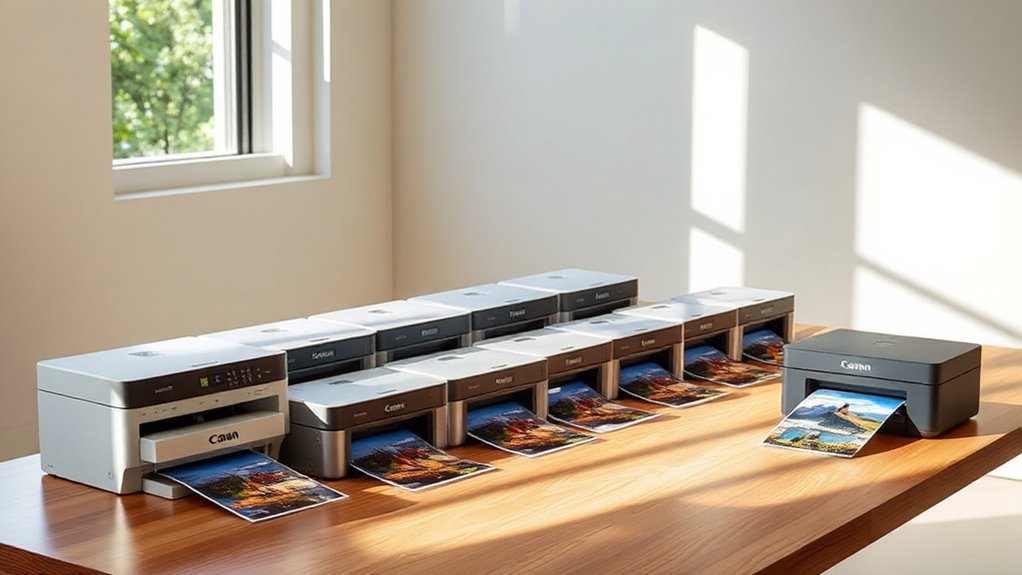
Looking for the best Canon A4 photo printers in 2027? You’re in the right place!
Whether you want stunning photo quality or easy-to-use features, Canon has something for everyone. From home use to professional printing, these printers deliver vibrant colors and sharp details every time.
You can’t go wrong with models like the Canon Selphy CP1500. It’s perfect if you want a compact design that fits anywhere and prints bright, vivid photos.
Or, if you’re after outstanding resolution, the Canon PIXMA PRO-200S is a top choice.
If portability matters most, check out the Canon Ivy 2 Mini. Each printer offers unique features tailored to different needs.
Keep exploring to uncover more options and find the perfect fit for your printing requirements.
| Image | Name | Editor's Rating | Price |
|---|---|---|---|

|
|
||

|
|
||

|
|
||

|
|
||

|
|
Canon Selphy CP1500 Wireless Photo Printer Bundle
- The sleek and modern design of the SELPHY CP1500 is reflected in how easy it is to use even with powerful features such...
- Thanks to a small footprint, the SELPHY CP1500 is incredibly portable, and with the optional battery pack, you can print...
- Not only will your photos look great, they will also be instantly dry and water resistant, and continue to look great...

The Canon Selphy CP1500 Wireless Photo Printer Bundle offers a smart solution for those who want high-quality prints on the go. Its compact and lightweight design lets you carry it easily, making it ideal for travel or events where printing on demand is needed.
This printer quickly produces vivid 4″x6″ photos, helping you capture and share memories instantly. With wireless connectivity and support for USB and memory cards, you can print directly from smartphones or cameras without hassle.
Maintaining this printer is simple, thanks to its user-friendly interface and built-in 3.5” display for easy photo editing. The water-resistant prints last up to 100 years, so your photos remain sharp and protected from everyday wear.
While the print size is limited to 4″x6″, this is perfect for personal photo keepsakes rather than large displays. The one-page-per-minute speed fits casual use but might slow down bulk printing. For true portability, an optional battery pack is needed.
Best for: Photography enthusiasts seeking a portable and versatile printer for quick, high-quality 4″x6″ photo prints.
What We Like:
- Compact and lightweight for easy transport
- Multiple connectivity options including Wi-Fi, USB, and memory cards
- Durable, water-resistant prints with long-lasting quality
- User-friendly 3.5” display for on-the-go photo editing
Specification:
| Feature | Details |
|---|---|
| Manufacturer | Canon |
| Dimensions | Compact and sleek design |
| Weight | 5.6 lbs (2.54 kg) |
| Print Size | 4″x6″ (10.2 x 15.2 cm) |
| Connectivity | Wi-Fi, USB, Memory Card |
Canon Ivy 2 Mini Photo Printer for iOS & Android
- Print and customize your photos directly from your smartphone or tablet via the Canon Mini Print App.(1)
- No ink needed! The IVY 2 Mini Photo Printer uses ZINK (Zero Ink) technology, which features colorful dye-based crystals...
- Place your photos anywhere, thanks to a PEEL & STICK backing that adheres to your favorite surfaces.
Experience the freedom of printing your favorite moments anywhere with the Canon Ivy 2 Mini Photo Printer. This compact device fits easily in your pocket, delivering vibrant 2”x3” photos on the spot. It solves the hassle of bulky printers and messy ink by using ZINK technology, which prints colorful, smudge-free images without cartridges.
Connecting to your iOS or Android device is simple with Bluetooth 5.0, allowing seamless photo transfers. The Canon Mini Print app enhances your experience by letting you customize and perfect your images before printing. Weighing just 145 g, it’s designed for quick, on-the-go use without weighing you down.
Maintenance is effortless since there are no ink cartridges to replace. You only need to keep ZINK paper stocked, which comes with a peel-and-stick backing for easy sharing or decorating. The improved resolution of 313 x 512 dpi ensures your prints look sharp, though the 2”x3” size may be limiting for some users.
Best for: Anyone who enjoys capturing and sharing memories instantly with a portable, user-friendly photo printer.
What We Like:
- Lightweight, pocket-sized design for easy portability
- ZINK technology eliminates the need for ink cartridges
- Bluetooth 5.0 ensures fast and stable connectivity
- Mini Print app offers photo customization tools
- Peel-and-stick photos for versatile use
Specification:
| Feature | Details |
|---|---|
| Manufacturer | Canon |
| Dimensions | Approx. 2.8” x 3.9” x 1.3” (7.1 x 9.9 x 3.3 cm) |
| Weight | 145 g (0.32 lb) |
| Printing Technology | ZINK (Zero Ink) |
| Photo Size | 2” x 3” (5.1 x 7.6 cm) |
| Connectivity | Bluetooth 5.0 |
| Compatible OS | iOS and Android |
Canon Selphy CP1500 Wireless Photo Printer Bundle
- The sleek and modern design of the SELPHY CP1500 is reflected in how easy it is to use even with powerful features such...
- Thanks to a small footprint, the SELPHY CP1500 is incredibly portable, and with the optional battery pack, you can print...
- Not only will your photos look great, they will also be instantly dry and water resistant, and continue to look great...
Capture your favorite moments instantly with the Canon Selphy CP1500 Wireless Photo Printer Bundle. This compact printer offers a simple way to produce vibrant 4″x6″ photos anywhere you go. Its wireless connectivity eliminates the hassle of cables, letting you print directly from your smartphone or tablet with ease.
Designed for convenience, the Selphy CP1500 includes a 3.5” display for quick image adjustments and filters, so you can enhance your pictures before printing. The optional battery pack makes it truly portable, ideal for travel or events where power outlets aren’t available. Maintenance is straightforward, with the included 108-sheet RP-108 ink and paper set ensuring consistent print quality.
The printer delivers water-resistant prints that can last up to 100 years, preserving your memories without worry. While it’s limited to 4″x6″ prints and prints at about one page per minute, it balances quality and portability well. This makes it a practical choice for those who want high-quality photos on the move without complicated setups.
Best for: Photography enthusiasts seeking a portable and easy-to-use wireless photo printer for quick, quality prints.
What We Like:
- Compact, travel-friendly design with optional battery power
- Wireless printing from smartphones and tablets
- Durable, water-resistant prints with long-lasting quality
Specification:
| Feature | Details |
|---|---|
| Manufacturer | Canon |
| Print Size | 4″x6″ (10×15 cm) |
| Included Supplies | 108-sheet RP-108 set |
| Display | 3.5” LCD screen |
| Connectivity | Wi-Fi |
| Weight | Not specified |
| Color Options | Not specified |
Canon PIXMA PRO-200S Wireless Inkjet Photo Printer
- 8 COLOR dye-based ink system produces vibrant, high quality prints.
- BORDERLESS PRINTING from 3.5” x 3.5” up to 13” x 19”.
- HIGH SPEED PRINTING — bordered A3+ print in just 90 seconds or bordered 8" x 10" print in 53 seconds.
Experience professional-quality photo printing with the Canon PIXMA PRO-200S Wireless Inkjet Photo Printer. Designed for photographers who demand vibrant and precise prints, this printer brings your images to life with stunning detail and rich colors. Its advanced dye-based ink system ensures smooth gradients and sharp results every time.
This printer supports a wide range of print sizes, from small 3.5” x 3.5” photos up to large 13” x 19” prints, making it perfect for both casual snapshots and gallery-quality enlargements. With a fast print time of just 90 seconds for an A3+ print, it helps you work efficiently without sacrificing quality.
Setup is straightforward thanks to multiple connectivity options including Wi-Fi, Ethernet, and USB. Maintenance is simple, though keep in mind it is designed solely for printing—no scanning or copying functions are included. Its solid build offers stability but may require adequate space due to its weight.
Best for: Photography enthusiasts seeking high-resolution, vivid prints with flexible size options and reliable wireless connectivity.
What We Like:
- Exceptional 4800 x 2400 dpi resolution for detailed images
- Quick A3+ print production in 90 seconds
- Versatile connectivity options for easy integration
- Supports a broad range of print sizes
- Robust build suitable for creative workspaces
Specification:
| Feature | Details |
|---|---|
| Manufacturer | Canon |
| Dimensions | Not specified |
| Weight | 32 lb (14.5 kg) |
| Ink System | 8-color dye-based ink |
| Connectivity | Wi-Fi, Ethernet, USB |
| Maximum Print Size | 13” x 19” |
Canon imagePROGRAF PRO-310 Wireless Inkjet Photo Printer
- 9 COLOR + CHROMA OPTIMIZER pigment-based ink system produces gallery-quality prints.
- EASE OF USE — ultimate productivity with Anti-Clogging System and Skew Correction.
- MATTE BLACK INK offers enhanced black density and wider dark area reproduction range.
The Canon imagePROGRAF PRO-310 transforms your photography into gallery-quality prints with ease. Its advanced 9-color pigment-based ink system solves the common issue of dull colors and washed-out blacks. This printer ensures your images remain vibrant and true to life every time.
Designed for professionals, it offers versatile connectivity options like Wi-Fi, Ethernet, and USB. These choices simplify printing from multiple devices, making your workflow more efficient. The compact yet sturdy design fits comfortably in most workspaces without overwhelming your setup.
Maintenance is straightforward thanks to features like the Anti-Clogging System and skew correction. These functions reduce printer downtime and keep your prints sharp without frequent manual intervention. Although it focuses solely on printing, its specialized function means better quality with every page.
Weighing 31.6 pounds, the PRO-310 requires a dedicated spot but compensates with rich, precise color output. Its print speed is moderate, making it ideal for projects where image quality outweighs quick turnaround.
Best for: Professional photographers seeking precise, vibrant prints with reliable wireless connectivity.
What We Like:
- High-quality prints with a 9-color pigment ink system
- Multiple connectivity options: Wi-Fi, Ethernet, USB
- Anti-Clogging System and skew correction for smooth operation
- Compact design that fits well in professional studios
- Consistent color accuracy for detailed photo prints
Specification:
| Feature | Details |
|---|---|
| Manufacturer | Canon |
| Dimensions (D x W x H) | 28.7 x 18.6 x 14.04 inches |
| Weight | 31.6 pounds |
| Ink System | 9-color pigment-based |
| Connectivity | Wi-Fi, Ethernet, USB |
Canon Ivy 2 Mini Photo Printer – Blush Pink

- Print and customize your photos directly from your smartphone devices via the Canon Mini Print App.(1)
- NO INK NEEDED! The IVY 2 Mini Photo Printer uses ZINK (Zero Ink) technology, which features colorful dye-based crystals...
- Place your photos anywhere, thanks to a PEEL & STICK backing that adheres to your favorite surfaces.
Capture and share your favorite moments instantly with the Canon Ivy 2 Mini Photo Printer in blush pink. This compact device fits easily in your hand or bag, making it simple to print photos anytime, anywhere. Its small size and lightweight design solve the hassle of carrying bulky printers, helping you preserve memories on the go.
The printer uses innovative ZINK technology to produce vibrant 2 x 3-inch photos without the need for ink cartridges. This means less maintenance and no messy ink replacements, so you can focus on enjoying your prints. The peel-and-stick backing adds convenience by allowing you to display your photos wherever you like—on walls, laptops, or scrapbooks.
Connecting to your iOS or Android device is effortless through Bluetooth 5.0 or USB using the Canon Mini Print App. This seamless integration ensures quick photo printing and customization right from your smartphone. However, the 600 x 600 dpi resolution and small print size may not meet the needs of professional photographers or those wanting larger prints.
Best for: Anyone looking for a portable, stylish photo printer to create and share vibrant snapshots easily.
What We Like:
- Compact and lightweight for easy portability
- Ink-free ZINK technology reduces upkeep and mess
- Peel-and-stick backing offers flexible photo display
- Simple Bluetooth and USB connectivity for quick printing
Specification:
| Feature | Details |
|---|---|
| Manufacturer | Canon |
| Dimensions | 4.69 x 3.29 inches |
| Weight | 8.8 ounces |
| Color Options | Blush Pink |
| Printing Technology | ZINK (Zero Ink) |
Canon SELPHY CP1500 Compact Photo Printer White
No products found.
Experience the freedom to print your favorite memories anytime, anywhere with the Canon SELPHY CP1500 compact photo printer. Designed for photographers who value portability and quality, this printer solves the challenge of bulky equipment and complicated setups. Its lightweight design and wireless connectivity make printing straightforward and hassle-free.
The printer supports direct printing via Wi-Fi and AirPrint, eliminating the need for cables or computers. You can produce vibrant, water-resistant photos in multiple sizes, including 4”x6” and square formats, all at a sharp 300 dpi resolution. This ensures your prints remain vivid and durable for up to 100 years.
Maintenance is simple with the SELPHY CP1500’s easy-to-use 3.5” display. You can preview and edit photos before printing, reducing waste and saving time. For outdoor use, an optional battery pack extends portability, though it is sold separately.
While print speed may be slower for large batches and media options are limited to specific photo sizes and glossy paper, the printer’s compact form and reliable output make it a practical choice for on-the-go photo printing.
Best for: Photography enthusiasts needing a compact, portable printer that delivers high-quality, long-lasting photo prints without complex setups.
What We Like:
- Lightweight and compact, ideal for travel and outdoor use
- Wireless printing via Wi-Fi and AirPrint for convenience
- Water-resistant photos that last up to 100 years
- Easy editing with a 3.5” display before printing
Specification:
| Feature | Details |
|---|---|
| Manufacturer | Canon |
| Dimensions | Not specified |
| Weight | 1.58 kg (3.48 lb) |
| Color Options | White |
| Print Resolution | 300 dpi |
| Print Sizes | 4”x6”, square formats |
Canon Selphy CP1500 Wireless Compact Photo Printer (Black)
No products found.
Experience the convenience of instant photo printing with the Canon Selphy CP1500 Wireless Compact Photo Printer. Its lightweight, compact design means you can print vibrant photos anytime, anywhere, without hassle. Say goodbye to waiting and complicated setups.
This printer connects easily through Wi-Fi, USB, or memory cards, making it simple to print directly from your smartphone, tablet, or camera. The 3.5” LCD display allows quick editing, so you can adjust images before printing. This ensures your photos always look just right.
Maintenance is straightforward with Canon’s reliable dye-sublimation technology, which produces water-resistant prints that dry instantly. These prints can last up to 100 years, preserving your memories without fading. Its compact size also makes it easy to store and carry.
Ideal for home use or on-the-go, the CP1500 is designed for those who want high-quality, portable printing. While it focuses on smaller photo sizes, its ease of use and print durability offer significant benefits for casual and creative users alike.
Best for: Individuals looking for a portable, easy-to-use photo printer that delivers vibrant, long-lasting prints quickly.
What We Like:
- Lightweight and compact for easy portability
- Multiple connectivity options including Wi-Fi and USB
- Instant-dry, water-resistant prints that last up to 100 years
- Easy image editing on a 3.5” LCD screen
- Simple maintenance with reliable dye-sublimation technology
Specification:
| Feature | Details |
|---|---|
| Manufacturer | Canon |
| Dimensions | Compact (exact size not provided) |
| Weight | 1.58 kg |
| Color Options | Black |
| Connectivity | Wi-Fi, USB, Memory Card |
| Display | 3.5” LCD |
| Print Size | 4″x6″ photos, mini labels |
Canon 7981A004 Photo Paper Plus, Matte, 8-1/2 x 11 (Pack of 50 Sheets)

- Excellent photo results with vibrant colors.
- Pack of 50 Sheets
Canon 7981A004 Photo Paper Plus, Matte, offers a reliable solution for producing sharp, professional-grade prints. Its matte finish reduces glare, making your photos and documents easier to view under various lighting conditions. This paper is designed to maintain image quality, ensuring your prints stay vibrant and detailed over time.
With a sturdy 8.5 mil thickness, the paper resists wear and tear, giving your prints long-lasting durability. The 8-1/2 x 11-inch size fits standard printers, simplifying your workflow and minimizing paper jams. Its brightness rating of 97 lm enhances color contrast without overwhelming your images.
Maintenance is straightforward; this biodegradable paper supports sustainable printing choices without sacrificing performance. Ideal for high-resolution prints, it performs well for personal projects like photo albums, cards, and brochures requiring crisp results.
Each pack comes with 50 sheets, providing a practical quantity for frequent use or creative projects. This balance of quality and quantity makes it a dependable option for photographers and craft enthusiasts alike.
Best for: Photographers and creatives needing durable, matte photo paper for clear, lasting prints.
What We Like:
- Matte finish reduces glare for better viewing.
- Durable 8.5 mil thickness protects prints.
- High brightness level enhances color contrast.
- Biodegradable material supports eco-friendly printing.
- Convenient 50-sheet pack for regular use.
Specification:
| Feature | Details |
|---|---|
| Manufacturer | Canon |
| Dimensions | 8.5 x 11 inches |
| Thickness | 8.5 mil |
| Brightness | 97 lumens |
| Finish | Matte |
| Quantity | 50 sheets per pack |
Canon Ivy 2 Mini Photo Printer (Blush Pink)

- Bundle Includes: Canon IVY 2 Mini Compact Photo Sticker Printer with LED Light Bar (Blush Pink), Canon Zink Photo Paper...
- No ink needed! The IVY 2 Mini Photo Printer uses ZINK (Zero Ink) technology, which features colorful dye-based crystals...
- Place your photos anywhere, thanks to a PEEL & STICK backing that adheres to your favorite surfaces.
Capture your favorite moments instantly with the Canon Ivy 2 Mini Photo Printer in Blush Pink. This compact printer solves the hassle of bulky photo printers by offering a truly portable solution. It pairs easily with iOS and Android devices via Bluetooth, letting you print vibrant 2 x 3 inch photos wherever you are.
The Ivy 2 uses ZINK technology, which means no ink cartridges to replace or spill. Your prints come out smudge-free and water-resistant, perfect for sharing or decorating. The peel-off adhesive backing adds convenience, letting you stick your photos on walls, notebooks, or gifts without extra tools.
Designed for quick and easy use, the Canon Ivy 2 charges fully in just 45 minutes. This ensures you spend more time printing memories and less time waiting. Maintenance is simple since you only need to keep the ZINK photo paper stocked for continuous printing.
While the photo size is compact, it’s ideal for casual photo sharing and scrapbooking. The device may not meet professional print resolution standards, but it excels in providing fast, on-the-go prints with reliable quality.
Best for: Anyone who wants a stylish, portable photo printer to instantly capture and share moments from their smartphone.
What We Like:
- Compact, lightweight design for easy portability
- Smudge-free, water-resistant prints with no ink required
- Quick 45-minute charging time for fast use
Specification:
| Feature | Details |
|---|---|
| Manufacturer | Canon |
| Dimensions | Compact (exact size not specified) |
| Weight | Lightweight (exact weight not specified) |
| Material | Plastic |
| Color Options | Blush Pink |
Canon PIXMA TR8620a All-in-One Printer (Black)

- Never run out of ink. Connect your printer to Alexa and receive notifications when you’re running low. Alexa can even...
- Enrolling in Smart Reorders with Alexa ensures that you never have too much or too little ink supplies. No subscription...
- Wireless 4-in-1 (Print | Copy | Scan | Fax)
The Canon PIXMA TR8620a All-in-One Printer is designed to simplify your daily printing tasks. It delivers sharp documents and vibrant photos quickly, helping you stay productive without long waits. This printer handles multiple functions—print, copy, scan, and fax—to keep your home or small office workflow smooth.
Its compact design fits neatly into limited spaces, making it easy to place on desks or shelves. The 20-sheet auto document feeder streamlines multi-page jobs, reducing manual handling. Wireless connectivity lets you print directly from smartphones or laptops, adding convenience to your routine.
Maintenance is straightforward thanks to its efficient ink system and ENERGY STAR certification, which reduces energy consumption. While the monthly duty cycle is best suited for moderate use, the printer’s reliability and quality make it a practical choice for everyday needs.
The Canon PIXMA TR8620a stands out for balancing functionality with ease of use, helping you manage documents and images without hassle.
Best for: Home users and small offices needing a reliable all-in-one printer for everyday printing, scanning, copying, and faxing.
What We Like:
- Multifunctional design covers printing, copying, scanning, and faxing.
- High-quality output with up to 4800 x 1200 dpi resolution.
- Compact size fits well in tight spaces.
- ENERGY STAR and EPEAT Silver certified for energy efficiency.
- Wireless connectivity supports easy mobile printing.
Specification:
| Feature | Details |
|---|---|
| Manufacturer | Canon |
| Dimensions (W x D x H) | Not specified |
| Weight | 17.4 lb (7.9 kg) |
| Color | Black |
| Print Resolution | Up to 4800 x 1200 dpi |
| Print Speed | 15 ipm Black / 10 ipm Color |
| Auto Document Feeder | 20 sheets |
| Connectivity | Wireless |
Canon Selphy CP1500 Photo Printer Bundle (Black)

- Complete Photo Printing Bundle Everything you need in one kit: Canon Selphy CP printer, KP-108 photo paper (108 sheets...
- Lab-Quality Prints at Home Dye-sublimation technology delivers vibrant, professional-quality 4x6 photos that are...
- Wireless & Compact Design Easily print from your smartphone, tablet, or computer via Wi-Fi. Compact and portable design...
Looking for a compact photo printer that fits your lifestyle and delivers vibrant, lasting prints? The Canon Selphy CP1500 Photo Printer Bundle offers a simple way to produce lab-quality 4×6 photos right at home or on the go. Its wireless design solves the hassle of cords and allows easy printing from smartphones, tablets, or computers.
This printer uses dye-sublimation technology, which creates photos with rich colors and sharp details. The included 108 sheets of KP-108 photo paper and three ink cartridges mean you can start printing immediately without extra purchases. Its small size makes it easy to carry or store, perfect for parties, scrapbooking, or travel memories.
Maintenance is straightforward with easy-to-replace ink and paper supplies, though these can add up over time. The prints are water-resistant and fingerprint-resistant, helping your photos stay beautiful for years. However, it only prints in 4×6 size, which might limit some uses.
Best for: Anyone needing a portable, user-friendly photo printer for vibrant 4×6 prints at events, scrapbooks, or home use.
What We Like:
- Produces vibrant, sharp 4×6 photos with dye-sublimation technology
- Compact and lightweight design for portability
- Wireless printing from multiple devices for convenience
- Water and fingerprint-resistant prints for durability
Specification:
| Feature | Details |
|---|---|
| Manufacturer | Canon |
| Dimensions | Approx. 7.1 x 5.1 x 2.7 in |
| Weight | Approximately 1.7 lbs |
| Color Options | Black |
| Included Supplies | 108 sheets KP-108 paper, 3 ink cartridges |
Factors to Consider When Choosing a Canon A4 Photo Printer
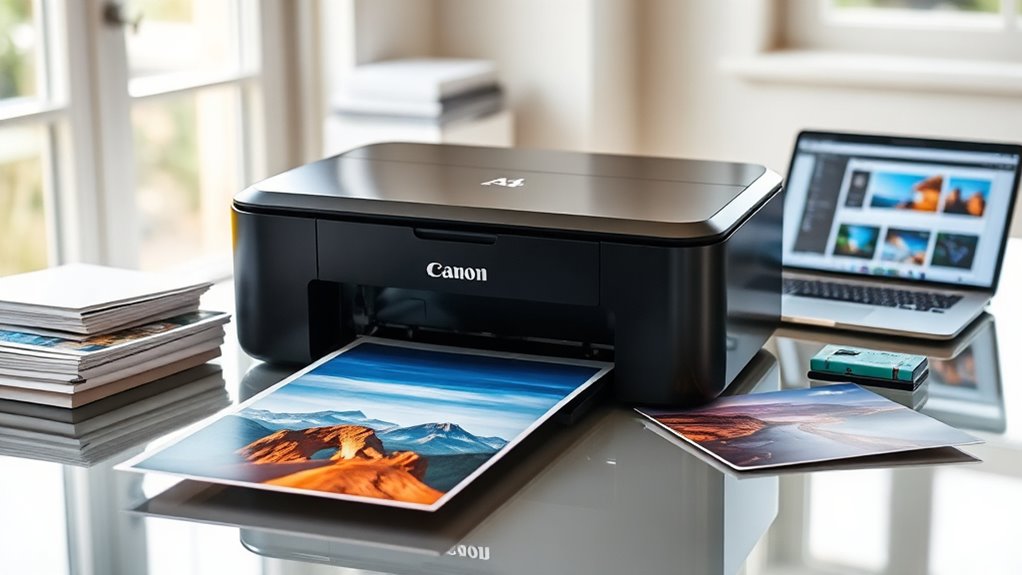
When choosing a Canon A4 photo printer, you’ll want to take into account several key factors to guarantee it meets your needs. Evaluate the print quality, connectivity options, and the size and portability to find the right fit for your space.
Don’t forget to look into the ink system types, as they can greatly affect your printing experience. These details might seem small, but they really make a difference in the long run.
Key Features To Evaluate
Choosing a Canon A4 photo printer involves several key features that can greatly impact your printing experience. First, evaluate the print quality by checking the resolution, typically measured in dpi. Higher resolutions like 4800 x 2400 dpi yield sharper images.
Next, consider print speed, often shown in pages per minute (ppm). This is really important if you have high-volume tasks to handle.
Also, check media handling options to confirm the printer supports various sizes and types, from standard 4″x6″ photos to larger formats. It’s good to know your printer can manage different paper sizes without a hitch.
Connectivity options matter too. Look for Wi-Fi, USB, and Bluetooth to guarantee easy printing from your devices, no matter where you are.
Finally, assess durability features like water resistance and lightfastness. You want your prints to last for years, right? So, make sure the printer can deliver on that promise.
Print Quality Standards
Print quality standards play an essential role in your decision-making process when selecting a Canon A4 photo printer. Start by considering print resolution; higher dpi, like 4800 x 2400, delivers sharper details and vibrant colors.
The ink type also matters—dye-based inks offer richer hues, while pigment-based inks guarantee longevity and fade resistance. Don’t overlook the paper; using glossy or matte photo paper designed for your printer enhances color accuracy and detail.
Consistency in color reproduction is vital, so choose a printer with a wide color gamut for the best results. Finally, look for durability features like water and fade resistance, ensuring your prints last up to 100 years under proper conditions.
Connectivity Options Available
High-quality prints are just the beginning; connectivity options can greatly enhance your printing experience with a Canon A4 photo printer. Look for models that offer multiple connectivity options like Wi-Fi, USB, and Bluetooth. This flexibility accommodates various devices and printing preferences.
Make sure your printer is compatible with smartphone apps for easy photo selection and customization, which makes mobile printing a breeze. Additionally, consider printers with memory card access for direct printing from your camera, cutting out extra steps.
Features like AirPrint support help you print seamlessly from Apple devices without any hassle. Finally, evaluate the presence of Ethernet ports for stable wired connections, especially useful in busy environments or for high-volume printing needs.
Size And Portability
When it comes to selecting a Canon A4 photo printer, size and portability are key factors that can make a big difference. You’ll want to take into account the printer’s dimensions and weight; compact models are easier to store and transport.
If you plan to print in various locations, look for a printer with an optional battery pack. That way, you can print without needing an outlet nearby.
A user-friendly design with intuitive interfaces simplifies the printing process, making it more enjoyable. Plus, make sure the printer supports A4 and other relevant sizes for your needs.
Additionally, evaluate the drying time and durability. Quick-drying and water-resistant features will help your photos last longer.
Ink System Types
Choosing the right ink system can make a world of difference in your photo printing experience. Dye-based inks typically deliver vibrant colors and smooth gradients, perfect for capturing lively images.
If longevity and fade resistance are your priorities, pigment-based inks are the way to go. Look for printers with an 8-color dye system to achieve a wider color gamut and accurate skin tones.
For stunning black-and-white prints, a 9-color pigment system enhances black density and detail in darker areas. Some models also feature a Chroma Optimizer, improving gloss uniformity and scratch resistance.
If you prefer a hassle-free option, consider printers with zero-ink technology. These produce smudge-proof, water-resistant prints without traditional cartridges.
Media Handling Capacity
A printer’s media handling capacity plays an essential role in your printing experience, especially for A4 photo projects. It refers to the maximum number of sheets a printer can hold at once, directly affecting how often you’ll need to reload paper.
Some models accommodate as few as 10 sheets, while others can manage up to 100 or more. That difference can be a game-changer for high-volume tasks.
Look for printers with adjustable trays that support various media sizes. This way, you can print A4, letter, or custom formats effortlessly.
Additionally, the ability to handle different media types, like glossy or matte paper, really enhances your printing options. It makes your printer more versatile for diverse projects and improves overall workflow efficiency.
Warranty And Support Options
Selecting the right warranty and support options can greatly impact your satisfaction with a Canon A4 photo printer. Start by considering the warranty duration; most models offer a limited one-year warranty, though some have extended options.
It’s essential to review the return policy, as many printers come with a 30-day return guarantee. This lets you adjust if the printer doesn’t meet your expectations.
Check for customer support availability, including direct assistance for troubleshooting and repairs. Some models also provide extra support options, like online resources and user manuals.
Finally, familiarize yourself with the warranty’s terms and conditions. They can vary and may limit coverage for specific types of damage or misuse. So, it’s good to know what’s covered before you buy.
Frequently Asked Questions
What Types of Paper Can I Use With These Printers?
You can use glossy, matte, and fine art papers with these printers. Each type enhances your photos differently, so experiment to find what suits your style best.
Just make certain the paper fits your printer’s specifications. That way, you’ll get the best results without any hassle.
How Do I Connect My Printer to Wi-Fi?
To connect your printer to Wi-Fi, access the printer’s settings menu, and select the Wi-Fi setup option. Then, choose your network and enter the password.
Once you’re connected, you’ll be all set to print wirelessly! It’s pretty straightforward and saves you from dealing with cables.
What Is the Average Lifespan of Printed Photos?
Printed photos typically last about 100 years if stored properly, away from direct sunlight and humidity.
Using high-quality ink and paper can extend their lifespan, ensuring your cherished memories stay vibrant and intact longer. So, it’s definitely worth investing in good materials to keep those moments alive.
Can I Print Directly From My Smartphone?
Yes, you can print directly from your smartphone. Many Canon printers offer wireless connectivity, making it super easy to send photos from your device.
Just make sure you’ve got the right app installed. That way, your printing experience will be smooth and hassle-free.
Are Replacement Ink Cartridges Easy to Find?
Yes, replacement ink cartridges are pretty easy to find. Think of it like a treasure hunt—stores and online retailers stock them well,
ensuring you’ll keep your printer ready for all those beautiful photo prints.
No need to stress about running out; just a quick trip or click away, and you’re all set!
Conclusion
In the world of printing, choosing the right Canon A4 photo printer is like picking the perfect brush for a masterpiece. With options like the Selphy CP1500 and PIXMA PRO-200S, you’ve got a canvas ready to showcase your memories.
Keep in mind your needs, whether it’s portability or high-quality prints, and you’ll find the ideal match.
Immerse yourself in your creative journey, and let these printers bring your photos to life!
When selecting from the best Canon A4 photo printers for 2027, consider what matters most to you—speed, color accuracy, or ease of use. These printers are designed to meet a variety of needs, from casual snapshots to professional-grade photos. Whether you want a compact printer for on-the-go use or a powerhouse for stunning prints, Canon has you covered. So dive in, explore the features, and pick the perfect Canon A4 photo printer that fits your style and budget. Your memories deserve the best!