6 Best Iphone Camera Settings for Concert Photos in 2027
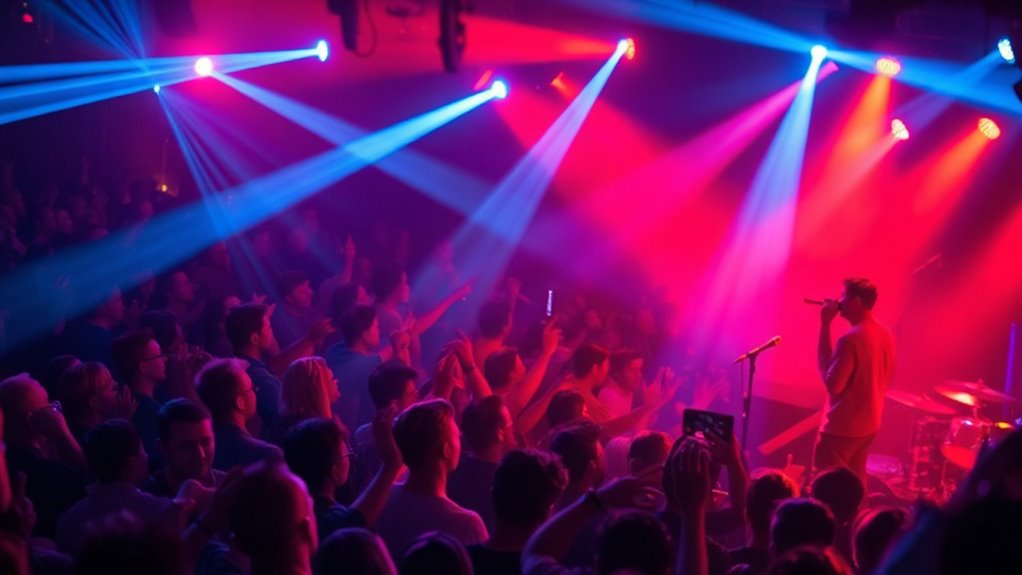
For concert shots on your iPhone in 2027, setting the right camera settings is key to capturing those unforgettable moments. Whether you’re snapping photos of your favorite band or the electrifying crowd, knowing how to adjust your iPhone’s camera can make all the difference.
Set your ISO between 1600–3200 to balance noise and light effectively. This helps your photos stay clear without too much grain, even in the low-light conditions typical of concerts.
Use shutter speeds of 1/125–1/250 seconds to freeze motion without blur. This means you’ll catch every jump and dance move with sharpness and clarity.
Lock focus on performers to avoid hunting in changing lights, and switch to continuous autofocus for tracking movement. This keeps your subject crisp even when the lighting shifts or they move around the stage.
Try using telephoto lenses and grip accessories to stabilize your device and avoid shake. A steady shot is crucial when you’re zoomed in on details.
Lastly, add a magnetic ND32 filter to control stage brightness. This helps manage those bright spotlights and keeps your images balanced.
Keep these tips in mind and discover more to capture stunning concert moments every time!
| Image | Name | Editor's Rating | Price |
|---|---|---|---|

|
|
||
|
|
||

|
|
||
|
|
||
|
|
TELESIN 3-in-1 Magnetic Phone Grip & Tripod Kit
- 【3 IN 1 Fun Shot Grip + Magnetic Selfie Light + Metal Tripod Creator Kit】The TELESIN NEW Creator Kit helps you...
- 【Easy Magnetic Mount】The magnetic mount quickly and securely attaches all components to any smartphone. It works...
- 【Convenient Travel Design】The travel design fun shot grip with selfie light creator kit keeps your gear organized...
Capture every concert moment with precision using the TELESIN 3-in-1 Magnetic Phone Grip & Tripod Kit. This innovative kit is designed to stabilize your phone effortlessly, so your photos and videos come out sharp and clear. Its magnetic system ensures quick attachment and detachment, making setup simple and secure.
The kit’s combination of a magnetic grip, a wireless shutter button, a 360° rotating LED selfie ring light, and a sturdy metal tripod offers versatile shooting options. Whether you’re filming or taking pictures, you can adjust your setup to fit the scene perfectly. Its compact, travel-friendly design makes it easy to carry and use anywhere.
Maintenance is straightforward—just keep the components clean and dry, as the kit is not water resistant. This limitation means it’s best suited for indoor or dry weather environments. The build quality is decent, but handle with care to ensure durability over time.
With this kit, you gain enhanced control over your mobile photography, improving image stability and lighting. It’s ideal for capturing vibrant concert memories without bulky equipment.
Best for: concert-goers and mobile photographers needing a portable, multifunctional kit to improve phone photography and videography.
What We Like:
- Quick magnetic attachment compatible with many iPhone and Android models
- Includes grip, wireless shutter, LED ring light, and tripod for flexible use
- Compact and lightweight for easy transport and setup
Specification:
| Feature | Details |
|---|---|
| Manufacturer | TELESIN |
| Dimensions | Compact, travel-friendly size |
| Weight | Lightweight |
| Material | Metal tripod, plastic grip components |
| Color Options | Not specified |
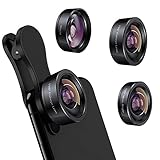
3in1 Phone Camera Lens Kit Fisheye+Wide Angle+Macro Lens for iPhone
- 3 in 1 Phone Camera Lens Set: Every lens can be used separately. The 20X Macro lens has a best focusing distance of...
- High Quality: Professional HD Lens with advanced lanthanide optical glass can reduce the reflection and ghosting...
- Clip-on Phone Lens: Easy Use Design. Just attach the lens to the clip and clip it on the phone camera, then you can...
Elevate your iPhone photography with the KEYWING 3in1 Phone Camera Lens Kit, designed to capture every moment with clarity and creativity. Whether you’re at a concert or exploring nature, this kit transforms your phone into a versatile camera.
The kit features a 198° fisheye lens for dynamic, immersive shots, a 120° wide-angle lens to capture expansive scenes, and a 20x macro lens for detailed close-ups. Each lens enhances your photo quality, allowing you to shoot from unique perspectives that a standard phone camera can’t achieve.
Its durable aluminum shell and HD-coated glass ensure sharp, clear images while protecting against scratches. The universal clip securely attaches to most smartphones but works best without a phone case to maintain a firm grip. For optimal results, align the lens carefully over your phone’s main camera and avoid using digital zoom.
To maintain clarity, clean the lenses gently with a microfiber cloth after use. This kit is ideal for photography enthusiasts who want to explore creative angles and capture moments in vivid detail.
Best for: iPhone users seeking versatile lens options to enhance photos at concerts, outdoor events, or detailed close-up shots.
What We Like:
- Three versatile lenses for fisheye, wide-angle, and macro photography
- Durable aluminum construction with HD-coated glass for clear images
- Universal clip fits most smartphones securely without damage
- Easy to clean and maintain for long-lasting use
Specification:
| Feature | Details |
|---|---|
| Manufacturer | KEYWING |
| Lens Types | Fisheye (198°), Wide-angle (120°), Macro (20x) |
| Material | Aluminum shell, HD-coated glass |
| Compatibility | Universal clip for most smartphones (remove case recommended) |
| Weight | Lightweight for portable use |
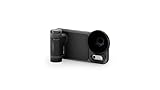
PGYTECH RetroVa All-in-one Grip Kit for iPhone 18/17 Pro, 4X Lens &Grip
- 【Complete Mobile Photography System】Includes 4X telephoto lens, camera grip, retro phone case, phone strap, and...
- [4X Professional Telephoto With Two Shooting Modes 】11-element/3-group optical system. Mount on telephoto lens for...
- 【Full Physical Camera Controls】Grip features shutter button (half-press focus), multi-function button, zoom lever...
The PGYTECH RetroVa All-in-one Grip Kit transforms your iPhone 18/17 Pro photography experience by combining enhanced zoom with physical camera controls. This kit solves the common problem of shaky, hard-to-control zoom shots by offering a 4X telephoto lens that sharpens distant images with impressive detail and natural bokeh.
Its ergonomic grip features dedicated buttons for shutter release, zoom, and exposure adjustments. This design lets you shoot steadily and confidently without fumbling your phone’s touchscreen. The retro-style case adds style and protection, while the included tripod collar, lens pouch, and strap increase versatility for different shooting conditions.
Recording high-quality videos is simpler with Bluetooth connectivity and microSD storage, allowing you to capture 4K RAW footage directly. However, the lens has a fixed focal length without autofocus or variable aperture, so close-up flexibility is limited. Also, the kit is not water-resistant, so caution is needed when shooting outdoors in wet environments.
Overall, this grip kit enhances mobile photography and videography by providing tactile control and superior zoom capabilities tailored for iPhone 17/18 Pro users.
Best for: iPhone 17/18 Pro photographers and content creators seeking enhanced telephoto zoom with physical camera controls for mobile shooting.
What We Like:
- Sharp 4X optical zoom lens improves distant shots with natural bokeh
- Physical grip with intuitive buttons for easy manual control
- Supports 4K RAW video recording directly to microSD via Bluetooth app
- Versatile kit includes retro case, tripod collar, lens pouch, and strap
Specification:
| Feature | Details |
|---|---|
| Manufacturer | PGYTECH |
| Compatible With | iPhone 18/17 Pro |
| Lens | 4X Telephoto (fixed) |
| Video Support | 4K RAW recording |
| Connectivity | Bluetooth |
| Included Items | Grip, case, tripod collar, lens pouch, strap |
| Water Resistance | No |
Tilta Khronos Lite Creator Kit for iPhone 17 Pro
- CUSTOM DESIGNED for iPhone 17 Pro Smartphones
- LIGHTWEIGHT DESIGN Offers Professional Performance in a Compact Package
- ERGONOMIC HANDLE Makes Operating and Handling More Comfortable
The Tilta Khronos Lite Creator Kit for iPhone 17 Pro transforms your mobile filming experience with professional-level controls. It addresses the common challenge of capturing sharp, well-exposed concert footage by integrating a 58mm f/2.8 lens paired with variable ND and polarizer filters. This setup lets you control light and creative effects directly, improving your shots without complicated gear.
Designed for ease of use, the kit includes an ergonomic Bluetooth handle that smoothly adjusts focus and zoom through the Blackmagic Camera app. This feature allows you to concentrate on your composition without fumbling with your phone. Although it lacks image stabilization, the built-in autofocus and manual exposure controls help maintain clear images even in challenging lighting.
The Khronos Lite kit is lightweight compared to traditional rigs but weighs 3 pounds, so it balances portability with robust build quality. While it isn’t water resistant, regular maintenance is simple—just avoid exposure to moisture and clean lenses carefully to preserve performance. Its electronic viewfinder enhances framing accuracy, especially in low-light concert settings.
This creator kit is ideal for serious iPhone filmmakers who want precise manual control and versatile lens options in a compact package. It solves the problem of limited mobile camera capabilities while staying user-friendly and reliable.
Best for: Professional iPhone filmmakers and concert photographers seeking enhanced manual control and creative lens versatility in a portable rig.
What We Like:
- Ergonomic Bluetooth handle for smooth focus and zoom adjustments with Blackmagic Camera app
- 58mm f/2.8 lens with variable ND and polarizer filters for flexible exposure management
- Built-in autofocus and manual exposure controls improve low-light image quality
- Electronic viewfinder provides accurate framing in challenging environments
Specification:
| Feature | Details |
|---|---|
| Manufacturer | Tilta |
| Compatible Device | iPhone 17 Pro |
| Lens | 58mm f/2.8 |
| Filters | Variable ND, polarizer |
| Weight | 3 lb (approx. 1.36 kg) |
| Connectivity | Bluetooth (for handle controls) |
| Water Resistance | No |
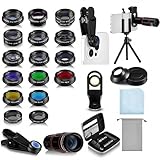
21 in 1 Phone Camera Lens Kit Compatible with Most Smartphone
- Your Pocket-sized Photography Studio: break free from the limitations of your smartphone camera with our 21 IN 1 Phone...
- Upgrade Your Camera: our phone lens kit is designed to expand your phone's camera capabilities; The 18X telephoto camera...
- Create Stirring Photographs: our kit comes with a kaleidoscope lens that multiples a centered object by 3/ 6 for a...
Transform your smartphone photography with the 21 in 1 Phone Camera Lens Kit, designed to unlock creative potential for every shot. This kit addresses common smartphone camera limitations by providing a variety of lenses that expand your photographic range and artistic options.
The kit includes lenses such as wide-angle, macro, fisheye, and telephoto, along with creative filters like kaleidoscope and starburst. These let you capture expansive landscapes, intricate close-ups, and unique light effects that standard phone cameras can’t achieve. The universal clip ensures easy attachment to most smartphones, though removing your phone case improves stability.
Maintaining the kit is straightforward. The included cleaning cloth keeps lenses clear of dust and smudges, preserving image quality. A tripod and selfie light enhance shooting stability and lighting conditions, helping you take crisp, well-lit photos in various environments.
While the clip fits most phones, it works best when the camera is less than 5 cm from the edge. This kit is ideal for users who want to explore different photography styles without carrying bulky equipment.
Best for: Smartphone users and photography fans seeking versatile lens options to enhance mobile photo creativity.
What We Like:
- Wide range of 21 lenses and creative filters for diverse effects
- Universal clip compatible with nearly all smartphones
- Includes tripod, selfie light, and cleaning cloth for better photos
- Easy maintenance with included cleaning accessories
Specification:
| Feature | Details |
|---|---|
| Manufacturer | Not specified |
| Dimensions | Varies by lens, compact kit size |
| Weight | Lightweight, portable |
| Material | Optical glass lenses, plastic clip |
| Color Options | Mostly black components |
Magnetic ND32 Filter for iPhone 17 Pro Max

- ND32 FILTER FOR IPHONE 17 PRO MAX – Magnetic ND32 neutral density filter provides 5-stop light reduction for iPhone...
- 5-STOP LIGHT REDUCTION FOR BRIGHT SUNLIGHT – ND32 reduces the amount of light entering the camera by 5 stops, helping...
- CREATE SMOOTHER CINEMATIC MOTION BLUR – Reducing incoming light provides greater flexibility to use suitable shutter...
Capture stunning concert footage with the Magnetic ND32 Filter for iPhone 17 Pro Max. This filter helps you manage bright stage lights effectively, reducing exposure by 5 stops to prevent overexposed shots. It allows for smooth, cinematic motion blur, enhancing the quality of your videos in intense lighting.
The filter’s magnetic snap-on design makes it easy to attach without removing your phone case. This means you can switch filters quickly during live events without interrupting your shooting. Its slim metal frame and multi-coated HD optical glass maintain sharpness and true-to-life colors, ensuring your footage looks professional.
Designed for both handheld and stabilized filming, this waterproof filter supports versatile shooting styles. Its build quality reduces reflections and protects your lens, helping to extend the life of your camera equipment. Regular cleaning with a soft cloth keeps the glass clear and performance optimal.
While it is specifically made for the iPhone 17 Pro Max, users may need additional filters for varied lighting scenarios. Some customers have noted concerns about product durability, so handle with care during use.
Best for: Creators and mobile filmmakers looking for precise exposure control and cinematic effects on the iPhone 17 Pro Max.
What We Like:
- Quick magnetic attachment without removing the phone case
- High-quality multi-coated HD glass for clear, accurate colors
- Slim, lightweight design suitable for handheld or stabilized shooting
- Waterproof construction protects during outdoor use
Specification:
| Feature | Details |
|---|---|
| Manufacturer | Not specified |
| Dimensions | Slim metal frame (exact size not specified) |
| Weight | Lightweight (exact weight not specified) |
| Material | Multi-coated HD optical glass, metal frame |
| Color Options | Not specified |
Factors to Consider When Choosing Camera Settings for Concerts, iPhone
When shooting concerts with your iPhone, you’ll need to balance lighting conditions by adjusting ISO and shutter speed carefully. It’s all about finding that sweet spot to avoid grainy or blurry shots.
Choosing the right focus mode really helps too. Plus, thinking about additional lenses or accessories can make a big difference in your photos.
Pay attention to these factors, and you’ll be able to capture sharp, vibrant images even in challenging environments. It’s totally doable with a bit of practice!
Lighting Conditions Impact
Though concert lighting changes rapidly and dramatically, you can adjust your iPhone’s camera settings to handle bright spotlights, deep shadows, and colored gels effectively. Use faster shutter speeds (1/250–1/500s) to freeze motion and accept higher ISO when needed.
Tap to focus and expose on midtones, then lock exposure to avoid blown-out highlights from strong spotlights. Colored stage lights can shift white balance notably, so shoot in RAW or manually adjust white balance to keep skin tones natural and avoid extreme color casts.
Also, watch for flicker caused by certain LED or stage lighting. Test shutter speeds like 1/60s or multiples of mains frequency to minimize banding or strobing.
These adjustments help you capture sharp, well-exposed concert photos despite challenging lighting. It’s all about knowing your settings and tweaking them as the show goes on.
ISO Settings Selection
Because concert lighting often shifts between bright and dim, you’ll need to carefully select your iPhone’s ISO settings to balance exposure and image quality. Aim to use the lowest ISO that still lets you achieve a shutter speed of at least 1/125–1/250 second to freeze motion and minimize noise.
In dim indoor venues, expect to raise ISO to between 1600 and 6400 on modern iPhones, accepting some noise for usable exposure. If you stabilize your phone on a tripod and subjects are mostly still, lower ISO (200–800) with slower shutter speeds yields cleaner shots.
Watch for highlight clipping from bright stage lights—lower ISO helps preserve details there. When shooting video, keep ISO low to reduce flicker and noise, compensating with wider apertures or faster lenses instead.
Shutter Speed Importance
Selecting the right shutter speed plays a crucial role in capturing sharp, dynamic concert photos with your iPhone. To freeze moderate motion and reduce handheld shake, aim for at least 1/125 to 1/250 second.
Faster action like dancing or jumps demands 1/500 to 1/1000+ seconds to avoid blur. Slower speeds (1/30–1/60 second) create artistic motion blur but need steady hands or support to keep faces sharp.
Since concert lighting’s often dim, faster shutter speeds reduce light, so boost ISO (expect 800–6400+) or open your aperture wider to compensate.
When shooting video, follow the 180° shutter rule—shutter speed about double the frame rate—for natural motion blur. Watch for spotlights; very fast speeds may clip highlights, while slightly slower speeds preserve detail but risk blur.
Focus Mode Choices
When you’re capturing concert moments on your iPhone, choosing the right focus mode can make all the difference in keeping your shots sharp and dynamic. Use continuous autofocus (AF-C) to track performers moving across the stage. This helps reduce missed-focus frames during bursts or video.
Switch to single-shot autofocus (AF-S) for still moments or when you want to lock focus on a specific subject before recomposing. If your iPhone supports face or eye detection, enable it to keep performers’ faces sharp despite changing stage lights.
When haze, spotlights, or rapid lighting changes confuse autofocus, try manual focus by tapping and holding or locking focus on the performer’s approximate distance. For video, pair continuous AF with focus smoothing to avoid abrupt focus shifts in your footage.
Lens and Accessories
Choosing the right lens and accessories can dramatically improve your concert photos and videos on an iPhone. Use a telephoto or longer focal-length attachment (2x–4x) to capture distant performers clearly while minimizing camera shake.
Opt for wide-angle or fisheye lenses only when you’re close to the stage or want to capture dramatic crowd and stage context. Just watch out for flare and exaggerated light sources—they can be tricky.
Macro lenses work great for close-up details like instruments or hands but won’t focus on distant subjects. So, keep that in mind when deciding what to shoot.
Optical filters like ND or polarizers help control bright stage lights and reflections. But avoid heavy filters that reduce light too much in low light situations.
Finally, use rigid lens mounts and a small tripod or grip to reduce blur. This is especially important with telephoto lenses since they tend to amplify handshake.
Frequently Asked Questions
How Do I Reduce Noise in Low-Light Concert Photos on Iphone?
You can reduce noise by lowering your ISO, enabling Night mode, and stabilizing your iPhone with a tripod. Also, shoot in RAW to edit noise later, and avoid digital zoom to maintain image clarity in low light.
These tips really help when you’re snapping pics in tricky lighting. Plus, keeping your phone steady makes a big difference in how clear your photos turn out.
What Iphone Apps Enhance Concert Photo Editing?
You’ll love using apps like Lightroom, Snapseed, and VSCO to enhance your concert photos. They let you adjust exposure, reduce noise, and add creative filters easily.
This helps your shots stand out even in challenging lighting. Plus, these tools are pretty user-friendly, so you can get great results without a steep learning curve.
Can I Use Live Photos for Better Concert Shots?
You can definitely use Live Photos for better concert shots; they let you capture moments just before and after the click.
How Do I Prevent Lens Flare During Concert Photography?
You can prevent lens flare by adjusting your angle away from bright lights, cleaning your lens, and using a lens hood or your hand as a shield.
Also, reduce exposure to harsh stage lights for clearer shots. It really helps keep your photos crisp and free from unwanted glare.
What Is the Best File Format for Concert Photos on Iphone?
Think of RAW as a blank canvas, giving you full control over your concert masterpiece.
You’ll want to shoot in ProRAW on your iPhone—it captures every detail, letting you tweak exposure and colors without losing quality.
Conclusion
When you hit the concert, let your iPhone be your magic wand—turning fleeting moments into vivid memories. With the right camera settings and gear, you’ll capture the energy and rhythm like never before.
Don’t let low light or fast moves steal your shot; instead, harness these tools to paint your story in light and shadow. Get ready to freeze the beat and make every click sing with crystal-clear brilliance!
By mastering the best iPhone camera settings for concert photos, you can overcome the challenges of dim lighting and fast-paced action. Adjusting exposure, using night mode, and stabilizing your shot will elevate your concert snaps to a professional level. So, whether it’s the pulsing crowd or the electrifying stage, your iPhone will capture every moment sharply and vividly.
Make your concert memories unforgettable—because with these tips, your iPhone is not just a phone; it’s your ultimate concert photography companion.