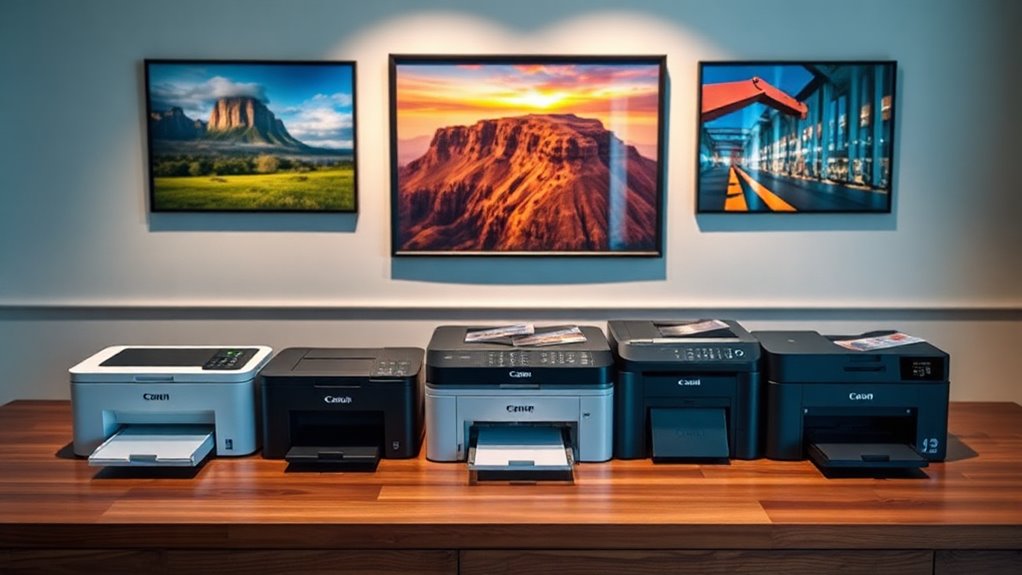
13 Best Canon A3 Photo Printers for 2027 That Deliver Stunning Prints
If you’re searching for the best Canon A3 photo printers in 2027, you’re in the right place. From professional photographers to hobbyists, having a reliable A3 printer that delivers stunning prints is a game-changer.
Canon’s lineup offers some fantastic options that cater to different needs and budgets. You’ll find standout models like the Canon PIXMA PRO-200S, known for its vibrant 8-color dye system, and the imagePROGRAF PRO-310, which excels in color accuracy.
Each printer comes packed with unique features such as wireless connectivity and compact designs, making them easy to fit into any workspace.
Whether you prioritize print quality, ease of use, or versatility, there’s an option for you. Stick around to uncover more about each model, their specs, and what makes them the best Canon A3 photo printers of 2027.
| Image | Name | Editor's Rating | Price |
|---|---|---|---|

|
|
||

|
|
||

|
|
||

|
|
||

|
|
Canon PIXMA PRO-200S Wireless Inkjet Photo Printer
- 8 COLOR dye-based ink system produces vibrant, high quality prints.
- BORDERLESS PRINTING from 3.5” x 3.5” up to 13” x 19”.
- HIGH SPEED PRINTING — bordered A3+ print in just 90 seconds or bordered 8" x 10" print in 53 seconds.

The Canon PIXMA PRO-200S Wireless Inkjet Photo Printer delivers professional-grade photo prints with vibrant colors and sharp detail. Its advanced 8-color dye-based ink system ensures your images stand out with rich tones and smooth gradients. This printer supports borderless printing up to 13” x 19”, allowing you to create gallery-quality prints that fit a wide range of projects.
Designed for photographers who need precision and flexibility, this printer connects easily via Wi-Fi, Ethernet, or USB, making setup and use straightforward. The bright 3.0-inch color LCD screen simplifies navigation and monitoring, while the 100-sheet capacity reduces frequent paper refills during busy print sessions.
Maintenance is straightforward, with the dye-based inks designed to produce consistent results without complicated upkeep. Although it weighs 32 pounds, limiting portability, its sturdy build ensures reliable performance in a fixed workspace. Note that this model focuses exclusively on printing, without scanning or copying features.
Energy Star certification means the PIXMA PRO-200S operates efficiently, reducing power consumption without sacrificing quality. It’s a strong choice for photographers aiming to produce vivid, professional prints with minimal hassle.
Best for: Photographers seeking versatile, high-quality photo printing for various print sizes and projects.
What We Like:
- Vivid, detailed prints with 8-color dye-based ink system
- Supports borderless prints up to 13” x 19” for creative flexibility
- Multiple connectivity options including Wi-Fi and Ethernet
- User-friendly 3.0-inch color LCD for easy operation
- Energy Star certified for efficient power use
Specification:
| Feature | Details |
|---|---|
| Manufacturer | Canon |
| Dimensions (W×D×H) | Approx. 23.2″ × 14.9″ × 7.7″ |
| Weight | 32 lb (14.5 kg) |
| Ink Type | 8-color dye-based |
| Max Print Resolution | 4800 x 2400 dpi |
| Connectivity | Wi-Fi, Ethernet, USB |
| Paper Capacity | 100 sheets |
| Display | 3.0-inch color LCD |
Canon imagePROGRAF PRO-310 Wireless Inkjet Photo Printer
- 9 COLOR + CHROMA OPTIMIZER pigment-based ink system produces gallery-quality prints.
- EASE OF USE — ultimate productivity with Anti-Clogging System and Skew Correction.
- MATTE BLACK INK offers enhanced black density and wider dark area reproduction range.
The Canon imagePROGRAF PRO-310 is designed to meet the exacting demands of photographers who need professional-quality prints with precise color accuracy. Its advanced 9-color pigment-based ink system enhances every detail, delivering rich blacks and vibrant hues that bring images to life. This printer ensures sharp, fade-resistant output that stands up to close scrutiny.
Its compact design fits comfortably in most studios, balancing size and functionality without overwhelming the workspace. The printer supports various media sizes up to A4, making it versatile for different print projects. Connectivity is seamless with options for Wi-Fi, Ethernet, or USB, allowing easy integration into existing setups.
Maintenance is straightforward, with pigment inks that require minimal upkeep while producing consistent results. Though the print speed is modest at 2 pages per minute, the PRO-310 prioritizes quality over quick output. It is a single-function device, focusing solely on printing, which suits users who need specialized photo prints rather than multifunction capabilities.
Best for: Photographers and artists seeking high-precision photo prints with reliable color fidelity in a compact, professional printer.
What We Like:
- 9-color pigment ink system for superior color depth and black density
- Multiple connectivity options for flexible setup
- Compact and lightweight design ideal for limited workspaces
- Easy maintenance with durable, fade-resistant inks
Specification:
| Feature | Details |
|---|---|
| Manufacturer | Canon |
| Dimensions | 28.7 x 18.6 x 14.04 in |
| Weight | 31.6 lb |
| Ink System | 9-color pigment-based |
| Max Print Size | Up to A4 |
| Connectivity | Wi-Fi, Ethernet, USB |
Canon IP8720 Wireless Printer, AirPrint and Cloud Compatible, Black
No products found.
Experience professional-quality photo printing with the Canon IP8720, designed to deliver sharp, vibrant images up to 13 x 19 inches. This printer helps you create stunning prints for personal projects or professional portfolios with a high resolution of 9600 x 2400 dpi. The advanced 6-color ink system, including gray ink, improves color accuracy and detail, ensuring your photos look exactly how you envision them.
Wireless connectivity allows seamless printing from any Wi-Fi-enabled device, making it easy to print directly from your smartphone or tablet. Compatibility with AirPrint and Google Cloud Print simplifies mobile printing and cloud access, eliminating the hassle of cables or transferring files. This convenience enhances productivity and fits well in busy home or office environments.
Maintenance is straightforward, though the 6-color ink system requires replacing multiple cartridges, which may increase running costs. The printer operates quietly in quiet mode, reducing noise disruption during use. Additional features like CD/DVD printing expand its functionality for creative projects and versatile media options.
Best for: Photography enthusiasts and professionals who need large-format, high-resolution prints with accurate colors and fine details.
What We Like:
- Exceptional print clarity with 9600 x 2400 dpi resolution
- Wireless printing with AirPrint and Google Cloud Print support
- Versatile media handling, including borderless prints and CD/DVD printing
- Quiet operation mode for reduced noise
- Large print size up to 13” x 19” for professional-quality photos
Specification:
| Feature | Description |
|---|---|
| Manufacturer | Canon |
| Dimensions | Approx. 23.3 x 13.5 x 6.8 in |
| Weight | Approx. 15.4 lbs (7 kg) |
| Color Options | Black |
| Maximum Print Size | 13 x 19 inches |
| Print Resolution | Up to 9600 x 2400 dpi |
Canon Selphy CP1500 Wireless Photo Printer Bundle
- The sleek and modern design of the SELPHY CP1500 is reflected in how easy it is to use even with powerful features such...
- Thanks to a small footprint, the SELPHY CP1500 is incredibly portable, and with the optional battery pack, you can print...
- Not only will your photos look great, they will also be instantly dry and water resistant, and continue to look great...
Experience vibrant, high-quality photo printing wherever you go with the Canon Selphy CP1500 Wireless Photo Printer Bundle. Designed for portability, this compact printer weighs just 5.6 pounds, making it easy to carry for on-the-spot printing. Its sleek design fits neatly into bags, perfect for travelers and event photographers.
This printer solves the hassle of smudged prints by using thermal printing technology. Your 4″x6″ photos dry instantly and resist water, ensuring long-lasting memories. The high-capacity RP-108 ink and paper set delivers vivid colors, bringing your images to life with minimal maintenance.
Connectivity is seamless with options including Wi-Fi, USB, and memory card support. You can print directly from various devices without complicated setups. The built-in display and SELPHY Photo Layout app let you preview and edit photos conveniently before printing.
While limited to 4″x6″ print sizes, the Canon Selphy CP1500 focuses on delivering quality over quantity. Print speed is moderate at about one page per minute, suitable for casual or event use. Regular replacement of the RP-108 ink/paper set is necessary to maintain print quality.
Best for: Photographers and travelers needing a compact, reliable photo printer for quick, high-quality 4″x6″ prints on the go.
What We Like:
- Portable, lightweight design ideal for mobile use
- Instant drying, water-resistant prints for durability
- Multiple connectivity options for versatile printing
- Easy-to-use display and editing app enhance user control
Specification:
| Feature | Details |
|---|---|
| Manufacturer | Canon |
| Dimensions | Compact (exact size not specified) |
| Weight | 5.6 lb (2.54 kg) |
| Print Size | 4″ x 6″ |
| Ink/Paper Set | RP-108 |
| Connectivity | Wi-Fi, USB, Memory Card |
Canon PIXMA TS9521Ca – Wireless Home All-in-One Inkjet Printer
- ALL-IN-ONE: Print, Copy, Scan features for full control at your fingertips. Comes with a 1 year limited warranty.
- FAST PRINT SPEEDS: Print approximately 15 (black) / 10 (color) images per minute.
- EASY SETUP and INSTALL: Get running in just a few minutes thanks to a streamlined and easy setup process out of the box...
The Canon PIXMA TS9521Ca is designed to meet the needs of both crafters and home office users who require flexibility and quality in a single device. Its wireless connectivity allows you to print effortlessly from anywhere in your home, reducing clutter and hassle.
This all-in-one printer offers an impressive print resolution of up to 4800 x 1200 dpi, delivering sharp and vibrant images. The 200-sheet capacity combined with automatic duplex printing helps you save time and paper when handling everyday tasks.
Navigating the printer is simple thanks to the 4.3-inch touch LCD screen, which streamlines setup and operation. Maintenance is straightforward with five individual ink cartridges, allowing you to replace only the colors you need, though this may slightly increase running costs.
While the PIXMA TS9521Ca excels in versatility, its print speed is moderate, which might be noticeable during large print jobs. The paper handling is sufficient for typical home or craft use but may limit capacity for extensive printing needs.
Best for: Crafters and home office users seeking a versatile, high-quality wireless all-in-one inkjet printer.
What We Like:
- High-quality prints with 4800 x 1200 dpi resolution
- Convenient wireless printing from multiple devices
- Automatic duplex printing saves paper and time
- Intuitive 4.3” touch LCD for easy operation
- Individual ink cartridges simplify maintenance
Specification:
| Feature | Details |
|---|---|
| Manufacturer | Canon |
| Dimensions | Not specified |
| Weight | Not specified |
| Material | Not specified |
| Color Options | Not specified |
Canon MegaTank G3270 All-in-One Wireless Color Printer
- Wireless Print/Copy/Scan
- Up to 2 years of ink included (2)
- Print up to 6,000 black & white / 7,700 color pages using a single set of inks! (1)
The Canon MegaTank G3270 All-in-One Wireless Color Printer offers a flexible solution for both home and office environments. Its ability to print, scan, and copy helps simplify everyday tasks and saves space by combining multiple functions in one device. This printer is designed to handle various media types, including card stock and glossy photo paper, making it adaptable to different projects.
With a print speed of up to 11 pages per minute in black and white and 6 pages per minute in color, it meets moderate daily printing demands efficiently. The high print resolution of up to 4800 x 1200 dpi ensures sharp and vibrant output. MegaTank technology significantly reduces maintenance interruptions by allowing thousands of pages to be printed before ink replacement is needed.
The compact design fits well into smaller workspaces without sacrificing functionality. However, the single paper tray may require manual switching between media types, and the small 1.35-inch LCD screen can make navigating settings less intuitive. Despite these minor drawbacks, the printer’s overall ease of use and cost-effective ink system make it a practical choice.
Best for: Home and office users seeking a versatile all-in-one wireless printer with low maintenance needs and multi-functional capabilities.
What We Like:
- High ink capacity for thousands of pages without frequent refills
- Compact footprint ideal for limited desk space
- Supports diverse media types for varied printing projects
- Multi-functionality simplifies workspace setup
Specification:
| Feature | Details |
|---|---|
| Manufacturer | Canon |
| Dimensions | Compact (exact size not provided) |
| Weight | Not specified |
| Technology | Inkjet with MegaTank system |
| Print Resolution | Up to 4800 x 1200 dpi |
| Print Speed | 11 ppm (B&W), 6 ppm (Color) |
| Display | 1.35-inch LCD |
Canon Ivy 2 Mini Photo Printer for iOS & Android

- Print and customize your photos directly from your smartphone or tablet via the Canon Mini Print App.(1)
- No ink needed! The IVY 2 Mini Photo Printer uses ZINK (Zero Ink) technology, which features colorful dye-based crystals...
- Place your photos anywhere, thanks to a PEEL & STICK backing that adheres to your favorite surfaces.
Capture and print your favorite moments instantly with the Canon Ivy 2 Mini Photo Printer. This pocket-sized device lets you create vibrant 2”x3” photos on the go, making it easy to share memories whenever and wherever you like. Its compact design fits comfortably in your hand or bag, so you can always have it ready.
The printer uses ZINK technology, which means no ink cartridges are needed, reducing mess and maintenance. Photos come out sharp, with natural skin tones and clear contrast, all at a resolution of 313 x 512 dpi. Printing is straightforward via Bluetooth 5.0, compatible with both iOS and Android devices, ensuring smooth mobile connectivity.
Designed for convenience, the Canon Mini Print app offers simple photo selection and customization before printing. The peel-and-stick backing adds versatility for decorating or gifting, though care is needed to avoid damage when handling prints. Weighing just 145 g, this printer is an excellent companion for spontaneous photo printing.
Best for: Those seeking a lightweight, portable photo printer to quickly print and share small photos on the move.
What We Like:
- Compact and lightweight for easy portability
- Ink-free ZINK technology simplifies maintenance
- Bluetooth 5.0 ensures quick, wireless printing
- Peel-and-stick photos add creative flexibility
Specification:
| Feature | Details |
|---|---|
| Manufacturer | Canon |
| Dimensions | Not specified |
| Weight | 145 g (0.32 lb) |
| Print Size | 2” x 3” (5.08 cm x 7.62 cm) |
| Resolution | 313 x 512 dpi |
| Connectivity | Bluetooth 5.0 |
| Compatible OS | iOS, Android |
Canon Ivy 2 Mini Photo Printer – Blush Pink

- Print and customize your photos directly from your smartphone devices via the Canon Mini Print App.(1)
- NO INK NEEDED! The IVY 2 Mini Photo Printer uses ZINK (Zero Ink) technology, which features colorful dye-based crystals...
- Place your photos anywhere, thanks to a PEEL & STICK backing that adheres to your favorite surfaces.
Capture your favorite moments anytime with the Canon Ivy 2 Mini Photo Printer in Blush Pink. This compact device fits easily in your bag, making it ideal for on-the-go printing. Its lightweight design ensures you can carry it effortlessly wherever you travel.
Using ZINK technology, the printer produces vibrant 2 x 3-inch photos without the need for ink cartridges. This simplifies maintenance and reduces mess, so you can focus on printing your memories quickly and cleanly.
The printer connects via Bluetooth 5.0, allowing you to print directly from your iOS or Android device through the Canon Mini Print App. This seamless integration makes it easy to customize and share photos instantly.
Each print features a peel-and-stick backing, offering a simple way to display or personalize your photos. While the print size is compact and the resolution is 600 x 600 dpi, it meets everyday needs but may not satisfy professional standards.
Best for: Casual photographers and memory keepers who want a stylish, portable photo printer for quick, easy prints.
What We Like:
- Lightweight and portable design fits easily in bags and pockets
- Ink-free ZINK printing reduces maintenance and mess
- Bluetooth connectivity for direct mobile device printing
- Peel-and-stick prints enable easy display and personalization
Specification:
| Feature | Details |
|---|---|
| Manufacturer | Canon |
| Dimensions | 4.69 x 0.79 x 3.29 in |
| Weight | 8.8 oz (0.55 lb) |
| Printing Tech | ZINK (Zero Ink) |
| Print Size | 2 x 3 inches |
| Resolution | 600 x 600 dpi |
| Connectivity | Bluetooth 5.0 |
| Color | Blush Pink |
Canon Selphy CP1500 Wireless Compact Photo Printer (Black)
No products found.
The Canon Selphy CP1500 Wireless Compact Photo Printer offers a seamless solution for printing high-quality photos on the go. Its compact and lightweight design makes it easy to carry, so you can create lasting memories wherever you are. With multiple connectivity options like Wi-Fi, USB, and memory card support, printing directly from your smartphone, tablet, or camera is straightforward and convenient.
This printer handles various media types, including glossy photo paper and mini label stickers, providing flexibility in your creative projects. Its print resolution of 300 x 300 dpi ensures vibrant, detailed images that stand out. The instant-dry, water-resistant prints are designed to last up to 100 years, giving your photos long-lasting durability without extra maintenance.
Maintaining the Selphy CP1500 is simple since it uses dye sublimation technology, which produces consistent colors and sharp images. While print speeds are moderate, this printer is ideal for those prioritizing photo quality over volume. The smaller print sizes focus on compact formats, perfect for personal albums or gifts.
Best for: Photography enthusiasts and families who want a portable, reliable photo printer for vibrant, lasting prints.
What We Like:
- Compact, lightweight design for easy portability
- Instant-dry, water-resistant prints that last up to 100 years
- Multiple connectivity options for versatile device compatibility
- Supports various media types, including mini label stickers
- High-quality dye sublimation printing for sharp, vibrant images
Specification:
| Feature | Details |
|---|---|
| Manufacturer | Canon |
| Dimensions | Approx. 7.1 x 5.4 x 2.7 in (18 x 13.8 x 6.9 cm) |
| Weight | 1.58 kg (3.48 lb) |
| Media Types | Glossy photo paper, mini label stickers |
| Print Resolution | 300 x 300 dpi |
| Connectivity | Wi-Fi, USB, memory card |
| Color Options | Black |
Canon Ivy 2 Mini Photo Printer Bundle (Pure White)

- Bundle Includes: Canon IVY 2 Mini Compact Photo Sticker Printer with LED Light Bar (Pure White), Canon Zink Photo Paper...
- No ink needed! The IVY 2 Mini Photo Printer uses ZINK (Zero Ink) technology, which features colorful dye-based crystals...
- Place your photos anywhere, thanks to a PEEL & STICK backing that adheres to your favorite surfaces.
Experience the freedom of printing photos anytime, anywhere with the Canon Ivy 2 Mini Photo Printer Bundle in Pure White. This compact device fits in your pocket and lets you create vibrant, smudge-free prints without the hassle of ink cartridges. It solves the common problem of bulky printers by offering a truly portable solution for capturing and sharing memories instantly.
Thanks to Bluetooth 5.0 connectivity, pairing your smartphone or tablet is quick and seamless. The Canon Mini Print App enhances your printing experience by allowing easy customization and direct photo transfer. Whether you’re at a party or traveling, this printer keeps your memories alive with vivid, water-resistant prints.
Maintenance is simple—just recharge the battery in 45 minutes and replenish the adhesive-backed ZINK photo paper included in the bundle. The 2 x 3-inch print size is perfect for stickers or small keepsakes, though it may not suit those wanting larger photos. This printer is designed for convenience and creativity on the go.
Best for: Mobile photography enthusiasts who value compact, quick, and high-quality photo printing.
What We Like:
- Reliable Bluetooth 5.0 for easy device connection
- Smudge-proof, water-resistant ZINK prints without ink mess
- Adhesive-backed photo paper for versatile personalization
- Fast charging ensures readiness for frequent use
Specification:
| Feature | Details |
|---|---|
| Manufacturer | Canon |
| Dimensions | Compact, pocket-sized |
| Weight | Lightweight |
| Printing Technology | ZINK Zero Ink |
| Print Size | 2 x 3 inches |
| Color Options | Pure White |
Canon PIXMA TS4320 – Wireless Color Inkjet Printer with Print, Copy, Scan

- Affordable Versatility - A budget-friendly all-in-one printer perfect for both home users and hybrid workers, offering...
- Crisp, Vibrant Prints - Experience impressive print quality for both documents and photos, thanks to its 2-cartridge...
- Effortless Setup & Use - Get started quickly with easy setup for your smartphone or computer, so you can print, scan...
Looking for a printer that fits effortlessly into your workspace and handles everyday tasks with ease? The Canon PIXMA TS4320 is a compact wireless color inkjet printer designed to deliver dependable print, copy, and scan functions. Its small footprint and lightweight design make it easy to place in tight spaces without sacrificing performance.
This printer tackles common office challenges by offering sharp print quality at up to 1200 x 1200 dpi and supports automatic two-sided printing to help reduce paper waste. The dual-band Wi-Fi connection ensures a smooth setup and reliable wireless printing. It also supports mobile printing, allowing you to print directly from your smartphone or tablet without hassle.
Maintenance is straightforward with easy access to cartridges and a manageable paper tray capacity. While the 100-sheet input may require frequent refills during heavy use, it suits most home or small office environments. The absence of an advanced display screen keeps operation simple but limits options for more complex tasks.
Overall, this printer balances functionality and convenience, making it a solid choice for users needing a versatile device for everyday document and photo needs.
Best for: Small offices or home users who want a compact, multifunctional wireless printer for regular print, copy, and scan jobs.
What We Like:
- Compact design fits well in limited spaces.
- Automatic two-sided printing reduces paper use.
- Easy wireless and mobile printing setup.
- Sharp print resolution delivers clear documents and photos.
Specification:
| Feature | Details |
|---|---|
| Manufacturer | Canon |
| Dimensions (W×D×H) | Approx. 12.7 × 9.1 × 5.0 in |
| Weight | 15.5 lb (7.0 kg) |
| Color Options | Black |
| Connectivity | Dual-band Wi-Fi, Mobile printing |
Canon Ivy 2 Mini Photo Printer Bundle (Blush Pink)

- Bundle Includes: Canon IVY 2 Mini Compact Photo Sticker Printer with LED Light Bar (Blush Pink), Canon Zink Photo Paper...
- No ink needed! The IVY 2 Mini Photo Printer uses ZINK (Zero Ink) technology, which features colorful dye-based crystals...
- Place your photos anywhere, thanks to a PEEL & STICK backing that adheres to your favorite surfaces.
Capture your favorite moments instantly with the Canon Ivy 2 Mini Photo Printer Bundle in Blush Pink. This compact Bluetooth printer connects smoothly to your iOS or Android device, making it easy to print vibrant 2 x 3-inch photos wherever you are. Say goodbye to messy ink cartridges—ZINK technology uses special photo paper to create sharp, colorful prints.
The printer’s design is portable and lightweight, perfect for travel or events. Its peel-off adhesive backing lets you stick photos directly onto surfaces, adding a fun and creative touch to your memories. The built-in LED light bar ensures you can see status updates clearly, even in low light.
Maintenance is simple since you only need to keep a supply of Canon ZINK paper on hand. The printer charges quickly, so you won’t miss capturing special moments. While the photo size is fixed, this printer excels at delivering quick, high-quality prints on the go.
Best for: Anyone who wants a stylish, easy-to-use portable printer to quickly share colorful photos from their smartphone.
What We Like:
- Ink-free ZINK technology simplifies printing
- Compact and lightweight for easy portability
- Peel-off adhesive backing for creative displays
- Quick charging keeps you ready to print
- Clear LED light bar for easy status monitoring
Specification:
| Feature | Details |
|---|---|
| Manufacturer | Canon |
| Dimensions | Compact, portable size |
| Weight | Lightweight |
| Material | Durable plastic |
| Color Options | Blush Pink |
Canon PIXMA TR8620a All-in-One Printer

- Never run out of ink. Connect your printer to Alexa and receive notifications when you’re running low. Alexa can even...
- Enrolling in Smart Reorders with Alexa ensures that you never have too much or too little ink supplies. No subscription...
- Wireless 4-in-1 (Print | Copy | Scan | Fax)
The Canon PIXMA TR8620a All-in-One Printer is designed to streamline your home office tasks with ease. It combines printing, scanning, copying, and faxing, allowing you to manage various projects without switching devices. This multifunctional printer helps reduce clutter and saves time, making your workflow more efficient.
Its high-quality print output delivers sharp, vibrant images at resolutions up to 4800 x 1200 dpi. With print speeds of 15 ipm for black and 10 ipm for color, it keeps up with your busy schedule. The 200-sheet paper capacity and automatic duplex printing cut down on frequent paper refills and reduce waste.
Maintenance is straightforward, and the wireless connectivity supports seamless printing from multiple devices. Compatibility with Alexa adds a hands-free convenience layer. Though it weighs 17.4 pounds and handles media sizes up to 8.5 x 14 inches, it fits comfortably in most workspaces.
The printer’s 1,000-page monthly duty cycle suits moderate use but may not meet high-volume demands. Overall, it balances quality, functionality, and convenience for everyday home office needs.
Best for: Home office users seeking a versatile all-in-one printer that delivers quality prints and efficient multitasking.
What We Like:
- Multifunctional design supports printing, copying, scanning, and faxing.
- High-resolution prints for professional-looking documents and photos.
- Wireless and Alexa-compatible for flexible, hands-free printing.
Specification:
| Feature | Details |
|---|---|
| Manufacturer | Canon |
| Dimensions (W×D×H) | 14.5 × 12.7 × 7.5 inches |
| Weight | 17.4 lbs (7.9 kg) |
| Print Resolution | Up to 4800 x 1200 dpi |
| Print Speed | 15 ipm (black), 10 ipm (color) |
| Paper Capacity | 200 sheets |
| Max Media Size | 8.5 × 14 inches |
| Connectivity | Wireless, Alexa compatible |
Factors to Consider When Choosing a Canon A3 Photo Printer
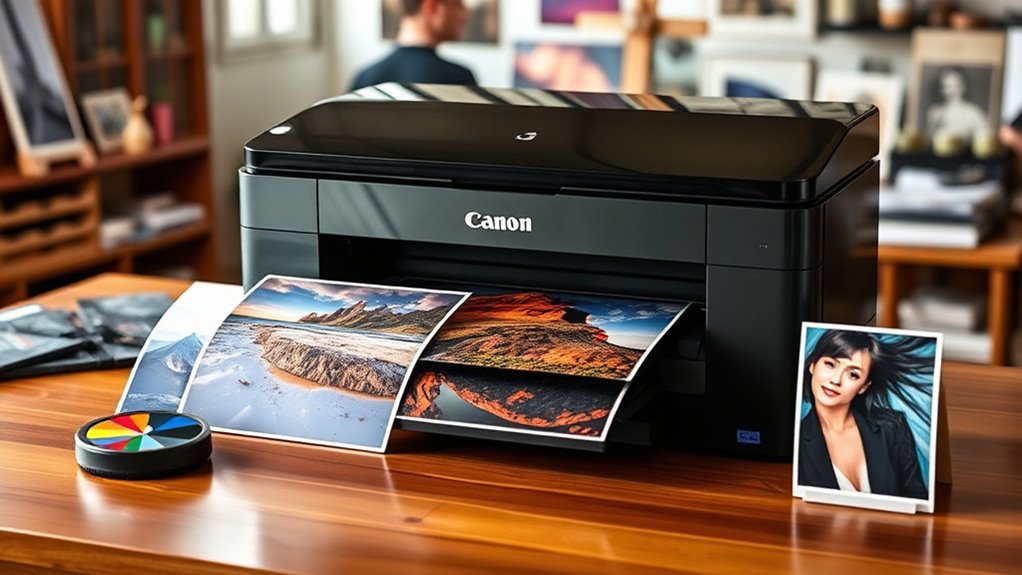
When choosing a Canon A3 photo printer, you’ll want to evaluate several key factors. Print quality, ink type, and speed all play an essential role in your decision.
Also, think about media handling capacity and available connectivity options. This way, you can make sure the printer truly meets your needs.
Print Quality Resolution
Print quality resolution plays an essential role in selecting the right Canon A3 photo printer for your needs. Look for printers with high dpi, like 4800 x 2400 dpi, to guarantee sharp, detailed images.
Consider the ink system too—pigment-based inks generally offer better longevity and fade resistance compared to dye-based options. Borderless printing is another important feature, allowing your prints to extend to the edge of the paper, which enhances visual impact.
For vibrant, true-to-life colors, choose printers that use multiple color cartridges, ideally 8 or 9. Specialized inks, such as matte black or Chroma Optimizer, can deepen blacks and improve overall print quality, especially in darker areas and glossy finishes.
2. Ink Type Considerations
Choosing the right ink type is vital for achieving the best results with your Canon A3 photo printer. Dye-based inks often deliver vibrant colors and smooth gradients, making them perfect for photo printing.
If you want depth and brilliance, consider an 8-color dye system. On the other hand, pigment-based inks provide better longevity and resistance to fading, ideal for archival-quality prints.
This is especially true in a 9-color system known for superior black density. Your choice of ink can also affect how well the printer handles different media types.
Some inks excel on glossy surfaces, while others perform better on matte. Regular maintenance, like cleaning nozzles, is essential for peak performance and preventing clogs, especially with multiple cartridges.
3. Print Speed Evaluation
Evaluating print speed is essential for anyone looking to invest in a Canon A3 photo printer, especially if you plan on tackling high-volume projects. Print speed is usually measured in pages per minute (ppm), with faster models delivering more prints in less time.
For instance, a bordered A3+ print might take about 90 seconds, while an 8 x 10 print could take roughly 53 seconds. Keep in mind that print speeds can vary between color and black-and-white outputs, often favoring monochrome.
Also, complex print jobs using high-resolution images may slow down the process. Finally, consider how efficiently a printer manages multiple print jobs without considerable delays, as this can greatly impact your workflow.
4. Media Handling Capacity
When investing in a Canon A3 photo printer, media handling capacity plays a significant role in your overall printing experience. It refers to the maximum number of sheets a printer can hold at one time, which varies between models—some can accommodate up to 200 sheets, while others may only support 100.
If you often tackle high-volume projects, a larger capacity will let you print without interruptions. Plus, consider the types of media sizes supported, as many A3 printers can handle various formats, including borderless options.
Look for features like extra trays or auto document feeders, which make switching between different paper types seamless. These additions can really boost your overall efficiency in printing stunning photos.
5. Connectivity Options Available
Five key connectivity options can enhance your experience with a Canon A3 photo printer. Look for models that offer Wi-Fi, Ethernet, and USB connections to suit different environments.
Mobile printing solutions like AirPrint and Google Cloud Print make it easy to print directly from your smartphone or tablet. A user-friendly control interface, ideally featuring a color LCD screen, will help you navigate settings and manage print jobs effortlessly.
Plus, compatibility with smartphone apps can provide enhanced printing capabilities, allowing for photo customization and editing. Finally, consider printers with memory card slots for direct printing from SD cards. This streamlines the process and eliminates the need for a computer.
These features can greatly improve your printing experience.
6. Size and Dimensions
Choosing the right size and dimensions for your Canon A3 photo printer is crucial, especially if you’re working with limited space. Larger printers can demand more room, so it’s important to take their footprint into account before making a decision.
If portability is a concern, keep the printer’s weight in mind. Heavier models are often less mobile and better for stationary setups.
For small office environments, a compact design can be advantageous. Meanwhile, larger printers might offer more features and capacities.
Always assess the height and width to guarantee you have adequate clearance for paper handling and maintenance tasks. By evaluating these factors, you can find the perfect printer that fits seamlessly into your workspace.
7. Cost of Consumables
While evaluating your options for a Canon A3 photo printer, keep the cost of consumables in mind. It greatly impacts your overall investment. Ink and paper costs can add up quickly, especially if the printer requires specialized cartridges.
Typically, inkjet models use individual cartridges for each color, and prices for replacements can vary considerably. If you opt for dye-based ink, be prepared for higher running costs since these need more frequent replacements compared to pigment-based systems.
Additionally, larger A3 paper sizes are often pricier than standard letter-sized sheets. Consider printers with high-capacity ink tanks; they can reduce your cost per print by allowing more pages before needing a refill. This ultimately offers a more economical solution.
8. Warranty and Support
When it comes to selecting a Canon A3 photo printer, understanding warranty and support options can make all the difference in your decision-making process. Start by checking the warranty period; it usually ranges from one year for limited warranties to longer options for some models.
Review the warranty terms carefully to see what’s covered—like parts and labor—and note any exclusions. Don’t forget to investigate the return policy; a 30-day return guarantee can be a lifesaver if the printer doesn’t meet your expectations.
Customer support is also essential; confirm the manufacturer offers easy access through phone, email, or online chat. Finally, consider spare part availability and support duration, as these factors can greatly impact your printer’s longevity.
Frequently Asked Questions
What Paper Types Are Compatible With Canon A3 Photo Printers?
Canon A3 photo printers work well with various paper types, including glossy, matte, fine art, and canvas. You’ll get the best results by choosing high-quality papers designed specifically for inkjet printing.
Feel free to experiment a bit to find the papers that suit your style and needs best! It’s all about what looks and feels right to you.
How Often Should I Replace the Ink Cartridges?
“Out with the old, in with the new.” You should replace ink cartridges when prints start looking faded or streaky, typically every few months.
Keep an eye on ink levels for best results! That way, you won’t be caught off guard when your printer runs low.
Are Canon A3 Printers Suitable for Professional Use?
Yes, Canon A3 printers are suitable for professional use. They offer high-quality prints, vibrant colors, and precision.
This makes them ideal for photographers and graphic designers who demand exceptional results in their work. You can really count on them to deliver consistent performance.
Can I Print Borderless Photos With These Models?
Yes, you can print borderless photos with these Canon A3 models. Just select the borderless option in your printer settings, and you’ll get stunning prints that fill the entire page without white edges.
It’s super easy to do. Just make sure your paper size matches the settings, and you’re good to go!
What Is the Average Lifespan of Prints From These Printers?
Your prints can last anywhere from 50 to 200 years, depending on conditions.
With proper care, you’ll be golden! Just keep them away from direct sunlight and moisture to maintain their stunning quality over time.
Conclusion
So, there you have it—thirteen Canon A3 photo printers that promise to turn your snapshots into gallery-worthy masterpieces. Just imagine, with a flick of your wrist, you could print a photo of your cat looking majestic or that dinner you spent hours preparing.
Who needs professional help when you’ve got one of these beauties? Go ahead, release your inner Picasso, because nothing says “artistic genius” quite like a perfectly printed photo of last weekend’s pizza night!
These Canon A3 photo printers are designed to deliver stunning prints with vibrant colors and sharp details. Whether you’re a hobbyist or a professional, these printers offer the quality and reliability you need for all your photo projects.
So, if you want to bring your memories to life with crisp, high-quality prints, one of these Canon A3 photo printers for 2027 is definitely the way to go. Trust me, your photos—and your walls—will thank you!