10 Best Canon A3 Printers for 2027 That Deliver Stunning Prints
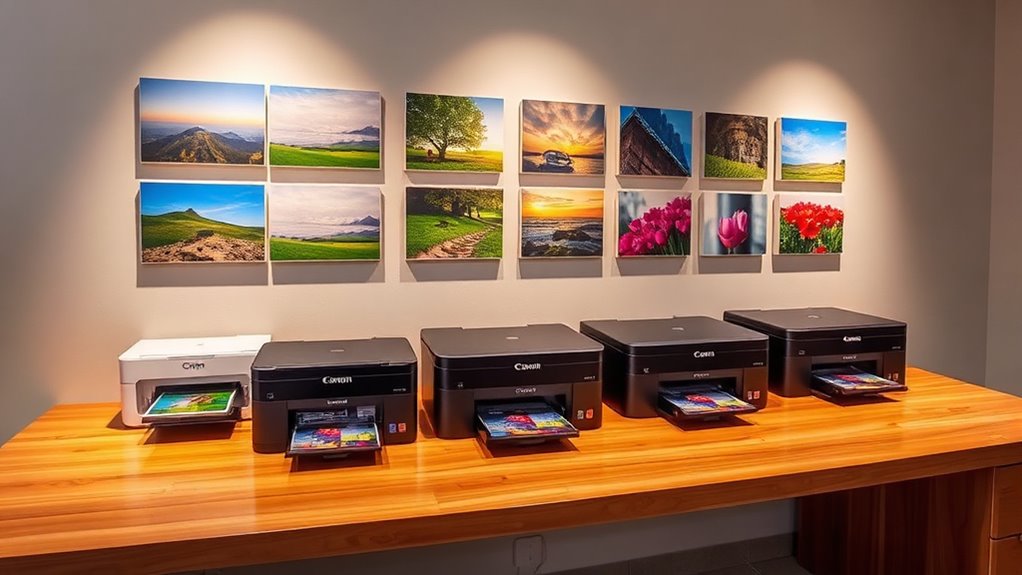
If you’re on the hunt for the best Canon A3 printers in 2027, you won’t be disappointed. These printers are designed to deliver stunning, high-quality prints that bring your photos and projects to life.
Whether you need vibrant colors, sharp details, or impressive resolutions, Canon has you covered.
Models like the Canon PIXMA PRO-200S and the imagePROGRAF PRO-310 stand out for their excellent print quality. Plus, they come with user-friendly features and great connectivity options.
This makes them perfect for both professionals and enthusiasts who want reliable performance without the hassle.
Curious to find more fantastic Canon A3 printers and learn what makes each one unique? Keep exploring—we’ve got all the details you need to choose the perfect printer for your needs!
| Image | Name | Editor's Rating | Price |
|---|---|---|---|

|
|
||

|
|
||

|
|
||

|
|
||

|
|
Canon PIXMA PRO-200S Wireless Inkjet Photo Printer
- 8 COLOR dye-based ink system produces vibrant, high quality prints.
- BORDERLESS PRINTING from 3.5” x 3.5” up to 13” x 19”.
- HIGH SPEED PRINTING — bordered A3+ print in just 90 seconds or bordered 8" x 10" print in 53 seconds.

The Canon PIXMA PRO-200S Wireless Inkjet Photo Printer delivers professional-grade prints with ease. Its 8-color dye-based ink system produces vivid, true-to-life images, solving common issues with color accuracy and print quality. This printer supports various media sizes, from small snapshots to large 13” x 19” prints, giving artists and photographers flexibility for diverse projects.
Designed for convenience, the PRO-200S connects seamlessly via Wi-Fi, Ethernet, or USB, allowing hassle-free printing from multiple devices. The built-in 3.0-inch color LCD monitor helps monitor ink levels and adjust settings quickly, simplifying routine maintenance and reducing downtime.
While the printer is robust, weighing 32 pounds, it fits well in a dedicated workspace. It focuses purely on printing, so users won’t find scanning or copying features here. Print speeds are efficient for typical use but may not suit high-volume needs.
This printer is ideal for those who prioritize exceptional print quality and versatile media handling in a compact, wireless device.
Best for: Photographers and artists needing high-quality photo prints with flexible media options.
What We Like:
- High-quality, vivid prints with 8-color dye ink
- Supports a wide range of media sizes up to 13″ x 19″
- Multiple connectivity options including Wi-Fi and Ethernet
- Easy ink and setting management via color LCD screen
- Energy Star certified for eco-friendly printing
Specification:
| Feature | Details |
|---|---|
| Manufacturer | Canon |
| Dimensions | Not specified |
| Weight | 32 lb (approx. 14.5 kg) |
| Ink System | 8-color dye-based |
| Max Print Resolution | 4800 x 2400 dpi |
| Media Size Range | 3.5” x 3.5” to 13” x 19” |
| Connectivity | Wi-Fi, Ethernet, USB |
| Display | 3.0-inch color LCD |
| Certification | Energy Star |
Canon imagePROGRAF PRO-310 Wireless Inkjet Photo Printer
- 9 COLOR + CHROMA OPTIMIZER pigment-based ink system produces gallery-quality prints.
- EASE OF USE — ultimate productivity with Anti-Clogging System and Skew Correction.
- MATTE BLACK INK offers enhanced black density and wider dark area reproduction range.
The Canon imagePROGRAF PRO-310 Wireless Inkjet Photo Printer is designed to meet the demands of professional photographers and artists who require precise, vibrant prints. Its 9-color pigment ink system ensures your images maintain rich, accurate colors and fine details, helping you showcase your work with confidence.
This printer’s 1200 x 1200 dpi resolution delivers sharp, high-quality prints that bring out the best in your photos and artwork. The advanced LUCIA PRO II Ink System improves gloss uniformity and adds scratch resistance, so your prints remain flawless over time.
Connectivity is straightforward with options including Wi-Fi, Ethernet, and USB, allowing easy integration into your existing setup. While it is a dedicated photo printer without scanning or copying capabilities, its specialized design focuses entirely on producing superior print results.
Maintenance involves managing the pigment ink cartridges, which are engineered for longevity and consistent output. Though the printer is relatively heavy and requires a dedicated space, its robust build supports professional studio use.
Best for: Professional photographers and artists seeking high-quality, detailed prints with vibrant color accuracy.
What We Like:
- Exceptional color depth with 9-color pigment ink system
- Durable, scratch-resistant prints via LUCIA PRO II Ink System
- Versatile connectivity options for seamless workflow integration
- High resolution ensures sharp and vivid output
Specification:
| Feature | Details |
|---|---|
| Manufacturer | Canon |
| Dimensions (W×D×H) | 28.7 × 18.6 × 14.04 inches |
| Weight | 31.6 pounds |
| Ink System | 9-color LUCIA PRO II pigment |
| Connectivity | Wi-Fi, Ethernet, USB |
Canon IP8720 Wireless Printer, AirPrint and Cloud Compatible, Black
No products found.
Experience vibrant, professional-quality prints with the Canon IP8720 wireless printer. Designed to handle large-format projects, it produces stunning images up to 13 x 19 inches with sharp detail and rich colors at 9600 x 2400 dpi resolution. This printer helps you bring your creative ideas to life with ease.
The Canon IP8720 supports seamless wireless printing from any Wi-Fi enabled device. Mobile printing via AirPrint and Google Cloud simplifies your workflow, allowing you to print directly from smartphones and tablets. Its quiet mode keeps noise to a minimum during operation, enhancing your workspace comfort.
Maintenance is straightforward but consider the multiple ink cartridges (PGI 250 and CLI 251), which may increase ongoing costs for frequent use. The 150-sheet paper capacity is ample for most projects, though print speeds for color documents are moderate compared to some other models.
Additional features like CD/DVD printing and Full HD Movie Print offer creative flexibility, making this printer ideal for photography enthusiasts and professionals who require high-quality, large-format prints.
Best for: Photography enthusiasts and professionals seeking reliable, high-resolution prints up to 13 x 19 inches with versatile wireless capabilities.
What We Like:
- High-resolution printing up to 9600 x 2400 dpi for detailed images.
- Versatile wireless connectivity including AirPrint and Google Cloud.
- Quiet mode reduces operational noise.
- Creative options like CD/DVD printing and Full HD Movie Print.
Specification:
| Feature | Details |
|---|---|
| Manufacturer | Canon |
| Maximum Print Size | 13 x 19 inches |
| Resolution | 9600 x 2400 dpi |
| Paper Capacity | 150 sheets |
| Connectivity | Wireless, AirPrint, Google Cloud |
| Noise Level | Approximately 43.5 dB(A) |
| Ink System | PGI 250 and CLI 251 cartridges |
| Color | Black |
Canon PIXMA G620 Wireless All-in-One Printer
- Never run out of ink. Connect your printer to Alexa and receive notifications when you’re running low. Alexa can even...
- Enrolling in Smart Reorders with Alexa ensures that you never have too much or too little ink supplies. No subscription...
- MEGATANK HIGH PAGE YIELD: Print up to 3,800 4” x 6” color photos on a full set of ink.
Experience vibrant, professional-quality prints with the Canon PIXMA G620 Wireless All-in-One Printer. Designed for users who demand rich color and sharp detail, this device combines print, copy, and scan functions in a compact form. Its innovative 6-color dye-based ink system, including Red and Gray inks, expands the color range for more lifelike photos.
This printer solves the problem of high printing costs by delivering up to 3,800 4” x 6” photos per ink set, making it ideal for frequent photo printing. With a resolution of 4800 x 1200 dpi, every image comes out crisp and detailed. Wireless and USB connectivity options provide flexible setup in any workspace.
Maintenance is straightforward with a single ink set that lasts long, reducing downtime and ink replacements. Its moderate sheet capacity and weight make it suitable for home or small office use, though larger print jobs may require more frequent paper refills. While print speed is modest, the emphasis remains on quality over quantity.
The Canon PIXMA G620 fits seamlessly into creative environments where vivid photo printing and multifunction capabilities are essential.
Best for: Photography enthusiasts seeking vibrant, high-quality prints in a compact, all-in-one device.
What We Like:
- High-resolution printing at 4800 x 1200 dpi for detailed images
- Cost-effective printing with low cost per 4” x 6” photo
- Multiple connectivity options including Wi-Fi and USB
- Expanded color range from the 6-color dye-based ink system
- Compact design suitable for limited space environments
Specification:
| Feature | Details |
|---|---|
| Manufacturer | Canon |
| Dimensions | Not specified |
| Weight | 19.5 lb (8.85 kg) |
| Ink System | 6-color dye-based (including Red and Gray) |
| Print Resolution | 4800 x 1200 dpi |
| Connectivity | USB, Wi-Fi |
| Sheet Capacity | 50 sheets |
Canon PIXMA TS9521Ca – Wireless Home All-in-One Inkjet Printer
- ALL-IN-ONE: Print, Copy, Scan features for full control at your fingertips. Comes with a 1 year limited warranty.
- FAST PRINT SPEEDS: Print approximately 15 (black) / 10 (color) images per minute.
- EASY SETUP and INSTALL: Get running in just a few minutes thanks to a streamlined and easy setup process out of the box...
The Canon PIXMA TS9521Ca is designed to meet the needs of creative users who require a flexible all-in-one printer. It handles various print tasks with ease, offering sharp, vibrant output thanks to its high resolution of 4800 x 1200 dpi. This ensures your projects, from photos to documents, look professional and detailed.
Its versatile media handling allows you to print on multiple sizes, including banners and envelopes, reducing the hassle of switching devices. The 200-sheet paper capacity and automatic duplex printing help streamline your workflow by minimizing paper refills and manual intervention.
Wireless connectivity makes printing from mobile devices convenient, freeing you from desk-bound restrictions. The intuitive 4.3” touch LCD screen simplifies setup and operation, providing easy access to printer functions without confusion.
Routine maintenance is straightforward, but keep in mind the 20-sheet automatic document feeder may limit efficiency for large scanning or copying jobs. Print speeds are moderate, focusing more on quality than quick output for high-volume tasks.
Best for: Creative professionals and home office users who need a versatile printer capable of handling various media types with wireless convenience.
What We Like:
- High-resolution printing delivers vibrant, detailed images
- Wireless printing from smartphones and tablets enhances convenience
- Easy-to-use 4.3” touch LCD streamlines navigation and operation
- Supports a wide range of media sizes including banners and envelopes
- Automatic duplex printing reduces paper waste and manual effort
Specification:
| Feature | Details |
|---|---|
| Manufacturer | Canon |
| Dimensions (W×D×H) | Approx. 17.7 × 14.6 × 5.9 in (45 × 37 × 15 cm) |
| Weight | Approx. 14.5 lb (6.6 kg) |
| Color Options | White |
| Paper Capacity | 200 sheets |
| Automatic Document Feeder | 20 sheets |
| Print Resolution | Up to 4800 x 1200 dpi |
Canon MegaTank G3270 All-in-One Wireless Color Printer
- Wireless Print/Copy/Scan
- Up to 2 years of ink included (2)
- Print up to 6,000 black & white / 7,700 color pages using a single set of inks! (1)
The Canon MegaTank G3270 All-in-One Wireless Color Printer offers a smart printing solution for home and small office environments. Its compact design makes it easy to fit in tight spaces without sacrificing functionality. You can handle printing, scanning, and copying tasks all from one device, streamlining your workflow.
With its MegaTank ink system, this printer drastically reduces the need for frequent ink replacements. You can print thousands of pages in both black-and-white and color, which helps lower your overall printing costs. This feature is ideal for users with high-volume printing needs.
Wireless connectivity allows you to print directly from smartphones, tablets, or laptops without hassle. The printer supports borderless printing and holds up to 100 sheets, making it convenient to manage various documents and projects.
While the color print speed is moderate, it balances quality and efficiency for everyday use. The single paper tray may require manual switching for different media types, so plan accordingly.
Best for: Individuals or small offices looking for an affordable, high-capacity printer with versatile functions and wireless convenience.
What We Like:
- High ink capacity reduces frequent refills
- Compact size fits small workspaces
- All-in-one functionality for printing, scanning, and copying
- Wireless printing from multiple devices
- Borderless printing and 100-sheet paper capacity
Specification:
| Feature | Details |
|---|---|
| Manufacturer | Canon |
| Dimensions | Compact, fits desktop |
| Weight | 13.2 lb (6 kg) |
| Color Options | Black |
| Connectivity | Wireless |
Canon imagePROGRAF TC-21 Large Format Printer

- Quality Prints: The 4-color ink printer delivers crisp text and vibrant images for attention grabbing posters on a wide...
- Ships with a full set of ink: The imagePROGRAF TC-21 ships with 280 ml (70 ml of each color), the most in its class.
- 24" desktop roll printer with automatic sheet feeder: The imagePROGRAF TC-21 can print up to 24" wide on a variety of...
Need to print large-format projects without hassle? The Canon imagePROGRAF TC-21 is designed to deliver reliable, high-quality prints for banners, signage, and artistic work. Its ability to handle media up to 24 inches wide lets you create impressive visuals with ease.
This printer combines sharp detail and vibrant color with a high print resolution of 1200 x 1200 dpi. You’ll benefit from smooth operation thanks to the intuitive, tiltable touchscreen and built-in Wi-Fi, which simplifies printing from multiple devices without cables.
Maintenance is straightforward, helping reduce downtime. While the TC-21 weighs 71 pounds, its robust build supports consistent output, although the limited 280 ml ink capacity means frequent refills for larger jobs. Print speeds are moderate, balancing quality with efficiency.
The Canon imagePROGRAF TC-21 is a practical choice for professionals who need dependable large-format printing without complicated setup or maintenance.
Best for: Professionals and businesses needing a reliable large-format printer for high-quality banners, signage, and artistic prints.
What We Like:
- Crisp 1200 x 1200 dpi resolution for detailed, vibrant prints
- Built-in Wi-Fi enables cable-free printing from multiple devices
- User-friendly, tiltable touchscreen for easy navigation
- Simple maintenance features reduce downtime
Specification:
| Feature | Details |
|---|---|
| Manufacturer | Canon |
| Maximum Media Width | 24 inches (61 cm) |
| Weight | 71 lbs (32.15 kg) |
| Ink Capacity | 280 ml total |
| Connectivity | Built-in Wi-Fi |
Canon PIXMA TR160 Color Wireless Portable Printer

- LIGHTWEIGHT AND PORTABLE - Connect and print on the go with the PIXMA TR160. This lightweight portable printer can fit...
- HIGH-QUALITY PRINTING ON THE GO - Print documents and photos up to 8.5” x 11” that showcase sharp black text and...
- SIMPLE & EASY CONNECTIVITY - Printing is only an app away when using the Canon PRINT app, Apple AirPrint4, or Mopria...
The Canon PIXMA TR160 offers a practical solution for those needing reliable printing on the move. Its compact and lightweight design makes it easy to carry, fitting neatly into bags for travel or remote work. This printer helps you stay productive without the bulk of traditional devices.
Printing quality won’t be compromised thanks to its 5-Color Hybrid Ink System, which delivers crisp black text and vibrant color images. The high resolution of up to 4800 x 1200 dpi ensures professional-looking documents and photos wherever you are. Wireless printing through apps and a USB Type C port add versatility to your workflow.
Maintenance is straightforward with a clear 1.44” OLED display that shows ink levels and settings at a glance. While it supports standard paper sizes up to 8.5” x 11”, the absence of a built-in battery means you’ll need an additional power source for full portability.
This printer is designed to improve your mobile office setup by combining quality, convenience, and flexibility in a small package.
Best for: Professionals and travelers who require a lightweight, portable printer for high-quality prints anywhere.
What We Like:
- Easy to carry with compact, lightweight design
- Sharp text and vibrant color output with high print resolution
- Multiple connectivity options including wireless and USB Type C
- User-friendly OLED display for quick status checks
Specification:
| Feature | Details |
|---|---|
| Manufacturer | Canon |
| Dimensions | 12.7 x 7.3 x 2.6 inches |
| Weight | 4.5 pounds |
| Ink System | 5-Color Hybrid Ink System |
| Maximum Resolution | 4800 x 1200 dpi |
| Connectivity | Wireless, USB Type C |
| Display | 1.44” OLED |
| Max Paper Size | 8.5” x 11” |
Canon Selphy CP1500 Wireless Compact Photo Printer (Black)
No products found.
The Canon Selphy CP1500 offers a practical solution for those who want to print high-quality photos anytime, anywhere. Its compact and lightweight design means you can easily carry it to events or trips without hassle. This printer connects seamlessly via Wi-Fi, USB, or memory cards, letting you print directly from your devices without complicated setups.
Designed for convenience, the Selphy CP1500 features a clear 3.5” LCD screen that simplifies photo editing and previewing before printing. You can choose from multiple print sizes like 4”x6”, square, or mini label stickers, allowing for creative customization. The instant-dry prints are also water-resistant and durable, preserving your memories for up to 100 years.
Maintenance is straightforward, though it requires specific photo paper, which may add to the overall cost. While it offers excellent portability and print quality, users should note the print speed is slower than larger printers and print size options are limited.
This printer fits well in homes, parties, or travel settings, delivering vibrant photos without the bulk of traditional printers.
Best for: Users who need a reliable, portable photo printer delivering sharp, durable prints directly from various devices.
What We Like:
- Lightweight, compact design for easy portability
- Multiple connectivity options including Wi-Fi and USB
- Instant-dry, water-resistant prints for long-lasting photos
- Simple photo editing with a clear 3.5” LCD screen
Specification:
| Feature | Details |
|---|---|
| Manufacturer | Canon |
| Dimensions | Not specified |
| Weight | 1.58 kg (3.48 lb) |
| Color Options | Black |
| Print Sizes | 4”x6”, square, mini label stickers |
Canon SELPHY CP1500 Compact Photo Printer with Ink

- Kit Includes 3 Products—All Brand New Items with all Manufacturer-supplied Accessories + Full USA Warranties:
- [1] Canon SELPHY CP1500 Compact Photo Printer | Black + [2] (2) Canon KP-108IN Color Ink And Paper Set
- Canon SELPHY CP1500 Compact Photo Printer | Black Features: Portable Design with Battery Support, Print Off SD Card, USB...
Capturing and printing memories on the spot becomes simple with the Canon SELPHY CP1500 Compact Photo Printer. This printer offers a sleek, portable design that fits easily into any bag, making it ideal for travel or events. It prints sharp, vibrant 4 x 6-inch photos directly from your SD card, USB drive, or computer, eliminating the need for bulky equipment.
Connectivity is straightforward thanks to built-in Wi-Fi and Bluetooth. You can quickly connect multiple devices without cables, enhancing convenience whether at home or on the move. The intuitive 3.5-inch LCD screen helps you navigate menus and preview images before printing, reducing the chance of errors.
Maintenance is hassle-free with the included Canon KP-108IN color ink and paper set, designed for easy replacement. The printer’s compact size and lightweight build make it easy to carry, while the fast printing speed of ten color pages per minute ensures you won’t be kept waiting.
While it handles standard 4 x 6-inch photo prints well, the single tray limits versatility in paper types. This printer is best suited for those who prioritize portability and quality photo printing in a compact format.
Best for: Travelers and photography enthusiasts who want quick, high-quality prints without bulky equipment.
What We Like:
- Portable, lightweight design with battery support for on-the-go use
- Fast 10 pages per minute print speed for vibrant color photos
- Multiple connectivity options including Wi-Fi and Bluetooth
- Easy-to-use 3.5-inch LCD for image preview and navigation
Specification:
| Feature | Details |
|---|---|
| Manufacturer | Canon |
| Dimensions | Compact (precise size not provided) |
| Weight | Lightweight |
| Media Size | 4 x 6 inches |
| Connectivity | Wi-Fi, Bluetooth, USB, SD card |
| Display | 3.5-inch LCD |
| Ink & Paper | Canon KP-108IN color set |
Factors to Consider When Choosing a Canon A3 Printer
When you’re choosing a Canon A3 printer, it’s essential to weigh several key factors. Think about print quality, connectivity options, and the ink system costs. These can greatly impact your printing experience.
Also, consider the size and design to guarantee it fits your workspace perfectly. It’s all about making sure the printer works well for you and your setup.
Key Features to Evaluate
Choosing the right Canon A3 printer involves evaluating several key features to guarantee it meets your specific needs. First, consider the print resolution; higher dpi, like 4800 x 2400 or 1200 x 1200, assures sharper images.
Next, examine the ink system—dye-based inks offer vibrant colors, while pigment-based ones provide longevity. Also, check the print speed, which varies from about 2 to 15 ppm, to match your workflow.
Media handling is essential; make sure it supports A3 and has a capacity of 50 to 100 sheets. Finally, look for connectivity options like Wi-Fi, Ethernet, and USB ports for seamless printing from multiple devices.
Evaluating these features will help you choose the perfect printer for your needs. It’s all about finding what works best for you!
Print Quality and Resolution
Print quality and resolution are pivotal in selecting the right Canon A3 printer for your needs. Higher resolutions, like 4800 x 2400 dpi, deliver sharper, more detailed images compared to lower options.
You’ll want to take into account the ink system; dye-based inks produce vibrant colors for photos, while pigment-based inks offer better longevity and color accuracy for professional prints. If you aim for peak quality, choose printers that support borderless printing sizes, such as 13” x 19”, to eliminate white edges.
An 8-color or 9-color ink system expands the color gamut, guaranteeing more accurate color reproduction and smoother gradients. Finally, verify the printer can handle A3 or larger formats for projects requiring extensive detail and a polished presentation.
Ink System and Costs
Understanding the ink system and costs is essential for selecting the ideal Canon A3 printer. Dye-based inks deliver vibrant colors but may need more frequent replacement, while pigment-based inks offer durability.
If you’re looking for superior print quality, consider models with 8 or 9-color systems. Just keep in mind, this may raise ongoing ink costs.
To evaluate cost efficiency, check the page yield of cartridges. Higher yield options can lower your cost-per-print despite a higher initial price.
Additionally, printers with MegaTank systems allow for bulk refills. This can considerably reduce printing costs, especially for high-volume users.
Always consider the availability and price of replacement inks. These factors can vary widely and directly influence your overall printing expenses.
Connectivity Options Available
When selecting a Canon A3 printer, consider the variety of connectivity options available. Most A3 printers offer Wi-Fi, Ethernet, and USB connections, giving you flexibility for your printing setup.
Wi-Fi connectivity lets you print wirelessly from your smartphone, tablet, or computer, which makes it super convenient. Some models even support Wireless Direct Mode, allowing you to connect without needing a router.
USB connections are commonly available for direct links to your computer, ensuring reliable data transfer for your print jobs. Additionally, many printers are compatible with mobile printing solutions like AirPrint and Google Cloud Print.
Size and Design Considerations
Choosing the right size and design for your Canon A3 printer is essential, especially if space is at a premium in your workspace. Look at the dimensions; most models measure around 28.7D x 18.6W x 14H inches, which can affect where you place it.
Weight is another key factor, with A3 printers typically ranging from 31 to 71 pounds. This can impact portability and installation, so keep that in mind.
If space is tight, opt for compact designs that still maintain A3 media compatibility. It’s all about finding the balance between size and functionality.
Also, consider the maximum sheet capacity; some models hold up to 100 sheets, which can really boost your workflow efficiency.
Finally, make sure the design allows easy access for maintenance and ink replacement. This will enhance your experience and help prolong the printer’s lifespan.
Frequently Asked Questions
What Is the Best Paper Type for A3 Printing?
For A3 printing, you’d want to use high-quality photo paper or fine art paper. These types really bring out the colors and details in your prints, making them look professional.
Also, don’t forget to pick the right finish for your project! It can make a big difference in how your final print turns out.
How Do I Maintain My Canon A3 Printer?
Did you know regular maintenance can extend your printer’s life by up to 30%? Cleaning the print head is a great place to start. It helps keep your prints sharp and clear.
Also, make sure to use high-quality ink. Cheap ink might save money upfront but can cause clogs or damage over time.
And don’t forget to check for paper jams regularly. Clearing jams promptly keeps everything running smoothly and avoids bigger problems down the line. Just a little care goes a long way with your Canon A3 printer!
Can I Use Third-Party Ink Cartridges?
Yes, you can use third-party ink cartridges in your Canon A3 printer. Just make sure they’re compatible to avoid any issues.
That said, using original cartridges usually gives you better print quality. Plus, it helps keep your printer’s warranty intact.
What Are the Common Troubleshooting Tips for A3 Printers?
When your printer’s acting like a stubborn mule, try rebooting it, checking connections, or clearing jams.
Regular maintenance keeps it humming smoothly, just like oiling a machine guarantees it runs efficiently and effectively.
How Do I Connect My Printer to Wi-Fi?
To connect your printer to Wi-Fi, start by accessing the printer’s menu. Then, select the “Network” settings option.
Next, choose “Wireless Setup” and follow the prompts to enter your Wi-Fi password. Once you’re connected, you’re all set!
Now, you can print wirelessly without any hassle. Pretty simple, right?
Conclusion
In the world of printing, “you get what you pay for,” so investing in a quality Canon A3 printer is essential for achieving stunning results. Whether you’re a professional photographer or a hobbyist, the right printer can make all the difference.
With options like the Canon PIXMA PRO-200S and imagePROGRAF PRO-310, you’re sure to find the perfect match for your needs. These models deliver vibrant colors and sharp details that bring your images to life.
Choosing wisely means considering your specific printing needs and budget. When you select one of the best Canon A3 printers, you’re investing in reliability and exceptional print quality. So, pick a Canon A3 printer that suits your workflow, and watch your visions come to life on paper with stunning, professional-grade prints every time!