6 Best Canon EcoTank Printers for 2027 That Save You Money
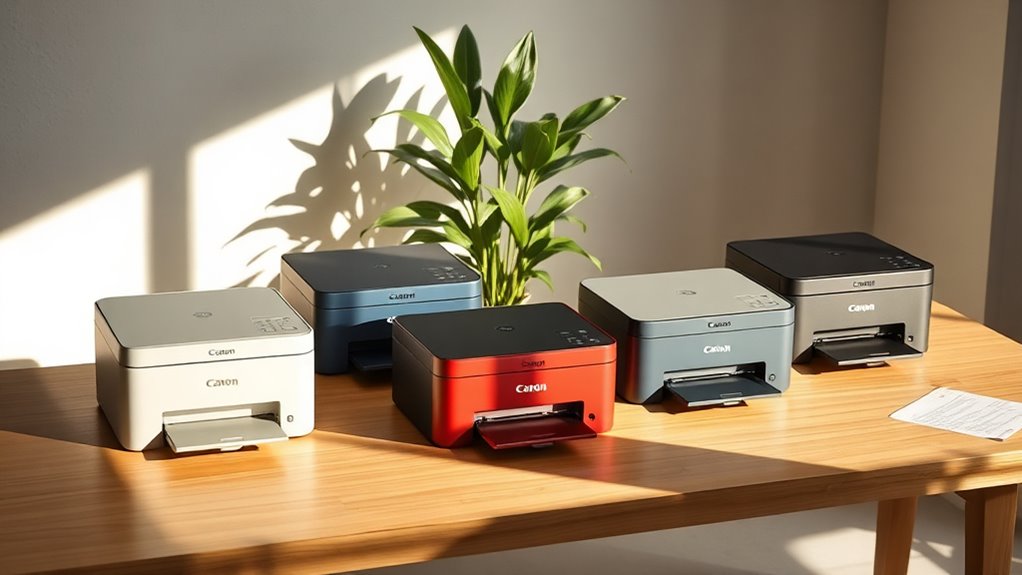
If you’re looking for affordable printing options, you should definitely check out the six best Canon EcoTank printers for 2027. These printers are designed to save you money with their high-yield ink tanks, so you won’t have to worry about constantly buying ink cartridges.
Plus, they offer great value for home and office use.
Models like the Canon MegaTank G3270 and G3290 provide all-in-one functionality, making printing, scanning, and copying super easy. If you need a reliable printer for office tasks, the MAXIFY GX2020 is a solid choice.
And for those who want vibrant, high-quality photo prints, the PIXMA G620 stands out.
Each Canon EcoTank printer combines wireless convenience with user-friendly features, making your printing experience smooth and hassle-free.
There’s a lot more to discover about these top picks, so keep reading!
| Image | Name | Editor's Rating | Price |
|---|---|---|---|

|
|
||

|
|
||

|
|
||

|
|
||

|
|
Canon MegaTank G3270 All-in-One Wireless Color Printer
- Wireless Print/Copy/Scan
- Up to 2 years of ink included (2)
- Print up to 6,000 black & white / 7,700 color pages using a single set of inks! (1)

The Canon MegaTank G3270 All-in-One Wireless Color Printer is designed to simplify your home or small office printing tasks. It combines printing, copying, and scanning in one compact device, saving space without sacrificing functionality. This printer addresses the need for reliable, everyday document handling with ease.
Its MegaTank technology significantly reduces the hassle of frequent ink changes. With the ability to print thousands of pages on a single ink set, it keeps you focused on your work instead of maintenance. The wireless connectivity option ensures seamless integration with your devices, offering convenience and flexibility for busy users.
This printer’s design is straightforward, with easy setup and operation in mind. While the print speed is moderate, it balances quality and efficiency, especially for black and white documents. The 100-sheet tray suits typical daily use but might require refills during heavier workloads.
Maintenance is simple, thanks to the high-capacity ink tanks and user-friendly interface. Although it weighs 13.2 pounds, its compact footprint makes it suitable for desks with limited space.
Best for: Home and small office users seeking a reliable, multifunction printer with high ink capacity and wireless convenience.
What We Like:
- High ink capacity reduces refill frequency
- Multifunction design saves space and adds versatility
- Wireless and USB connectivity for flexible device use
- Compact size fits small work areas
Specification:
| Feature | Details |
|---|---|
| Manufacturer | Canon |
| Dimensions | Approx. 17.7 x 13.5 x 7.9 inches |
| Weight | 13.2 lb (6.0 kg) |
| Color Options | Black |
Canon Megatank G3290 All-in-One Wireless Printer
- Wireless Print/Copy/Scan (2)
- Up to 2 years of ink included
- Print up to 6,000 black & white / 7,700 color pages using a single set of inks! (1)
The Canon Megatank G3290 All-in-One Wireless Printer offers a practical solution for home offices and personal use. Its MegaTank refillable ink system addresses high printing costs by enabling users to print thousands of pages without frequent cartridge replacements. This lowers ongoing expenses and minimizes interruptions for maintenance.
Designed with ease of use in mind, the printer features a 2.7” color touchscreen that simplifies navigation through settings and tasks. Its auto-duplex printing function helps reduce paper waste by printing on both sides automatically. This enhances efficiency, especially for multi-page documents.
The device supports various media types and sizes, making it versatile for a range of projects from documents to creative prints. Wireless connectivity and mobile printing options allow seamless printing from smartphones or other devices anywhere within your home network.
While the setup might challenge users new to wireless printers, its overall design supports convenient operation and maintenance. The printer’s size may require an adequately sized workspace but compensates with its multifunctional capabilities.
Best for: Home and small office users looking for a cost-effective, versatile printer with high page yields.
What We Like:
- High page output with refillable MegaTank ink system
- Auto-duplex printing reduces paper usage and saves time
- Wireless and mobile printing enhance convenience
- Clear touchscreen interface simplifies operation
Specification:
| Feature | Details |
|---|---|
| Manufacturer | Canon |
| Dimensions | Approx. 17.7 x 12.6 x 7.5 inches (45 x 32 x 19 cm) |
| Weight | About 11.7 lbs (5.3 kg) |
| Ink System | Refillable MegaTank |
| Connectivity | Wireless, USB |
| Display | 2.7” color touchscreen |
Canon MAXIFY GX2020 All-in-One Wireless Color Printer
- Wireless Print/Copy/Scan/Fax (2)
- Print up to 3,000 black & white / 3,000 color pages using a single set of inks! (1)
- 2.7” LCD Color Touchscreen
The Canon MAXIFY GX2020 is designed to streamline your home office tasks with ease and reliability. Its all-in-one functionality lets you print, scan, copy, and fax without switching devices, saving valuable time and workspace. Wireless connectivity means you can print from multiple devices seamlessly, removing the hassle of cables.
Maintenance is simple thanks to its high ink yield, which supports up to 3,000 pages per ink set. This reduces frequent refills and keeps your workflow uninterrupted. The 2.7-inch LCD touchscreen and 35-sheet automatic document feeder make daily operations straightforward and efficient.
This printer is ideal for small offices or home users who need consistent, quality printing without complex setups. While the print speed is moderate, it balances well with the affordable running costs and multifunction capabilities. The color resolution is sufficient for everyday documents but may not satisfy those requiring high-end photo quality.
Best for: Home office users needing an efficient and multifunctional printer that simplifies everyday document tasks.
What We Like:
- High ink yield reduces refill frequency
- Wireless connectivity for easy device pairing
- User-friendly touchscreen and automatic document feeder
- Compact design fits easily in small workspaces
Specification:
| Feature | Details |
|---|---|
| Manufacturer | Canon |
| Dimensions (W x D x H) | 18.1 x 14.7 x 9.8 inches |
| Weight | 17.8 lb (8.1 kg) |
| Color Options | Black |
Canon PIXMA G620 Wireless All-in-One Printer
- Never run out of ink. Connect your printer to Alexa and receive notifications when you’re running low. Alexa can even...
- Enrolling in Smart Reorders with Alexa ensures that you never have too much or too little ink supplies. No subscription...
- MEGATANK HIGH PAGE YIELD: Print up to 3,800 4” x 6” color photos on a full set of ink.
The Canon PIXMA G620 Wireless All-in-One Printer brings vibrant, professional-quality photo printing right to your home. Its advanced 6-color dye-based ink system, including unique Red and Gray inks, expands the color range and captures every subtle shade. This means your photos come out with richer, more accurate colors that truly stand out.
Designed for ease and efficiency, this printer produces up to 3,800 4” x 6” color photos from a single ink set. This helps reduce the hassle of frequent refills and lowers your printing costs significantly. The high resolution of 4800 x 1200 dpi ensures sharp details, making it ideal for photography enthusiasts.
Maintenance is straightforward with the refillable ink tanks, allowing you to keep printing without interruption. The compact design fits neatly into your workspace, while Wi-Fi and USB options make connecting and printing from multiple devices simple and convenient.
While the printer offers excellent print quality, its speed of 3.9 pages per minute may not suit high-volume tasks. Also, its maximum media size is limited to 8.5 x 14 inches, and at 19.5 pounds, it is less portable than smaller models.
Best for: Photography enthusiasts needing a compact printer that delivers detailed, cost-effective color prints.
What We Like:
- Expanded color range with 6-color ink system
- Low cost per photo with high ink yield
- Crisp, high-resolution prints at 4800 x 1200 dpi
- Easy refillable ink tanks for convenient maintenance
- Wireless and USB connectivity options
Specification:
| Feature | Details |
|---|---|
| Manufacturer | Canon |
| Dimensions (W×D×H) | Not specified |
| Weight | 19.5 lb (8.85 kg) |
| Ink System | 6-color dye-based (including Red and Gray) |
| Max Media Size | 8.5 x 14 inches |
| Print Resolution | 4800 x 1200 dpi |
| Connectivity | Wi-Fi, USB |
Canon PIXMA TS9521Ca – Wireless Home All-in-One Inkjet Printer
- ALL-IN-ONE: Print, Copy, Scan features for full control at your fingertips. Comes with a 1 year limited warranty.
- FAST PRINT SPEEDS: Print approximately 15 (black) / 10 (color) images per minute.
- EASY SETUP and INSTALL: Get running in just a few minutes thanks to a streamlined and easy setup process out of the box...
The Canon PIXMA TS9521Ca is designed to meet the needs of families and creative users who want more than just basic printing. Its all-in-one functionality allows you to print, scan, and copy with ease, helping you manage everyday tasks and special projects from a single device.
This printer handles various media types, including banners and photos, making it perfect for craft enthusiasts. The wireless connectivity lets you print directly from your smartphone or tablet, so you can work conveniently from anywhere in your home.
Maintenance is straightforward but requires managing five individual ink cartridges, which can add to running costs. The automatic duplex printing and 200-sheet paper capacity reduce frequent refills and save time on double-sided documents.
With a clear 4.3” touch LCD screen, navigating settings and functions is simple, even for users unfamiliar with complex printers. While the print speed is moderate, it balances quality and efficiency, delivering sharp images at up to 4800 x 1200 dpi.
Best for: Families and creative enthusiasts needing a versatile all-in-one printer that supports diverse media and wireless use.
What We Like:
- Multifunctional: Prints, copies, and scans in one device
- High resolution: Sharp print quality up to 4800 x 1200 dpi
- Wireless printing: Easy connection to mobile devices
- Large paper capacity: Holds up to 200 sheets
- User-friendly touchscreen for simple operation
Specification:
| Feature | Details |
|---|---|
| Manufacturer | Canon |
| Dimensions | Not specified |
| Weight | Not specified |
| Color Options | Not specified |
| Print Resolution | Up to 4800 x 1200 dpi |
| Paper Capacity | 200 sheets |
| Connectivity | Wireless, mobile compatible |
Canon MegaTank G3270 All-in-One Wireless Printer

- Wireless Print/Copy/Scan
- Up to 2 years of ink included (2)
- Print up to 6,000 black & white / 7,700 color pages using a single set of inks! (1)
The Canon MegaTank G3270 is designed to tackle high printing demands while keeping costs low. Its all-in-one functionality lets you print, scan, and copy with ease, simplifying your workflow. This wireless inkjet printer supports multiple paper sizes up to 8.5 x 14 inches, offering flexibility for various projects.
Maintenance is straightforward thanks to its high-capacity ink tanks, which deliver up to 6,000 black-and-white pages and 7,700 color pages. This means fewer refills and less downtime, making it ideal for users who want to avoid frequent interruptions. Its energy-efficient design helps reduce power consumption without compromising performance.
Connectivity options include USB and Wi-Fi, enabling smooth printing from different devices around your home or office. While the print speed is modest—6 pages per minute in color—the printer excels in delivering consistent, high-quality output. Its size and weight require a dedicated space but ensure stability during operation.
Best for: Small offices or home users needing a cost-effective, multifunctional printer with a large ink capacity.
What We Like:
- High ink yield reduces refill frequency
- Multifunctional print, scan, and copy capabilities
- Wireless and USB connectivity for versatile use
- Energy Star certified for power efficiency
Specification:
| Feature | Details |
|---|---|
| Manufacturer | Canon |
| Dimensions | Not specified |
| Weight | 13.2 lb (6.0 kg) |
| Color Options | Not specified |
| Paper Size Support | Up to 8.5 x 14 inches |
Factors to Consider When Choosing a Canon Ecotank Printer
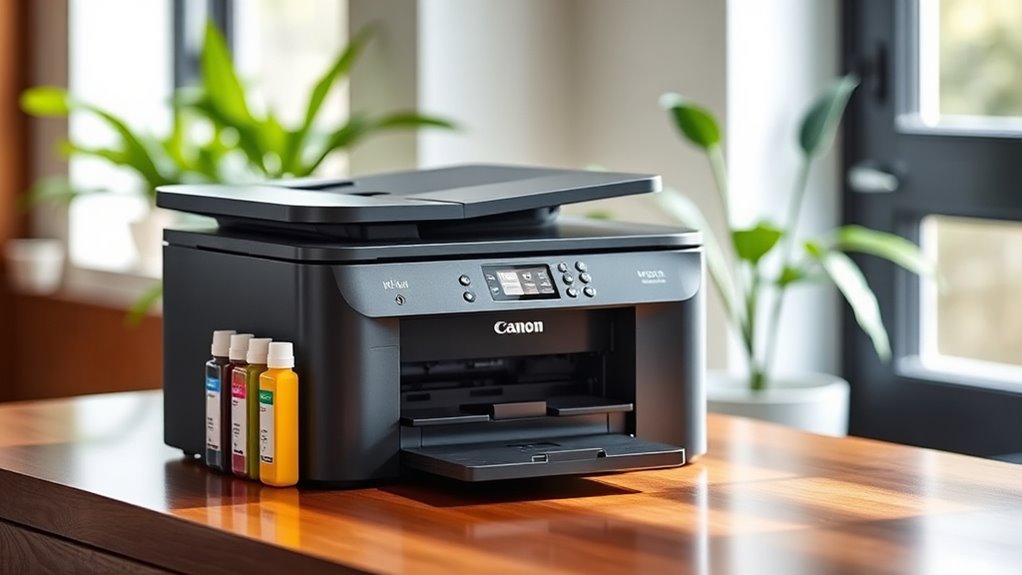
When you’re choosing a Canon EcoTank printer, consider key features like print speed, ink capacity, and connectivity options. You’ll want to assess how the printer handles different media types to meet your needs.
These factors can greatly impact your printing experience and overall satisfaction. So, take your time to think about what matters most to you before making a choice.
Key Features Comparison
Choosing the right Canon EcoTank printer involves several key features that can greatly impact your printing experience. First, consider print speed; models can deliver between 6 to 15 pages per minute for both color and black & white prints.
Print resolution is another essential factor, with capabilities ranging from 4800 x 1200 dpi for high-quality images to lower resolutions for everyday documents. It’s important to match the resolution to what you actually need.
Pay attention to ink capacity, as some printers yield up to 6,000 black & white pages and 7,700 color pages, reducing the need for frequent refills. That means less hassle and more printing.
Also, look for additional features like automatic duplex and borderless printing, along with connectivity options such as USB and Wi-Fi. These ensure compatibility and make it easier to use your printer with different devices.
Print Speed Considerations
While evaluating a Canon EcoTank printer, print speed is an essential factor that can greatly influence your printing efficiency. Typically, black and white documents print at speeds between 6 to 15 pages per minute (PPM), while color averages around 6 to 10 PPM.
If you’re in a busy environment, faster print speeds can considerably boost your productivity. Keep in mind that the complexity of your documents affects speed; simple text pages print more quickly than graphics-heavy ones.
Additionally, automatic duplex printing may slow things down since it requires more time to print on both sides. Finally, higher print resolutions can reduce speed due to the additional detail needed, so balance quality and efficiency based on your needs.
Ink Capacity and Yield
Ink capacity and yield are essential factors that can greatly impact your printing experience with a Canon EcoTank printer. Some models hold enough ink to produce up to 6,000 black-and-white pages or 7,700 color pages per set, which is fantastic for frequent printing.
Higher yield inks not only reduce your cost per page but also make your printing more economical. Many eco-friendly ink systems offer a significant number of prints before needing a refill, cutting down on waste.
Plus, refillable ink tanks can further enhance your capabilities while minimizing the environmental impact of disposable cartridges. Remember to also consider print resolution and speed, as these factors influence overall efficiency and quality.
Connectivity Options Available
When selecting a Canon EcoTank printer, connectivity options can greatly enhance your printing experience. Many models offer USB, Wi-Fi, and mobile printing capabilities, allowing seamless integration with various devices.
Wireless connectivity lets you print directly from your smartphone or tablet, making it super convenient to get documents and photos on paper. Some printers even feature app compatibility, so you can monitor and control functions right from your mobile device.
With Wi-Fi Direct, you can print without needing a router, which is perfect for situations where network access is limited. Plus, compatibility with cloud printing services means you can print from anywhere with internet access, expanding functionality and convenience.
Choose wisely to suit your needs!
Media Handling Capabilities
Media handling capabilities are essential in choosing the right Canon EcoTank printer for your needs. First, consider the maximum media size each printer can handle; options range from standard letter sizes (8.5″ x 11″) to larger formats like 8.5″ x 47.2″ for banners.
Evaluate the paper handling capacity as well—some models support up to 100 sheets for standard paper or 20 sheets for photo paper. If you’re printing photos or graphics, look for borderless printing capabilities.
Also, verify the printer supports various media types, like glossy photo paper, envelopes, and cardstock, to meet your diverse printing needs. Finally, Automatic Document Feeders (ADFs) enhance efficiency, allowing you to scan or copy multiple pages quickly, with capacities from 20 to 35 sheets.
Design and Size
Choosing the right Canon EcoTank printer involves more than just its printing capabilities; design and size play essential roles too. Consider the compact desktop design, perfect for both home and office settings.
Models like the G3270 measure 21.9″ D x 16.4″ W x 10.6″ H, making them easy to fit into your space. They weigh between 13.2 to 19.5 pounds, so their portability allows for flexible placement.
Also, the size impacts paper handling capacity. Some models hold up to 250 sheets while others manage only 100.
Look for features like borderless printing and user-friendly interfaces with LCD displays. These enhance usability and versatility.
Additional Functionalities Offered
As you explore the options for Canon EcoTank printers, consider the additional functionalities that can elevate your printing experience. Many models, like the G3290 and GX2020, offer all-in-one capabilities, letting you print, copy, scan, and fax from a single device.
Features such as automatic duplex printing save paper, while a touchscreen interface, like the 2.7-inch LCD on the G3290, makes navigation simple. If you’re always on the go, look for mobile printing options that let you print directly from your smartphone or tablet.
Additionally, functionalities like borderless printing and support for various media types—like photo paper and envelopes—open up creative possibilities tailored to your needs. Choose wisely to enhance your printing versatility!
Warranty and Support Options
When selecting a Canon EcoTank printer, warranty and support options play a significant role in your decision-making process. Most Canon MegaTank printers come with a one-year limited warranty, covering potential manufacturing defects.
If you’re a high-volume user, consider models like the Canon MAXIFY GX2020, which offer extended warranties of up to three years or 60,000 pages. You’ll also appreciate the 30-day return guarantee through Amazon, letting you return the printer if it doesn’t meet your expectations.
Canon’s extensive service network provides reliable customer support for warranty claims and troubleshooting. Plus, with spare parts available for up to five years, you’ll have long-term maintenance options to keep your printer running smoothly.
Frequently Asked Questions
How Do Canon Ecotank Printers Compare to Traditional Inkjet Printers?
Canon EcoTank printers offer lower running costs and less frequent refills compared to traditional inkjet printers. You’ll enjoy larger ink reservoirs, making them more convenient for high-volume printing without the hassle of constant cartridge changes.
It’s pretty great if you print a lot because you don’t have to worry about running out of ink all the time. Plus, refilling is easier and usually cheaper than buying new cartridges.
What Type of Ink Is Used in Canon Ecotank Printers?
Canon EcoTank printers use specially formulated pigment and dye-based inks. These inks deliver vibrant colors and sharp text, ensuring your prints look great.
You’ll enjoy low cost per page and reduced environmental impact with this ink system. It’s designed to give you quality prints without breaking the bank or harming the planet.
Can I Use Third-Party Ink in Canon Ecotank Printers?
Imagine a garden thriving with vibrant flowers; third-party ink can nourish your Canon EcoTank printer, but it might bring unexpected weeds.
You’re risking voiding warranties or damaging your printer, so choose wisely. It’s all about weighing the pros and cons before making your decision.
What Is the Average Lifespan of Canon Ecotank Printers?
Canon EcoTank printers typically last around 3 to 5 years, depending on usage and maintenance.
If you keep it clean and use quality ink, you can definitely extend its lifespan. That way, you’ll get consistent performance throughout.
Are Canon Ecotank Printers Compatible With Mobile Printing Apps?
Absolutely, Canon EcoTank printers support mobile printing apps, making your printing experience seamless.
Imagine printing from anywhere in your home! You can easily connect via Wi-Fi, ensuring your documents are just a tap away.
Conclusion
When it comes to choosing the right Canon EcoTank printer, consider your needs, your budget, and your printing habits. Whether you prioritize vibrant color prints or versatile all-in-one features, there’s a model for you.
Cost-effective ink solutions are a huge plus with these printers, helping you save more in the long run. By investing in one of these top choices, you’re not just saving money—you’re also saving time and reducing waste.
So, take the leap and explore your options. Enjoy the benefits of efficient printing in 2027, with Canon EcoTank printers designed to cut costs and boost productivity. These printers are perfect for anyone looking to combine quality, affordability, and sustainability in one smart package.