7 Best Starter Cameras for Streaming in 2027 (Top Picks)
Looking for the best starter cameras for streaming in 2027? You’re in the right place! Whether you’re just getting into streaming or upgrading your setup, having the right camera makes a huge difference. Options like the EMEET PIXY stand out with ultra-fast autofocus and smart AI tracking, perfect for keeping you in focus no matter how much you move.
If you want crisp, high-quality video, the EMEET S600 offers stunning 4K resolution and PDAF autofocus. For those who prefer smooth 1080p at 60fps, the NBPOWER camera delivers excellent value without breaking the bank.
Thinking about wireless multicam live streaming? The Logitech Mevo Start makes it super easy to switch between angles on the fly. Plus, many versatile live kits now bundle webcams, microphones, and adjustable lighting, so you get a plug-and-play setup right out of the box.
Keep exploring these options to find the perfect starter camera that fits your streaming style and setup!
| Image | Name | Editor's Rating | Price |
|---|---|---|---|

|
|
||

|
|
||
|
|
||

|
|
||

|
|
Live Video Streaming Kit, 1080P HD webcam, RGB Mic & LED Light for PC/Mac
- ALL-IN-ONE STREAMING & GAMING SETUP — Everything you need to go live in one box: a 1080P HD webcam, RGB USB...
- CRYSTAL-CLEAR 1080P VIDEO — A high-resolution CMOS sensor captures true 24-bit color up to 1920×1080 at 30FPS, with...
- STUDIO-QUALITY AUDIO, BACKED BY A 30 DAY WARRANTY — A 14mm capacitive microphone with cardioid pickup, built-in pop...
Transform your streaming experience with the Live Video Streaming Kit. Designed to deliver clear visuals and crisp audio, this all-in-one setup makes streaming simple and effective. The 1080p HD webcam features a wide-angle glass lens and digital image stabilization, ensuring your video looks sharp and steady.
The USB cardioid microphone enhances your sound with adjustable gain and vibrant RGB breathing lights, helping you communicate clearly while adding a stylish touch. An adjustable LED streaming light completes the kit, offering three color modes and ten brightness levels to illuminate your space perfectly.
This kit is plug-and-play and compatible with both PC and Mac, making it ideal for gaming, podcasting, video calls, and remote work. Its compact design is easy to maintain and set up, providing a hassle-free streaming solution. However, it is not compatible with PS5 or Xbox consoles, which limits its use to computers.
Best for: Beginners and casual streamers seeking an easy-to-use, all-in-one streaming kit for PC and Mac.
What We Like:
- Clear 1080p HD webcam with wide-angle lens and image stabilization
- USB cardioid microphone with adjustable gain and RGB lighting
- Versatile LED streaming light with multiple color and brightness settings
- Simple plug-and-play setup compatible with PC and Mac
Specification:
| Feature | Description |
|---|---|
| Manufacturer | Not specified |
| Webcam Resolution | 1080p HD |
| Lens Type | Wide-angle glass |
| Microphone Type | USB cardioid |
| Lighting Modes | 3 color modes, 10 brightness levels |
| Compatibility | PC, Mac |
| Console Compatibility | Not compatible with PS5/Xbox |
EMEET S600 4K Webcam for Streaming, Sony 1/2.55” Sensor, PDAF Autofocus
- Unmatched 4K Streaming Quality - The EMEET S600 streaming camera boasts a high-definition 4K sony 1/2.55'' sensor...
- Advanced PDAF Autofocus & Light Balance – 4K webcam S600's PDAF(Phase Detection Autofocus) tech offers significant...
- Enhanced Audio Clarity & Customizable FOV - The EMEET S600 4K streaming webcam is equipped with premium microphones that...
Experience sharp, professional-quality streaming with the EMEET S600 4K Webcam. Its Sony 1/2.55″ sensor combined with PDAF autofocus ensures your video stays clear and stable at 3840×2160 resolution. This webcam elevates your visual presence, making every frame crisp without the hassle of constant manual adjustments.
Designed with a 73° wide-angle lens and digital zoom up to 2.1x, the S600 helps you frame your shot perfectly, whether you’re close-up or capturing more of your surroundings. The dual noise-canceling microphones reduce background noise, so your voice comes through clearly, enhancing communication during streams or video calls.
The webcam’s compact build includes a handy privacy cover to protect your privacy when not in use. Its USB-C connectivity supports seamless plug-and-play setup across Windows, macOS, and Linux platforms. Maintenance is straightforward—just keep the lens clean and software updated through EMEETLINK for optimal performance.
While it doesn’t support Windows Hello facial recognition and lacks optical zoom, the S600 remains a versatile tool for creators who need consistent 4K video quality and reliable autofocus in a sleek design.
Best for: streamers and content creators seeking high-resolution 4K video quality with reliable autofocus and clear audio for professional-grade live streaming and video calls.
What We Like:
- Sharp 4K video at 30 FPS with Sony sensor and PDAF autofocus
- Dual noise-canceling microphones for clear, focused audio
- Compact design with privacy cover and USB-C connectivity
- Compatible across multiple operating systems, including Windows, macOS, and Linux
Specification:
| Feature | Details |
|---|---|
| Manufacturer | EMEET |
| Sensor | Sony 1/2.55″ |
| Resolution | 3840×2160 (4K) at 30 FPS |
| Lens Angle | 73° wide-angle |
| Zoom | Digital up to 2.1x |
| Microphones | Dual noise-canceling |
| Connectivity | USB-C |
| Compatibility | Windows, macOS, Linux |
| Privacy Cover | Included |
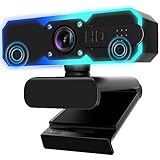
NBPOWER 1080P 60FPS Streaming Webcam with Microphone
- Full HD 1080P Streaming webcam:With Full HD 1080p 60FPS video and built-in microphone function, it helps solve the...
- Superior Low light performance:With the PC webcam camera's built-in optical sensor and Fill light, you can reduce...
- Fast focus and micphone:Web camera for desktop computer can ensure accurate focus on people's faces even when they are...
Experience crystal-clear video and effortless communication with the NBPOWER 1080P 60FPS Streaming Webcam with Microphone. Designed to deliver smooth, professional-quality visuals, it ensures your video streams and calls are sharp and lifelike. This webcam solves common issues like blurry images and low-light challenges, enhancing your online presence.
Its compact design easily clips onto laptops or monitors, making setup quick and hassle-free. The built-in autofocus and face detection adjust your image dynamically, keeping you perfectly framed without manual intervention. You’ll also benefit from the noise-canceling microphone that captures clear audio, cutting out distracting background noise.
The webcam includes an adjustable RGB fill light, improving visibility in dim environments so you always look your best. Maintenance is simple—just keep the lens clean and use the included privacy cover when not in use to protect your security. The plug-and-play USB connection works seamlessly with both Windows and Mac systems, providing reliable performance without extra software.
Best for: Streamers, remote workers, and online educators who need an easy-to-use webcam that delivers smooth 1080p video at 60fps and clear audio for professional video calls and live streaming.
What We Like:
- Smooth Full HD 1080p video at 60 FPS with autofocus and face detection
- Built-in noise-canceling microphone for clear audio quality
- Adjustable RGB fill light for enhanced low-light performance
- Simple plug-and-play USB setup compatible with Windows and Mac
- Privacy cover ensures security when the webcam is not in use
Specification:
| Feature | Description |
|---|---|
| Manufacturer | NBPOWER |
| Video Resolution | 1080P Full HD |
| Frame Rate | 60 FPS |
| Microphone | Built-in noise-canceling |
| Connectivity | USB plug-and-play |
| Compatibility | Windows, Mac |
| Dimensions | Compact design (fits laptops and monitors) |
| Additional Features | Autofocus, face detection, adjustable RGB fill light, privacy cover |
Live Video Streaming Kit with Webcam, Microphone, LED Light
- Key Features: Abel Deluxe Auto-Focus 2K Webcam 2K High Definition Video: Experience stunningly clear and sharp video...
- Compact and Portable Design: Its sleek, mini form factor makes it easy to carry and set up anywhere. Perfect for...
- Easy Setup: The plug-and-play functionality allows for a hassle-free setup. Compatible with most operating systems and...
Elevate your content creation with the Live Video Streaming Kit, crafted to simplify streaming for gamers, podcasters, and YouTubers. This all-in-one kit removes the hassle of juggling separate devices by combining clear video, quality audio, and adjustable lighting in one compact setup.
The 2K 60 FPS auto-focus webcam ensures smooth, sharp visuals, while the USB cardioid condenser microphone captures crisp sound and minimizes background noise. This helps you deliver professional streams without distractions.
Lighting is key to great video, and the 12W adjustable LED studio light on a flexible desk stand lets you tailor the brightness and angle for optimal visibility. The kit’s plug-and-play design works seamlessly with Windows, macOS, and Android devices, making setup quick and straightforward.
Maintenance is simple—wipe the LED light and webcam lens regularly to keep your visuals bright and clear. Although the kit isn’t water-resistant and uses only USB connectivity, it covers the essentials for indoor streaming with ease.
Best for: Gamers, podcasters, YouTubers, and content creators seeking a compact, easy-to-use streaming kit with quality video, audio, and lighting.
What We Like:
- High-resolution 2K 60 FPS webcam for sharp video
- USB cardioid microphone reduces background noise
- Adjustable 12W LED light on flexible stand improves lighting
- Plug-and-play compatibility with multiple platforms
Specification:
| Feature | Description |
|---|---|
| Manufacturer | Live Video Streaming Kit |
| Webcam Resolution | 2K (2560×1440) at 60 FPS |
| Microphone Type | USB cardioid condenser |
| LED Light Power | 12W adjustable |
| Compatibility | Windows, macOS, Android |
| Stand Type | Flexible desk stand |
| Connectivity | USB |
| Dimensions | Compact, fits desktop setups |
EMEET PIXY Dual-Camera AI-Powered PTZ Camera 4K with Tripod, AI Tracking
No products found.
The EMEET PIXY Dual-Camera AI-Powered PTZ Camera brings clarity and precision to your streaming setup. Its 4K Sony sensor ensures every detail is captured sharply, while the dual-camera design provides ultra-fast autofocus in just 0.2 seconds. This means you can smoothly record fast movements, ideal for fitness demonstrations or product showcases.
With an expansive 310° pan and 180° tilt range, the camera tracks your motion intelligently using AI, keeping you perfectly centered. Gesture controls add a hands-free way to adjust the view, making operation effortless during live sessions. The included adjustable tripod offers flexible placement options for any room or desk setup.
Audio is equally impressive, thanks to a 3-mic array with noise filtering modes that deliver clear, professional sound. This setup reduces background noise, making your voice crisp for online meetings or teaching. The camera connects via USB, ensuring stable and reliable performance across major platforms and devices.
Maintenance is straightforward with no onboard memory to manage, relying instead on your device’s storage. While the field of view is fixed at 4K 30 FPS or 1080p 60 FPS, this stability supports consistent, high-quality streaming without distraction.
Best for: content creators and professionals needing a fast autofocus webcam with AI tracking for dynamic presentations, streaming, or remote teaching.
What We Like:
- Ultra-fast 0.2-second dual-camera autofocus for sharp 4K video
- Wide PTZ range with intelligent AI tracking and gesture control
- Clear audio from 3-mic array with effective noise filtering
- Adjustable tripod for flexible, stable setups
Specification:
| Feature | Details |
|---|---|
| Manufacturer | EMEET |
| Resolution | 4K (3840×2160) |
| Autofocus Speed | 0.2 seconds (PDAF + AI) |
| Pan Range | 310° |
| Tilt Range | 180° |
| Microphone | 3-mic array with noise filtering |
| Connection | USB |
| Tripod | Adjustable included |
| Weight | Not specified |
EMEET NOVA 4K Webcam for PC, Ultra 4K HD, PDAF Autofocus, Dual Omni Mics
- Unrivaled 4K Performance - Experience unparalleled clarity with our EMEET NOVA 4K webcam, featuring a 30FPS rate and a...
- Precise Autofocus, Clear Display – This 4K webcam features PDAF tech for fast and accurate autofocus within a fixed...
- Superior Audio Clarity, Unmatched Compatibility – Featuring 2 built-in microphones that capture voices clearly, the...

Capture every detail with the EMEET NOVA 4K Webcam, designed to provide sharp, Ultra HD video effortlessly. It solves common video quality issues by delivering crisp 4K resolution at 30 FPS, perfect for clear and professional streaming or video calls.
The webcam’s PDAF autofocus keeps your image sharp from close-up to distant shots, adapting smoothly without manual adjustments. Dual omnidirectional microphones pick up natural sound from up to 8 feet, ensuring your voice is heard clearly without extra equipment.
Its compact design fits any setup and offers versatile mounting with 360° rotation. The built-in privacy cover gives peace of mind when not in use. Plug-and-play USB-A connectivity is compatible with Windows, macOS, and Android TV, making setup simple and hassle-free.
Maintenance is straightforward—just keep the lens clean and cover it when idle to protect the optics. While it lacks manual focus, facial tracking, and image stabilization, the fixed 73° field of view suits most everyday video needs.
Best for: users seeking a high-resolution 4K webcam with reliable autofocus and clear audio for streaming, video calls, and content creation across multiple platforms.
What We Like:
- Sharp Ultra 4K video at 30 FPS with easy 1080p switching
- PDAF autofocus ensures consistent clarity at various distances
- Dual omnidirectional mics capture natural sound up to 8 feet
- Compact design with 360° rotation and privacy cover
- Plug-and-play compatibility with Windows, macOS, and Android TV
Specification:
| Feature | Details |
|---|---|
| Manufacturer | EMEET |
| Resolution | Ultra 4K (3840×2160) @30 FPS |
| Autofocus | PDAF (7.9 to 118 inches) |
| Microphones | Dual omnidirectional |
| Field of View | 73° |
| Connectivity | USB-A |
| Compatibility | Windows, macOS, Android TV |
| Dimensions | Compact (exact size not provided) |
| Privacy Cover | Yes |
Logitech for Creators Mevo Start Wireless Live Streaming Camera – Black
No products found.
Experience seamless live streaming with the Logitech for Creators Mevo Start Wireless Live Streaming Camera. This compact black camera delivers crisp 1080p HD video, making it easy to produce professional streams without complicated setups. Its wireless design lets you move freely, while the intuitive Auto-Director app puts control at your fingertips.
Designed for versatility, the Mevo Start supports up to three cameras in a multicam setup, allowing you to create dynamic live productions. Connect effortlessly via Wi-Fi, Ethernet, or your phone’s 4G/5G network to stream simultaneously on platforms like YouTube and Twitch. The camera’s built-in microphone and external audio support ensure your sound quality matches your visuals.
Maintenance is straightforward, with microSD storage keeping your recordings safe and accessible. While the fixed focus lens simplifies operation, it limits creative focal adjustments. Note that the device isn’t water resistant, so it’s best suited for indoor or dry weather use.
Best for: content creators and live streamers seeking a compact, wireless camera solution with multicam capabilities and easy app control for professional-quality 1080p streaming.
What We Like:
- Flexible wireless connectivity including Wi-Fi, Ethernet, and 4G/5G tethering
- Multicam support with up to three Mevo Start cameras for rich live content
- Long battery life of up to 6 hours with convenient microSD storage and external audio input
Specification:
| Feature | Details |
|---|---|
| Manufacturer | Logitech |
| Dimensions | Compact size (specifics not provided) |
| Weight | Lightweight (exact weight not provided) |
| Material | Durable plastic |
| Color Options | Black |
Factors to Consider When Choosing a Starter Camera for Streaming
When choosing your first streaming camera, focus on video resolution to guarantee clear visuals and check for reliable autofocus and zoom features.
Don’t overlook audio quality since great sound keeps viewers engaged. Also, consider how well the camera works with your lighting setup.
Finally, make sure the camera connects easily with your devices and streaming platform to avoid technical headaches. It’ll save you a lot of hassle down the road!
Video Resolution Importance
Although higher video resolution can substantially enhance your stream’s clarity and detail, especially for close-ups and text, it’s important to balance quality with your hardware capabilities and platform limits.
Streaming at 1080p offers sharper images and better legibility than 720p, making it ideal for desktop content and face close-ups.
While 4K delivers even more detail, it demands significant CPU/GPU power, higher bandwidth, and extra storage, so it’s best if you plan to downscale or crop.
Remember, frame rate also matters: 1080p at 60 FPS provides smoother motion than 4K at 30 FPS.
Finally, your camera’s sensor size and low-light performance affect image quality—don’t rely solely on resolution numbers, as small sensors may produce noisy or soft images under typical streaming lighting.
Autofocus and Zoom Features
Since maintaining sharp focus and flexible framing can make or break your streaming quality, paying attention to autofocus and zoom features is essential when choosing a starter camera. You’ll want a camera with phase-detection or hybrid PDAF autofocus systems, as they lock focus quickly and accurately—often in under 0.3 seconds—minimizing distracting hunting during movement.
For 4K or fast-motion streaming, continuous autofocus designed for video guarantees your image stays sharp across the frame. Optical zoom is preferable because it preserves image quality, unlike digital zoom, which crops and reduces resolution.
Look for adjustable field-of-view or variable focal lengths to change framing without moving your camera. Also, check if the autofocus can be turned off or adjusted to avoid unwanted refocusing, giving you manual control for a consistent streaming look.
Audio Quality Essentials
Because clear audio can make or break your streaming experience, choosing a camera with excellent sound capabilities is essential. Opt for a unidirectional cardioid or shotgun microphone to focus on your voice and reduce background noise effectively.
Make sure the mic supports at least a 48 kHz sample rate and 16- or 24-bit depth to capture natural vocal detail. Look for a high signal-to-noise ratio (60 dB or higher) and features like built-in noise reduction or pop filters to minimize hiss and plosives.
Using a dedicated USB or XLR microphone with low latency and steady gain control guarantees consistent sound quality. If you go XLR, pair it with a quality audio interface for clean preamps and phantom power.
Always monitor audio levels with closed-back headphones, keeping peaks between -6 and -12 dBFS to avoid clipping. This way, your sound stays crisp and professional throughout your stream.
Lighting Compatibility Options
How well your camera handles lighting can make a big difference in your streaming quality. Choose one with a sensor and shutter that perform well in low light or offer a wide aperture to reduce noise when using desk ring lights or softboxes.
Make sure it supports adjustable exposure and white balance to adapt smoothly to varying LED color temperatures. This helps you avoid unwanted color casts.
Your camera should maintain steady autofocus and exposure even when you introduce bright key or backlighting. That way, you can prevent flicker or hunting during movement.
Also, consider frame rate compatibility. Higher frame rates require flicker-free lighting to avoid banding under some LED drivers.
Finally, verify the camera works with common external light controls. This lets you fine-tune brightness and color without overloading the sensor.
Connectivity and Compatibility
When choosing a starter camera for streaming, you’ll want to make sure its connectivity options match your setup. Check if the camera uses USB-A, USB-C, HDMI, or Wi‑Fi and confirm you have the right cables or a capture card if needed.
Make sure it’s compatible with your operating system—Windows, macOS, Linux, Android, or Chrome OS—and determine if it’s plug‑and‑play or requires drivers. Verify the camera supports your desired frame rate and resolution over your connection, such as 1080p at 60fps or 4K at 30fps, since some connections limit quality.
Don’t forget to check audio passthrough or microphone compatibility and whether it shows up as a separate audio device. Finally, make certain it works smoothly with your streaming software and any proprietary apps for advanced controls.
Budget and Warranty Considerations
After ensuring your camera fits your connectivity and compatibility needs, it’s important to take into account your budget and warranty options. Set a clear budget range before shopping—entry-level streaming cameras start around a few hundred dollars, while advanced models can cost much more.
Remember to factor in accessories like tripods, lighting, microphones, and cables, which can add 10–50% to your total cost. Check the warranty length and coverage carefully; typical warranties last one to two years and may exclude accidental damage.
Also, review the seller’s return policy and trial periods to avoid costly restocking fees. Finally, consider future upgrades and resale value—cameras with standard USB interfaces and longer warranties tend to hold value better and are easier to repair or replace.
Frequently Asked Questions
Can These Cameras Be Used for Outdoor Streaming?
Yes, you can use these cameras for outdoor streaming, but you’ll want to make sure they have weather resistance or use protective gear.
Also, check battery life and connectivity options to keep your stream smooth and uninterrupted.
It’s all about making sure your setup can handle the elements and keep running without a hitch.
Do These Webcams Support 4K Recording for Video Editing?
You’ll be glad to know some webcams do support 4K recording, perfect for video editing.
If you want sharp, detailed footage, choose models advertising 4K; otherwise, you might settle for 1080p, which still works well.
Are These Cameras Compatible With Streaming Software Like OBS?
Yes, these cameras work seamlessly with OBS and other streaming software. You’ll just need to connect them via USB or HDMI.
They’ll be recognized instantly, letting you stream high-quality video without any hassle. It’s pretty straightforward!
What Is the Average Battery Life of These Streaming Cameras?
You can expect an average battery life of 2 to 4 hours on these streaming cameras, depending on usage and settings.
To avoid interruptions, it’s best to stream while plugged in or have backup power ready. That way, you won’t have to worry about your stream cutting out unexpectedly.
Can These Cameras Connect Directly to Smartphones for Mobile Streaming?
Think of your smartphone as a bridge—yes, many of these cameras can connect directly to it for mobile streaming.
You’ll just need the right app or cable to cross over and stream on the go effortlessly.
Conclusion
Choosing your first streaming camera is like planting a seed—you want the right soil, light, and care to help it grow strong. Just like the EMEET S600’s crisp 4K sensor nurtures stunning visuals, picking the right gear sets your stream up for success.
Remember, even the best camera can’t do all the work. But with the right start, your streaming garden will flourish and captivate your audience from day one.
Starting with one of the best starter cameras for streaming in 2027 means you’re laying a solid foundation. It’s all about making smart choices early on so your content looks professional and engaging right out of the gate. Keep those viewers coming back by combining great visuals with your unique style!